2026-09-23
Best Website Builder for Small Business: 5 Compared
A website can work as your business’s most reliable salesperson, but only when it gives visitors clear information and an easy next step. The platform behind it plays a major role. Choose the wrong website builder for small business, and you may struggle with limited SEO tools, confusing updates, weak forms, or expensive add-ons.
Choose the right one, and your site can support your daily operations while helping more customers find and contact you. A permanent lighting company needs more than a homepage and phone number. It needs a strong gallery, service pages, local information, reviews, quote forms, and mobile-friendly design. This guide breaks down the most popular options so you can choose with greater confidence.
Key Takeaways
- Match the builder to your primary goal: Choose a platform that supports the actions your customers need, whether they want to request a quote, call your team, book a consultation, or purchase products.
- Prioritize trust and usability: Look for mobile-friendly design, fast loading, clear service pages, project galleries, reviews, local SEO tools, simple forms, and click-to-call features.
- Evaluate long-term value: Compare the full cost of domains, email, apps, maintenance, support, and professional setup, while confirming that you retain control of your content, data, backups, and domain.
What Should a Small-Business Website Builder Include?
A small-business website should do more than display your logo, phone number, and a few photos. It should guide visitors toward a clear next step, whether that means calling your team, requesting a quote, booking a consultation, making a purchase, or learning more about your services.
Start by identifying the website’s primary purpose. A local service business such as Lit 365 typically needs a lead-focused website, while an online retailer may need product pages, inventory management, shipping tools, and secure checkout. The right platform depends on that distinction. As The Small Business Expo explains, your website often shapes a customer’s first impression before they ever speak with your business.
The builder you choose should support your immediate goals without creating unnecessary work later. Look for features that make it simple to update content, collect inquiries, display project photos, appear in local search, and connect with the tools your business already uses. You should also retain control of important assets, including your domain, website content, customer data, and backups.
Define the website’s main goal: calls, leads, bookings, sales, or visibility
Start with one primary goal. Your website can support several actions, but visitors should quickly understand what to do next. A permanent lighting company may focus on quote requests and phone calls. A salon may prioritize appointment bookings, while a retailer may focus on completed purchases.
Write this goal down before comparing website builders. Then choose a platform that supports the required action without forcing visitors through a complicated process. For example, a prominent “Request a Quote” button, click-to-call phone number, and short contact form may matter more to a home-service company than an online store.
Your main goal should shape the homepage copy, navigation, photography, page layout, and calls to action. This keeps the site focused on customer needs instead of turning it into a collection of attractive but disconnected pages.
Use Lit 365’s benchmark: a lead-focused permanent lighting website
Lit 365 offers a useful example of what a local, lead-focused website needs to accomplish. Visitors should be able to see what permanent outdoor lighting looks like, understand the installation process, learn which areas the company serves, and feel comfortable requesting an estimate.
The site should feature clear service descriptions, project galleries, seasonal lighting examples, customer reviews, and an easy-to-find quote form. It should also explain the benefits of one professionally installed system, including customizable colors, scheduling, low-profile LED fixtures, and year-round use.
A builder that supports these elements is a better fit than one chosen only for its templates or advertised starting price. As Levitate notes, many website problems begin when a platform does not match a company’s long-term goals. Use Lit 365’s needs as a practical benchmark when testing each option.
Build trust with reviews, warranties, credentials, galleries, and contact details
Customers hiring a company to work on their home or business want reassurance before submitting a form. Your website should make that reassurance easy to find. Include customer reviews, project photos, warranty details, installation information, service areas, and credentials that distinguish your company from competitors.
For Lit 365, a well-organized gallery can show the difference between subtle everyday accent lighting and bold holiday displays. Use photos from several angles and include examples for homes, commercial properties, HOAs, and special events when available. Captions can provide helpful context, such as the type of property, lighting style, or occasion.
Your contact information should appear in the header, footer, and contact page. Include a local phone number, business email, hours, and service area. A clear and accessible website gives potential customers the information they need to compare your business with less effort.
Capture leads with quote forms, phone links, bookings, and chat
A website cannot generate inquiries if the contact process feels difficult. Keep lead forms short and ask only for information your team needs to respond, such as a name, phone number, email address, property location, and brief project description.
Add a click-to-call phone link for mobile visitors, especially if your business relies on quick conversations. If consultations require a scheduled time, connect a booking tool that shows available appointments. A chat feature can answer simple questions, but it should not replace a visible phone number or quote form.
Test every submission yourself. Confirm that notifications reach the right person, automated replies work, and customers receive clear next steps. Levitate’s website builder guidance also emphasizes the time required to maintain website functions and SEO, so assign someone responsibility for reviewing leads and fixing broken forms.
Support local SEO with maps, reviews, service areas, and location pages
Local SEO helps nearby customers find your company when they search for services in their area. Choose a builder that lets you edit page titles, meta descriptions, headings, image text, and URLs. These controls help search engines understand what you offer and where you work.
Add your business name, address, phone number, service area, and hours consistently across the site. Embed a map when it helps customers locate your office or understand your service region. You can also link to your Google Business Profile where appropriate. Reviews should appear on your website, but you should also encourage customers to share feedback on trusted third-party platforms.
If Lit 365 serves several communities, consider creating useful location pages for each area. Each page should include local service details, relevant project photos, and a clear quote option. Avoid copying identical text onto every page. Helpful, specific content is more useful to customers and supports the clean site structure recommended by Levitate’s small-business website research.
Check mobile design, speed, accessibility, SSL, and security
Many homeowners will first visit your website from a phone, often while viewing project photos or searching for a local installer. Test every page on smaller screens. Buttons should be easy to tap, text should be readable, images should load quickly, and forms should not require awkward scrolling or pinching.
Choose a builder that provides SSL, reliable hosting, and routine security updates. Look for accessibility features such as strong color contrast, descriptive image text, keyboard-friendly navigation, and clear headings. These details make the site easier for more people to use.
Page speed also matters. Compress large gallery images, avoid unnecessary animations, and remove apps or scripts that do not serve a clear purpose. Webnode’s small-business website guide points out that advanced platforms may still require technical help, so consider how much maintenance your team can realistically handle.
Plan pages for services, seasonal displays, FAQs, events, and commercial work
Create your page plan before choosing a template. A permanent lighting company may need pages for residential lighting, commercial lighting, holiday displays, everyday accent lighting, service areas, FAQs, and contact details.
Seasonal content can show customers how the same system works for Christmas, Halloween, birthdays, sports events, and other celebrations. You can also create an inspiration or events section with examples of color patterns, scheduling options, and special installations.
Commercial property owners and HOAs may have different questions from homeowners. Give them a dedicated page that explains installation planning, property-wide consistency, maintenance, scheduling, and inquiry options. A clear structure helps each audience find relevant information without forcing everyone through the same generic service page.
Connect analytics, email, CRM, scheduling, and other business tools
Your website should work with the rest of your business. Connect analytics so you can see which pages attract visitors, where inquiries come from, and which calls to action receive attention. Make sure tracking follows applicable privacy requirements and does not collect information you do not need.
If you receive regular inquiries, connect forms to an email marketing platform or customer relationship management system. This can help your team organize estimates, follow up with prospects, and keep customer details in one place. Scheduling integrations can reduce back-and-forth when customers want a consultation.
Review available integrations before committing to a platform. Some builders include useful tools, while others rely on third-party apps that may add monthly fees. Webnode’s comparison of website builders highlights how platform ecosystems differ, so confirm that the tools you already use can connect smoothly.
Protect your domain, content, customer data, and backups
Your domain name is a valuable business asset. Register it through an account your company controls, use a strong password, and turn on two-factor authentication where available. Avoid placing ownership entirely with a freelancer or agency unless you can access the account and transfer the domain later.
Ask how the platform handles backups, form submissions, customer information, and website exports. You should know what happens to your content if you cancel a subscription or change providers. Keep copies of important text, photos, brand assets, customer records, and page layouts in a secure location.
Security also depends on regular updates and responsible access. Limit administrator permissions, remove former users, and update plugins or integrations when required. The right builder can simplify these responsibilities, but it cannot eliminate them. Treat your website as a business system and protect it with the same care you give your customer list and other company records.
Which Website Builder Works Best for Small Businesses?
The best website builder depends on what you need your website to accomplish. A local service business may need a polished gallery, quote form, service-area pages, reviews, and click-to-call buttons. An online retailer needs product listings, inventory management, secure checkout, shipping tools, and order tracking. Choosing based on these priorities is more useful than selecting the platform with the longest feature list.
For a business such as Lit 365, the website should help homeowners and commercial property owners understand permanent outdoor lighting, view completed installations, and request a consultation. It should make seasonal services easy to find, from Christmas lighting and everyday accent lighting to displays for events, sports teams, and other celebrations. Clear service descriptions and strong calls to action matter just as much as the template design.
Consider each platform’s ease of use, design quality, local SEO controls, integrations, support, and total cost. Built-in features can reduce the need for extra services, while a more flexible platform may be worthwhile if you plan to add advanced forms, online sales, or a large content library. The options below suit different business models and levels of technical experience.
Squarespace: polished templates for service businesses and visual brands
Squarespace is a strong option for service businesses, freelancers, and visual brands that want a professional website without a complicated setup. Its website templates are polished and image-focused, making them a natural fit for outdoor lighting installers, landscapers, remodelers, photographers, and designers.
The editor supports visual page building, while built-in tools can handle forms, blogging, scheduling, analytics, and basic ecommerce. A permanent lighting company could use Squarespace to create project galleries, service pages, FAQs, testimonials, and consultation forms within one consistent design.
Squarespace may be less suitable for businesses that need highly specialized functionality or extensive customization. Its built-in tools cover many common needs, but advanced features may require third-party integrations. It is best for owners who value a clean appearance and simple content management over deep technical control.
Wix: flexible editing for beginners and local businesses
Wix gives beginners considerable control over page layouts, colors, sections, and content. Its website builder includes a large template collection, AI-assisted setup, hosting, and business tools for forms, bookings, payments, and marketing. A free plan is available, although it includes Wix branding and a Wix subdomain.
For a local business, Wix can support service pages, contact forms, photo galleries, maps, reviews, and click-to-call links. That flexibility helps when you want to create a page around a specific service, such as permanent Christmas lighting or commercial property installations.
The tradeoff is that greater design freedom creates more choices to manage. Poorly organized pages, inconsistent spacing, or excessive animations can affect the customer experience. Wix works well for owners who want to make frequent updates themselves and prefer visual editing over technical website management.
Shopify: ecommerce tools for products, inventory, and sales
Shopify is designed primarily for businesses that sell products online. Its ecommerce system includes product pages, inventory tracking, checkout, payment processing, shipping options, customer accounts, discounts, and reporting. The platform also offers a large app ecosystem for adding specialized features as a store grows.
A product-based lighting business could use Shopify to sell light kits, accessories, replacement parts, or seasonal décor. It can also support service-related sales, such as deposits, consultations, or installation packages, when those offerings are set up carefully.
Shopify may include more tools than a local service company needs. If your main goal is to generate quote requests for professional installation, a simpler platform may be easier and more cost-effective. Choose Shopify when online transactions, product management, and order fulfillment are central to the business.
WordPress: control for content, SEO, leads, and custom features
WordPress offers extensive control over website structure, content, design, and functionality. Businesses can choose from thousands of themes and plugins, then create custom pages, forms, blogs, service-area content, booking systems, and lead workflows. This makes WordPress a strong option for companies with complex requirements or an ongoing content strategy.
A permanent lighting company could use WordPress to publish project guides, seasonal lighting ideas, commercial case studies, and location pages. With the right setup, it can connect quote forms to a CRM, email platform, scheduling system, or analytics tools. The WordPress software is free, but you still need hosting, a domain, a theme, and any paid plugins or professional services.
The main responsibility is maintenance. Owners or developers need to manage updates, backups, security, plugin compatibility, and performance. WordPress suits businesses that need flexibility and are willing to handle the technical work, hire support, or establish a reliable maintenance process.
Canva: quick, affordable one-page websites for simple launches
Canva can create a simple, attractive website without much technical experience. Its business website maker is useful for a one-page site with a logo, short service description, images, contact details, and links to social profiles. It can work well for a new business testing an idea or a small event-based service that needs a basic online presence quickly.
For example, a lighting installer could use Canva for a temporary launch page while preparing a larger website. The page might include a project gallery, service area, phone number, email address, and quote request link. Canva’s visual editor also makes it easy to keep colors, fonts, and graphics consistent.
Its limitations become more noticeable as a business grows. Canva is not the best choice for a large service website, advanced local SEO, detailed analytics, ecommerce, bookings, or multiple integrations. Treat it as a practical starting point for a focused informational site, not a complete replacement for a full business platform.
Compare builders by design, ease of use, SEO, ecommerce, support, and scalability
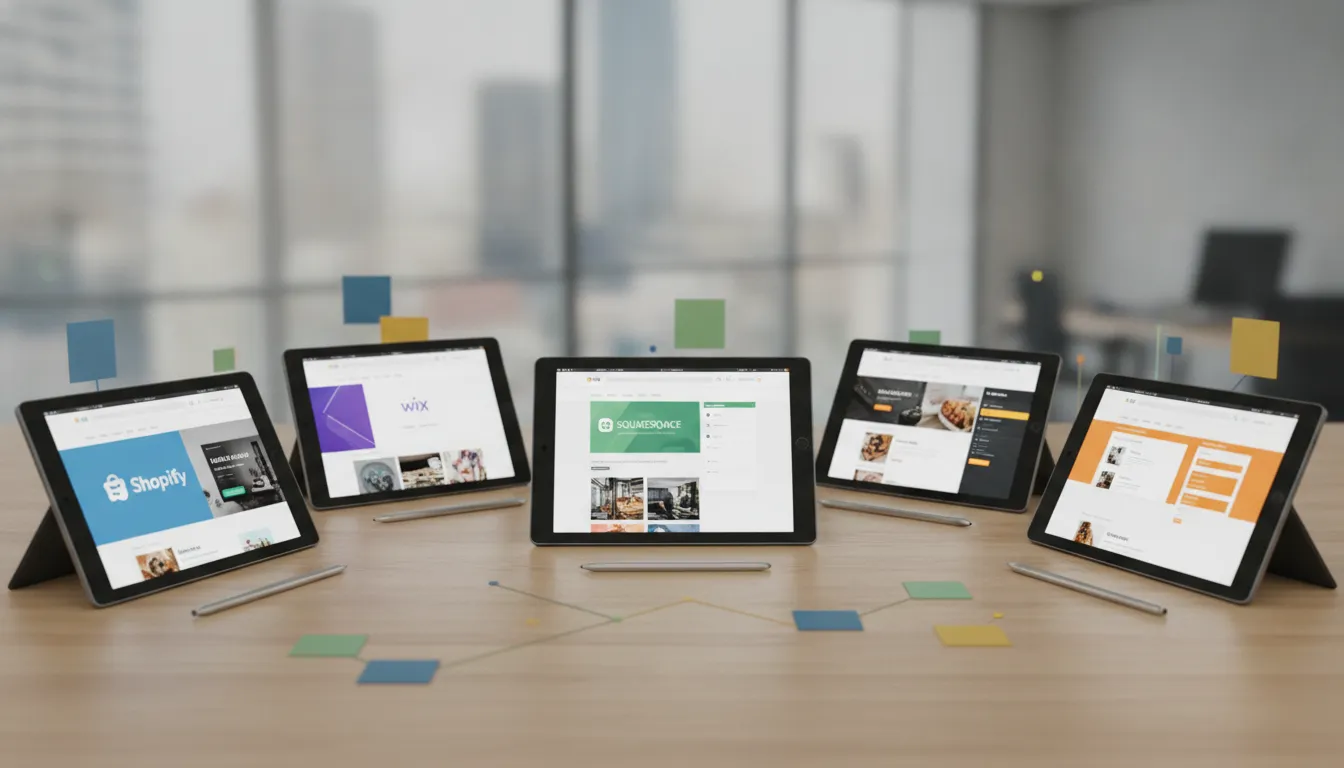
Start by matching the platform to the action you want visitors to take. Squarespace and Wix suit businesses that need calls, quote requests, bookings, galleries, and service pages. Shopify is the stronger choice for products and online orders. WordPress offers the most control for content, SEO, custom features, and complex lead systems. Canva works for a focused one-page launch with limited requirements.
Then compare the details that affect daily work. Review each platform’s mobile design, page speed, metadata controls, image handling, forms, analytics, integrations, customer support, and export options. Check whether you can connect the tools you already use, such as email marketing, scheduling, customer relationship management, or payment processing.
Think about future needs as well as today’s budget. A platform that feels easy now may become restrictive when you add service areas, team members, seasonal campaigns, or commercial project pages. Reviewing website builder costs and features can help you compare total ownership instead of focusing only on the advertised monthly price.
How Do the Best Small-Business Website Builders Compare?
The best website builder depends on what your business needs to accomplish. A permanent outdoor lighting company such as Lit 365 needs more than an attractive homepage. Its website should showcase completed installations, explain the process, build trust, collect quote requests, and help nearby homeowners and businesses find the company through search.
That makes a service business different from an online retailer. A lighting company may not need product inventory, shipping tools, or a complicated checkout process. It may benefit more from project galleries, service-area pages, customer reviews, phone links, contact forms, and scheduling tools.
Before choosing a platform, consider your technical comfort, budget, available time, and growth plans. Review each builder’s design tools, SEO controls, integrations, support, and ownership policies. The right choice should meet your current needs while leaving room for new services, locations, content, and customer requests.
Compare Squarespace’s features, benefits, limitations, and ideal users
Squarespace is an all-in-one website builder known for polished templates and a clean editing experience. You can start with a free trial without entering a credit card, then choose a paid plan when you’re ready to publish. Its visual editor lets you adjust layouts, fonts, colors, images, and branding without writing code.
Squarespace suits service businesses and visual brands particularly well. Lit 365 could use it to showcase permanent lighting installations, seasonal displays, customer reviews, service details, and a quote form. Built-in tools also support blogging, analytics, forms, appointment scheduling, and ecommerce.
The main tradeoff is customization. Squarespace offers less flexibility than WordPress for complex features and may not be ideal for a large, high-volume online store. It also has no permanent free plan, and its free trial typically lasts 14 days. Choose Squarespace if you want a professional website with straightforward editing and minimal technical maintenance.
Compare Wix’s features, benefits, limitations, and ideal users
Wix gives beginners a flexible way to create websites for local businesses, portfolios, services, and online stores. Its visual editor lets you adjust many elements on a page, while built-in tools can support ecommerce, appointment scheduling, customer management, marketing, and analytics.
For Lit 365, Wix could support service pages, project galleries, seasonal lighting packages, booking requests, and local contact information. Its app marketplace also makes it possible to add reviews, chat, email marketing, and other features as the business grows.
That flexibility requires more decisions than a simpler template-based builder. Wix’s two editing experiences may confuse new users, and its free plans include Wix branding and a Wix subdomain. A paid plan is generally necessary for a professional domain and expanded business features. Wix is a strong option for owners who want hands-on design control without managing hosting or code.
Compare Shopify’s features, benefits, limitations, and ideal users
Shopify is designed primarily for businesses that sell products online. Its features include product listings, inventory management, checkout, payment processing, shipping tools, customer accounts, and abandoned-cart recovery. The platform can support a small online shop or scale with a larger ecommerce operation.
Shopify could suit a lighting company that sells permanent lighting components, accessories, installation packages, or ready-to-ship products online. Its extensive app ecosystem connects with email marketing, reviews, fulfillment, accounting, and customer service tools.
For a service-focused company that mainly generates quote requests, Shopify may offer more functionality than necessary. Connecting warehouses, delivery services, payment systems, and specialized apps can also become complicated. Some businesses need an agency or ecommerce specialist to manage the setup. Choose Shopify when online sales, inventory, and checkout are central to your business model.
Compare WordPress’s features, benefits, limitations, and ideal users
WordPress offers extensive control over design, content, SEO, forms, integrations, and custom functionality. It is also a strong platform for publishing educational content, which can help businesses attract customers through project articles, service guides, and local search content.
A permanent lighting company could use WordPress to create detailed service-area pages, holiday lighting guides, commercial case studies, FAQs, and quote forms. Plugins can add reviews, bookings, image galleries, analytics, CRM connections, and other features. Developers can create custom tools when standard plugins do not meet your needs.
That control comes with responsibility. You must arrange hosting, choose a theme, manage updates, monitor security, maintain backups, and resolve plugin conflicts. The learning curve is steeper than it is with Squarespace or Wix. WordPress is best for businesses that need significant customization, have dependable technical support, or plan to build a content-rich website over time.
Compare Canva’s features, benefits, limitations, and ideal users
Canva’s business website maker offers a quick way to create a simple online presence. Its familiar drag-and-drop editor and large library of templates make it accessible to owners who want to publish a site without learning complicated tools.
Canva may work for a new lighting company that needs a focused landing page with a short service description, project photos, service area, phone number, and quote request link. It can also help a business create matching graphics for social media, promotions, and seasonal campaigns.
The main limitation is scope. Canva websites are primarily designed for one-page sites, so they may not provide enough room for separate service pages, location pages, detailed FAQs, or a growing content strategy. Advanced SEO, integrations, and conversion tools are also more limited than those on dedicated website platforms. Choose Canva for a fast, affordable launch when your business needs a clear online introduction rather than a complex website.
Match each builder to your skills, business model, and growth plans
Your platform should match the way you attract and serve customers. Squarespace is a practical fit for a service business that wants polished design, simple editing, and pages for services, galleries, reviews, and quote requests. Wix suits owners who want more editing freedom and built-in business tools. For Lit 365, either option could support inquiries from homeowners, commercial property owners, and HOAs.
Shopify is the clearest choice when products, inventory, payments, and shipping drive revenue. WordPress makes more sense when you need deep customization, extensive content, or advanced local SEO. Canva fits a small launch with limited pages and a tight budget, though its simplicity may become restrictive as you add services, locations, and marketing campaigns.
Many small-business website problems start with a mismatch between the platform and the company’s long-term goals. Planning around future website needs can help you avoid rebuilding too soon. Before you commit, list the actions customers should take, such as calling, requesting a quote, booking an appointment, or purchasing a product. Then choose the builder that supports those actions with the least friction.
How Much Does a Small-Business Website Builder Cost?
A small-business website builder can cost anywhere from free to several thousand dollars, depending on the platform, features, and level of professional help you choose. The monthly subscription is only one part of the budget. You may also need to pay for a domain, business email, premium templates, apps, payment processing, photography, copywriting, maintenance, and marketing tools.
For a local service company such as Lit 365, the best budget depends on the website’s purpose. A business that generates lighting consultations and quote requests may not need a full ecommerce plan. It does need polished service pages, project galleries, customer reviews, service areas, contact forms, and easy-to-find phone links.
Free plans can help you test an idea, but they often include platform branding, limited storage, fewer design options, and restrictions on custom domains. Paid plans usually remove those limits and add features such as analytics, forms, appointment scheduling, ecommerce, and integrations. Review each platform’s current website builder pricing before choosing a plan.
Compare free plans, paid tiers, annual billing, and trial periods
Free plans are useful for testing a layout or creating a temporary event page. They are less suitable for an established business because the web address may include the platform’s name, and the site may display third-party branding. Those details can make a company appear less established when homeowners compare local service providers.
Paid plans usually include a custom domain and essential pages. Higher tiers may add advanced analytics, appointment scheduling, ecommerce, marketing tools, or lower payment processing rates. Compare the features included in each tier rather than choosing the lowest price automatically.
Annual billing often lowers the average monthly cost, but it requires a larger payment upfront. Monthly billing offers more flexibility while you test the platform. Squarespace offers a 14-day trial, while Wix has a limited free plan and paid options starting at about $17 per month when billed annually. Use a trial to test mobile layouts, forms, galleries, and integrations before committing.
Compare Squarespace and Wix subscription prices and feature upgrades
Squarespace plans start at about $19 per month, while Wix paid plans begin at about $17 per month when billed annually, according to this website builder comparison. Both platforms offer upgrades, so the starting price may not reflect the features your business will eventually need.
Squarespace is a strong fit for businesses that want a polished visual presentation without managing many separate tools. Its templates can showcase before-and-after images, seasonal displays, testimonials, and service information. A higher plan may be necessary if you need advanced marketing or selling features.
Wix gives beginners more control over individual page elements and offers a large app marketplace. That flexibility can help a local business add booking tools, chat, forms, review features, or industry-specific functions. Apps may cost extra, however, and managing several add-ons can make the monthly total less predictable. Compare included features, upgrade costs, and app fees before choosing either platform.
Review Shopify plans, payment processing, transaction fees, and apps
Shopify is designed primarily for businesses that sell products online. Its plans start at about $29 per month when billed annually, but the subscription is only part of the cost. You may also pay for a domain, premium theme, apps, shipping tools, payment processing, and transaction fees.
For a product-based business, these tools can justify the expense. Shopify supports product listings, inventory, checkout, shipping, customer accounts, and order management. It could suit a lighting business that sells fixtures, accessories, replacement parts, or other products directly through its website.
A service business that mainly schedules consultations and collects quote requests may not need a full ecommerce system. Paying for unused selling features can make the site more expensive and harder to manage. Review the current Shopify plans and transaction fees, then estimate costs based on sales volume, payment methods, and the apps you plan to install.
Budget for WordPress hosting, domains, themes, plugins, development, and maintenance
Self-hosted WordPress gives you significant control, but its costs come from several separate services. You may need hosting, a domain, security tools, backups, a theme, plugins, and ongoing maintenance. A basic setup can be affordable, while custom development can raise the total considerably.
Premium themes and plugins can add features for forms, galleries, local SEO, bookings, speed, accessibility, and security. Some charge a one-time fee, while others require annual licenses. You should also budget for updates and troubleshooting because plugin conflicts or outdated software can affect performance.
WordPress may suit a business that plans to publish detailed service content, create location pages, or add custom tools. It can also create more technical work for a small team. If you do not have time to manage updates and backups, include maintenance support in the budget. The WordPress.org documentation explains how the platform differs from hosted builders.
Consider Canva’s low publishing costs and limited advanced features
Canva offers a simple website builder for a one-page launch, event, campaign, or temporary service announcement. Its business website maker is easy to use and works well for pages with basic text, images, buttons, and contact information.
The low cost comes with tradeoffs. Canva is not designed for complex service websites that need extensive SEO controls, multiple location pages, booking systems, customer portals, or detailed integrations. A permanent lighting company may outgrow a one-page site if it needs separate pages for residential lighting, commercial projects, seasonal displays, FAQs, warranties, and service areas.
Choose Canva when the website has a narrow purpose and simple content. It could support a promotion or event while your primary site is being developed. Before using it as your long-term platform, check whether it supports your preferred domain, analytics, forms, and content structure.
Budget for domains, business email, SSL, templates, apps, and integrations
A custom domain is an important website expense because it gives customers a memorable address and supports a professional email identity. Domain registration is usually an annual cost. Some builders include a domain during the first year, so check the renewal price and confirm who controls the registration.
Business email may require a separate subscription. An address such as hello\@yourcompany.com creates a more consistent experience than a personal inbox. You should also confirm that the website includes SSL, which encrypts information exchanged between visitors and your site. Most established builders include SSL, but verify this before publishing.
Templates may be free or paid. Apps and integrations can add recurring costs for forms, CRM systems, email marketing, scheduling, live chat, reviews, analytics, and automation. List each subscription before choosing a plan. This small-business website cost guide can help you identify expenses that are easy to miss.
Include payment processing, professional setup, content, and maintenance costs
If your website accepts deposits, consultation payments, product orders, or online invoices, payment processing fees will affect your budget. These fees are often charged per transaction and can vary by payment method or platform. Include them in your sales projections instead of treating them as unexpected expenses.
Professional setup can also change the total cost. A DIY site may require only your time, while a professional project may include planning, design, copywriting, photography, development, SEO, and training. For Lit 365, useful content may include service descriptions, installation details, warranty information, project photos, customer reviews, and seasonal lighting examples.
Ongoing maintenance may cover software updates, security monitoring, backups, content edits, technical support, and SEO improvements. Even a simple website needs updates when services, service areas, hours, promotions, or contact details change. Ask providers for a clear scope of work so you know what setup includes and what will cost extra.
Separate first-year expenses from recurring costs
First-year expenses often look different from future costs. The initial budget may include domain registration, setup fees, brand photography, copywriting, a template, professional design, and integrations. Some platforms also offer introductory prices that increase at renewal.
Recurring expenses can include the website plan, domain renewal, business email, premium plugins, apps, support, maintenance, hosting, payment processing, and content updates. Separate these costs so you understand what the website will require each year after launch.
It is also useful to separate one-time expenses from optional tools. A new logo, custom photo session, or professionally written service pages may only be needed during the initial build. A booking platform, email marketing system, or review tool may become useful later.
Write down the first-year total and expected renewal cost before signing up. Review the platform’s billing terms and Squarespace trial information directly, since offers, renewal prices, and included features can change.
Compare total ownership costs instead of advertised monthly prices
The advertised monthly price is a starting point, not the complete cost of ownership. A low-cost plan may require paid apps for forms, bookings, reviews, analytics, or email marketing. A higher-priced plan may include those features and cost less once all tools are counted.
Consider the value of your time, too. Building a site yourself may lower the upfront bill, but it can take many hours to write content, resize images, configure forms, test mobile layouts, and solve technical issues. For a busy service business, that time may be better spent handling consultations and installations.
Compare each platform by adding the subscription, domain, email, templates, apps, payment fees, setup, content, maintenance, and expected upgrades. Then consider future needs, such as additional service areas, commercial inquiries, seasonal landing pages, online payments, or customer follow-up. The best option is not always the cheapest plan. It is the one that gives customers a reliable experience without adding costs and complexity you do not need.
Which Website Builder Fits Your Business, Budget, and Goals?
The right website builder depends less on popularity and more on what you need your website to do. A permanent lighting company needs a different setup than an online clothing shop, a consultant, or a content publisher. Start by identifying the action you want visitors to take: call, request a quote, book an appointment, buy a product, or learn more about your services.
Your budget matters, but the cheapest plan is not always the least expensive option. A low-cost builder may require paid add-ons for forms, scheduling, analytics, email marketing, or ecommerce. Before choosing, list your essential features, estimate how much time you can spend managing the site, and decide whether you need professional support.
Your website should also make your business look trustworthy. Research from The Small Business Expo describes a business website as the front door to your brand. For a local company, that means showing your work, explaining your services, sharing reviews, and making it easy for customers to contact you. Choose a platform that handles those tasks well now and can support reasonable growth later.
Permanent lighting and home-service businesses: galleries, quotes, service areas, and local SEO
Permanent lighting and other home-service businesses usually need a lead-focused website rather than a full online store. The most important features include a project gallery, quote request form, click-to-call phone number, service area information, customer reviews, and clear descriptions of the work you provide.
For Lit 365, photography should make the difference easy to understand. Show subtle everyday lighting, colorful holiday displays, commercial installations, and clean daytime results. Include details about customization, scheduling, installation, and the types of properties you serve. Service-area pages can also help nearby homeowners find your business when searching for permanent outdoor lighting.
Choose a builder with local SEO controls, including editable page titles, descriptions, image text, map embeds, and review sections. Google Business Profile guidelines explain how businesses can manage their presence in local search. Squarespace and Wix are practical choices for this model because they combine visual templates with forms, phone links, scheduling tools, and straightforward editing.
Lead-driven local businesses: Squarespace or Wix for calls, forms, reviews, and bookings
If your business depends on calls, consultations, or appointment requests, Squarespace and Wix are both worth considering. Each offers templates for service businesses, along with tools for contact forms, calendars, testimonials, maps, and basic email marketing. You can create a professional site without managing code or a complicated technical setup.
Squarespace suits owners who want a refined, cohesive visual style. Its templates work well for businesses that rely on photography, including landscapers, designers, photographers, and lighting installers. Wix gives beginners more freedom to move elements around and customize individual pages, which can help if you want more layout control.
Test the complete inquiry process before choosing. Submit a form from your phone, call the listed number, request an appointment, and confirm where notifications go. Review each platform’s booking tools and make sure they match your availability, staff responsibilities, and customer workflow.
Commercial businesses and HOAs: consistent branding, service details, and inquiry tools
Commercial properties, property managers, and HOAs often need a website that communicates reliability and consistency. Visitors may want to review service options, understand installation requirements, request a proposal, or contact someone about a property-wide project. The site should answer those questions quickly without adding unnecessary complexity.
Focus on clear branding, organized service pages, project photography, FAQs, and a simple inquiry form. A commercial lighting page might explain installation timelines, scheduling, maintenance, control options, and how displays can support a property’s appearance throughout the year. HOAs may also need information that board members can share with residents.
Choose a platform that lets several people edit the website safely, with user permissions and a clear approval process. Modern website builders can provide a professional appearance without custom development, as noted by The Small Business Expo’s small-business website guide. Squarespace, Wix, and WordPress can all work, depending on the organization’s content needs and technical resources.
Product businesses: Shopify for payments, inventory, shipping, and ecommerce
If your primary goal is selling physical products online, Shopify is usually the strongest fit. It is built around ecommerce, so product pages, checkout, payment processing, inventory management, shipping settings, discount codes, and order tracking are central parts of the platform.
Shopify may suit a lighting company that sells bulbs, controllers, accessories, or installation kits online. You can organize products into collections, track stock, connect shipping services, and add sales channels as the business grows. It is less necessary for a company whose customers mainly request professional installation quotes.
Remember that ecommerce costs extend beyond the monthly plan. Review payment processing charges, transaction fees, apps, shipping tools, and the time required to maintain product information. Shopify’s official pricing page outlines its plan structure, but your total cost depends on the features and integrations you add.
Content-led businesses: WordPress for publishing, SEO, and customization
WordPress is a strong option for businesses that plan to publish substantial content, build a resource library, or create a highly customized website. It gives you extensive control over page structure, blog categories, SEO settings, forms, landing pages, and integrations. That flexibility can support content about outdoor lighting, holiday decorating, curb appeal, and property improvements.
The tradeoff is that WordPress usually requires more hands-on management. You may need to choose hosting, install updates, monitor security, manage plugins, and create backups. Poorly maintained plugins can cause performance or compatibility problems, so assign someone responsibility for regular site care.
WordPress.org explains the difference between its hosted software and other WordPress options in its support documentation. Choose WordPress when you need its flexibility and have the time, budget, or professional support to manage it. For a small service business with a few core pages, its additional control may be more than you need.
Visual brands and simple launches: Canva for focused informational websites
Canva can work well for a simple, visual website that introduces a business and directs visitors to one clear action. Its templates are easy to edit, and its design tools are familiar to many small-business owners. A one-page site might include a short introduction, service overview, project photos, testimonials, service area, and contact button.
This approach can suit a new business testing an idea, a seasonal campaign, or a small brand that needs an online presence quickly. Canva’s business website maker is designed for simple website projects and can be a practical starting point when advanced features are not necessary.
Before committing, check whether the platform supports the actions your customers need. Canva may feel limiting if you require detailed service-area pages, advanced booking, CRM connections, complex analytics, ecommerce, or a large blog. It works best when the website has a narrow purpose and visual presentation matters more than extensive functionality.
Beginners on tight budgets: weigh quick setup against feature limits
A beginner-friendly builder can help you get online without hiring a developer. Free plans and low-cost tiers may be useful for testing your message, preparing a temporary launch, or creating a basic informational site. They also give you a chance to learn what visitors respond to before paying for advanced tools.
Review the restrictions carefully. Free plans may include platform branding, a subdomain, limited storage, fewer design options, or no access to important marketing features. Some do not support custom domains, appointment forms, detailed analytics, or ecommerce. Those limits can make a business look less established or create extra work later.
Make a short list of non-negotiable features before choosing a plan. For Lit 365, that list might include a custom domain, project gallery, quote form, click-to-call button, service-area pages, reviews, and mobile-friendly design. A builder that costs slightly more but includes these tools may offer better value than a free option that requires several separate services.
Growing businesses: prioritize integrations, analytics, automation, and scalable plans
Growth changes what your website needs to handle. You may add team members, serve more locations, run seasonal campaigns, collect more leads, or connect your site to a customer relationship management system. Choose a builder that can support those changes without requiring a complete rebuild.
Look for integrations with email marketing, analytics, forms, scheduling, online chat, review platforms, and customer management tools. Automation can route quote requests, send appointment confirmations, tag leads, or follow up with customers after an installation. Analytics can show which pages and campaigns generate calls or form submissions.
Review each platform’s plan structure before signing up. A low-cost entry plan may not include the permissions, storage, integrations, or reporting you need later. Look for responsive design, intuitive layout controls, and tools that can grow with your business, priorities also highlighted by Levitate’s website builder guidance. Choose added complexity only when it supports a clear business need.
Businesses planning a platform change: check exports, migration tools, and domain ownership
A platform change can become difficult when your website content, customer records, forms, and domain are tied to one provider. Before signing up, find out what you can export and what you would need to rebuild manually. Blog posts, images, page URLs, product data, form submissions, and SEO settings may not transfer in the same way.
Keep ownership of your domain and maintain access to the account used to register it. Your domain is one of your most valuable digital assets, so it should not be controlled solely by a freelancer or agency. Save copies of your brand files, website text, images, customer data, and analytics history.
Ask whether the builder offers migration tools, redirects, backups, and support during a move. A platform that makes it easy to leave gives you more control over future decisions. This matters for businesses that may add ecommerce, expand into new service areas, or bring website management in-house. Consider migration before you build, not after the website becomes difficult to replace.
What Are the Pros and Cons of Small-Business Website Builders?
Website builders make it possible to launch a professional-looking site without starting from scratch. They combine hosting, templates, editing tools, and business features in one platform, which can save a small team significant time. The best choice depends on what your website needs to accomplish. A local service business such as Lit 365 may prioritize quote requests, project galleries, service areas, and phone calls, while an online retailer may need inventory, checkout, and shipping tools.
Before choosing a platform, look beyond the templates. Consider how easily you can update seasonal content, connect forms and analytics, manage your domain, and add features as your business grows. Review current pricing and plan details directly, since included tools can change. The U.S. Small Business Administration’s website guidance recommends considering your goals, audience, content, and ongoing maintenance needs before you build.
Squarespace pros and cons: strong design and simplicity versus limited customization
Squarespace works well for small businesses that want a polished website without spending weeks making design decisions. Its professionally designed templates are a good fit for visual brands, home-service companies, photographers, designers, and businesses that use galleries to show their work. Built-in tools for forms, blogging, analytics, and ecommerce can also reduce the number of separate services you need.
The tradeoff is limited flexibility when you need highly specific functionality. You can customize layouts and styling, but you may have less control than you would with WordPress or another open platform. Advanced bookings, complex forms, and specialized integrations may require third-party tools or workarounds. Review Squarespace’s business website features before choosing it, especially if you expect your website requirements to change.
Wix pros and cons: flexible editing and apps versus more choices to manage
Wix gives beginners considerable control over page layouts, colors, sections, and content. Its drag-and-drop editor makes it simple to create pages for services, FAQs, testimonials, project galleries, and contact details. The app marketplace can add appointment scheduling, live chat, email marketing, and lead management. This flexibility makes Wix a practical option for local businesses with several marketing needs.
That freedom can also create more decisions than some owners expect. You may spend too much time adjusting design details or installing apps without a clear plan. Paid apps can increase your monthly costs and create additional systems to maintain. Before choosing Wix, review its small-business website features and test whether you can build the pages, forms, and customer actions your business needs without unnecessary complexity.
Shopify pros and cons: strong ecommerce versus unnecessary costs for service businesses
Shopify is designed for businesses that sell products online. It includes tools for product listings, inventory, checkout, payment processing, shipping, discounts, and order management. The platform can support a growing catalog and connect with multiple sales channels, making it a practical choice when ecommerce is central to your business. Shopify’s online store features show how much of the sales process it can handle in one platform.
For a service business, Shopify may provide more ecommerce functionality than you need. A company that mainly generates leads through phone calls and quote forms could end up paying for tools built around product sales. You may also need paid apps for bookings, advanced forms, or custom workflows. Shopify can make sense for a company that sells lighting products or packages online, but compare plan costs, payment fees, and app expenses with a simpler service-business platform.
WordPress pros and cons: control and scalability versus maintenance and security
WordPress gives businesses extensive control over design, content, SEO settings, integrations, and functionality. You can choose from thousands of themes and plugins, publish detailed service pages, create location-based content, and build custom features as your company grows. It is a strong fit for businesses that plan to publish regularly or need a website tailored to a specific process. The official WordPress.org documentation explains the platform’s core tools and setup requirements.
That control comes with more responsibility. Most WordPress websites require separate hosting, a domain, themes, plugins, backups, updates, and security monitoring. Poorly maintained plugins can create compatibility or security issues, while too many plugins can slow down a site. You may need a developer or maintenance service to handle technical work. WordPress is powerful, but it is best suited to owners who have the time, skills, or budget to manage a hands-on platform.
Canva pros and cons: speed and affordability versus limited SEO and integrations
Canva can be useful when you need a simple website online quickly. Its visual editor is familiar to many business owners, and you can carry the same brand colors, graphics, and images across your website and marketing materials. A one-page site may be enough for a new business that needs to explain its services, show a few photos, and provide a phone number or contact link. Canva outlines its business website options for users who want a straightforward setup.
The limitations become more noticeable as your website grows. Canva may not offer the same depth of SEO controls, content structure, forms, analytics, booking tools, or integrations as a dedicated website platform. Managing multiple service areas, detailed location pages, seasonal campaigns, or complex lead workflows can become difficult. Canva is most suitable for a focused informational page, rather than a long-term marketing system with several connected tools.
DIY website building pros and cons: lower upfront costs versus time and content demands
Building your own website can reduce upfront costs and give you direct control over updates. Templates and guided editors allow you to create a basic site without hiring a designer, and you can change services, hours, or promotions whenever needed. DIY building can be a sensible starting point for a new business with a limited budget and a straightforward offer.
The tradeoff is the time required to do the work well. You must choose a platform, write the copy, select photos, arrange page layouts, configure forms, connect analytics, and check the site on mobile devices. You also need to maintain content and troubleshoot problems after launch. A site can look attractive while still leaving out service areas, reviews, warranty information, or a clear next step. The SBA’s marketing guidance can help you connect the website to broader business goals before you begin.
Professional setup pros and cons: stronger execution versus higher project costs
Hiring a professional can help you launch a more focused and credible website. An experienced designer or developer can organize your content, create consistent branding, write clear calls to action, optimize pages for mobile devices, and connect forms or scheduling tools correctly. For a premium home-service business, professional help can also improve how you present installation photos, customer reviews, warranties, service areas, and commercial work.
The main disadvantage is the higher project cost. Professional services may include strategy, design, copywriting, development, photography, SEO, hosting, and ongoing maintenance, so request a clear scope before work begins. Ask who owns the domain, website files, accounts, and content after launch. Confirm whether updates and support are included, and make sure you can edit essential information yourself. A professional setup is most worthwhile when it saves substantial time or helps generate enough qualified leads to support the investment.
What Website Builder Challenges Should Small Businesses Expect?
Website builders simplify the technical side of launching a site, but they do not eliminate the work behind an effective online presence. You still need to choose the right plan, write useful content, maintain the site, and make sure visitors can contact your business. A builder that works well for a basic brochure site may become restrictive when you add quote requests, bookings, online payments, or marketing tools.
For a company such as Lit 365, the website needs to do more than display attractive lighting installations. It should explain the service, showcase completed projects, answer common questions, support local search, and encourage homeowners, HOAs, and commercial customers to request an estimate. Understanding the challenges below can help you choose a platform that supports your current needs while leaving room to grow.
Expect branding, domain, storage, and feature limits on free plans
Free plans can be useful when you are testing an idea, but they often include restrictions that make them unsuitable for an established business. Your website may use a platform-branded domain, display advertisements, limit storage, or prevent access to forms, analytics, custom code, and payment features. Some plans also restrict the number of pages you can publish.
These limits may be fine for a temporary landing page, but a professional service business should have a branded domain and enough flexibility to publish galleries, service-area pages, FAQs, and quote forms. Review each platform’s pricing page carefully, including the features available only after upgrading. This small-business website builder comparison can help you identify common plan restrictions before you commit.
Remember that drag-and-drop tools cannot replace clear goals and quality content
A drag-and-drop editor can arrange text, images, buttons, and forms, but it cannot decide what visitors need to know or what action they should take. Define your primary goal before choosing a template. For Lit 365, that goal may be getting homeowners to request a consultation, call the team, or view examples of permanent outdoor lighting.
Your content should answer practical questions about installation, customization, service areas, scheduling, warranties, and ongoing support. Use specific headlines, clear calls to action, and high-quality project photos instead of relying on design alone. A website builder comparison for small businesses can help you compare features, but no platform writes persuasive service content for you.
Recognize that built-in SEO does not guarantee local visibility
Most website builders include basic SEO settings, such as page titles, meta descriptions, image fields, and mobile-friendly templates. These features provide a useful starting point, but they do not automatically place your business in front of local customers. Search visibility also depends on helpful service pages, accurate business information, reviews, site performance, and content that reflects the areas you serve.
A local lighting company may need pages for nearby cities, neighborhoods, or commercial service areas. Include consistent contact details, a complete contact page, an embedded map where appropriate, and clear links to request a quote. Project descriptions can also mention the type of property and service area when relevant. Google’s SEO Starter Guide explains the fundamentals of helping search engines understand your pages.
Account for higher costs, maintenance, and security risks from apps and plugins
A low monthly website price does not always reflect the total cost of running the site. You may need separate tools for contact forms, appointment scheduling, live chat, review displays, email marketing, customer relationship management, and analytics. Some charge by the number of contacts, submissions, appointments, or transactions.
Apps and plugins also require ongoing attention. Updates can change how a tool works, create conflicts, or stop a form from sending notifications. WordPress offers extensive control, but themes, plugins, hosting, and security settings require regular maintenance. Before adding a tool, check whether the platform already includes a similar feature, who handles updates, and what support is available if the integration fails. Keep a record of connected services and renewal dates.
Consider how today’s easy builder may limit future bookings, sales, or integrations
A platform that works for a five-page brochure site may not support your next stage of growth. You might eventually need online consultations, automated follow-up emails, appointment scheduling, financing information, customer accounts, or a product catalog. If the builder cannot connect with the tools you need, you may face awkward workarounds or a costly redesign.
Think through your likely customer journey before choosing a platform. A homeowner may find Lit 365 through local search, view a gallery, learn about installation, and submit a quote request. A commercial customer may need a longer inquiry form or a way to schedule a property visit. Check whether the builder supports these actions through built-in features or dependable integrations. This small-business website guide shows why functionality matters as much as appearance.
Compare the costs and responsibilities of built-in and third-party tools
Built-in features generally work smoothly with the rest of your website because they come from the same platform. They may also receive automatic updates and support from one provider. The tradeoff is that they can be less flexible, and advanced options may require a higher-priced plan.
Third-party tools offer more choice. You might connect a specialized booking system, email platform, CRM, review service, or payment processor that fits your workflow better. However, you may need to manage separate logins, billing, data permissions, support contacts, and updates. Compare the complete cost of each option, including setup and maintenance. A tool should save time or improve the customer experience, not create another system your team has to monitor.
Remember that DIY may cost more when owner time is limited
Building a website yourself can reduce upfront expenses, but it still requires a meaningful time commitment. You may need to write service pages, resize images, configure forms, connect analytics, fix mobile layouts, publish updates, and troubleshoot technical problems. Those tasks can compete with estimates, installations, customer calls, and daily operations.
Calculate the value of the hours you expect to spend, rather than comparing only subscription prices. Professional setup may be worthwhile if it helps you launch sooner, present your services clearly, and avoid preventable mistakes. A hybrid approach can work well, too. You might hire help for the initial design, SEO structure, and integrations, then handle simple text and image updates yourself. Choose the approach that fits your skills, schedule, and comfort with ongoing website management.
Protect forms, customer data, access permissions, backups, and site ownership
Your website may collect names, phone numbers, email addresses, property details, and project information. Protect this data with secure forms, strong passwords, two-factor authentication, and appropriate user permissions. Give team members only the access they need, and remove former employees or vendors promptly.
Before publishing, confirm how the platform handles backups, exports, and account recovery. Keep copies of important page content, images, customer records, and brand assets in a secure location. Make sure your business owns the domain and controls the website, analytics, email, and third-party accounts. If an agency builds the site, use a written agreement that explains ownership and access. The FTC’s data security guidance offers practical steps for protecting information held by a small business.
How Can You Choose and Test a Small-Business Website Builder?
The right website builder should support your business goals, not simply offer the largest template library or the lowest introductory price. Start by defining what you want the website to accomplish. A permanent outdoor lighting company may need quote requests, phone calls, service-area pages, project galleries, customer reviews, and seasonal service information. An online retailer may prioritize product listings, inventory, shipping, and payment processing.
Write down what your website needs to do today, then add features you may need as the business grows. This keeps you from choosing a platform based only on appearance. It also gives you a clear way to compare options. A practical small-business website checklist can help you review accessibility, maintenance, marketing tools, and customer experience.
Test each platform with realistic tasks before you commit. Build a sample service page, upload project photos, create a quote form, and view the site on a phone. The best choice is usually the builder that handles your most important tasks simply, fits your budget, and leaves room for future services, locations, and integrations.
List must-have pages, customer actions, integrations, and future features
Begin with the pages customers need before contacting or buying from you. For Lit 365, these might include Home, Permanent Lighting, Residential, Commercial, Gallery, Service Areas, FAQs, About, Contact, and Request a Quote. Seasonal pages for Christmas, Halloween, sports events, and everyday accent lighting can also help visitors find the right service.
Next, list the actions customers should take. Do you want them to call, submit a quote request, schedule a consultation, browse project photos, or start a chat? Then identify the tools that support those actions, including email marketing, customer relationship management software, scheduling, analytics, and review platforms.
Think beyond launch features, too. You may eventually need online payments, additional location pages, team access, or a larger gallery. Levitate’s website builder guide recommends reviewing layout control, responsive behavior, and integrations before choosing a platform.
Set a budget based on total costs, not monthly pricing alone
A website builder’s advertised monthly price rarely represents the full cost. Include your domain, business email, premium templates, apps, payment processing, photography, copywriting, setup, maintenance, and future upgrades. Some builders include forms, scheduling, or analytics, while others charge extra for these features.
Separate one-time expenses from recurring costs. Professional setup may cost more initially, but it can save hours and prevent technical problems. A simple DIY site may suit a new business testing an idea, while a growing company may need more advanced tools. Webnode’s small-business comparison offers a useful reminder that platform costs should match the business’s current stage.
Create a first-year estimate for every option, then calculate the annual cost after introductory pricing ends. This gives you a clearer picture than comparing the lowest monthly tier. Also include the value of your time, especially if website updates take you away from installations, customer service, or sales.
Match platform complexity to your skills and available time
Choose a platform your team can maintain consistently. If you plan to add project photos, update service areas, publish seasonal offers, and respond to inquiries yourself, routine editing should feel straightforward. A builder with many settings may provide more control, but too many choices can make simple updates frustrating.
Consider your schedule as well as your technical ability. A business owner who spends most of the week completing installations may prefer a simple platform or professional support. Someone who enjoys managing content may prefer WordPress and its broader customization options.
Test common tasks before signing up. Change a phone number, add an image to a gallery, update a service page, and edit a form. If each change requires a developer, the platform may not suit your business. The best builder is one your team can use confidently without creating a long list of unfinished updates.
Try free trials, demos, tutorials, and templates before paying
Use a free trial as a practical test, not just a tour of attractive templates. Build a sample homepage, create a service page, add a contact form, and upload several project images. These tasks will show you how the platform handles the work you will repeat most often.
Watch tutorials and read the help documentation before subscribing. Look for answers to questions such as: Can you change the layout without rebuilding the page? Can you edit forms easily? Can multiple people access the account? Are backups included? Do the templates work well on mobile devices?
Review several templates in your industry, but do not judge a platform by design alone. Check how quickly you can customize fonts, colors, buttons, navigation, and calls to action. The Small Business Expo’s website builder guide notes that modern builders reduce technical barriers, but you still need to confirm that the tool fits your workflow.
Test mobile layouts, speed, accessibility, forms, phone links, and galleries
Many local customers will visit your website on a phone, so test every important page at different screen sizes. Confirm that text is easy to read, buttons are simple to tap, and phone links open the correct calling app. Complete every form on a phone to identify fields that are awkward or difficult to use.
Pay close attention to galleries. High-quality outdoor lighting photos can be large, so compress images without making them look dull or blurry. Test how quickly the page loads on a mobile connection with PageSpeed Insights.
Review basic accessibility, too. Use descriptive alternative text for images, logical heading levels, readable color combinations, and clear labels for forms. A polished website should work for as many visitors as possible. If a page loads slowly or requires visitors to pinch and zoom, some potential customers may leave before seeing your work.
Test quote requests, bookings, payments, products, and notifications
A form can look correct and still fail behind the scenes. Submit a test quote request and confirm that the customer receives a clear confirmation while your team receives the inquiry in the correct inbox or CRM. Check required fields, spam protection, file uploads, and notification timing.
If you offer consultations, test the entire booking process from a phone. Confirm that available times are accurate, time zones are clear, and appointment reminders arrive as expected. For ecommerce websites, place a test order and review payment steps, inventory updates, shipping details, receipts, and customer notifications.
Lit 365 may focus primarily on quote requests rather than online checkout, but those inquiries still need to arrive promptly. Ask someone unfamiliar with the website to complete each important action without assistance. Their experience can reveal confusing wording, unnecessary fields, or unclear next steps.
Review SEO controls for metadata, service areas, reviews, maps, and location pages
Your website builder should let you edit page titles, meta descriptions, URLs, headings, image alternative text, and social sharing details. You should also be able to connect analytics and submit your sitemap. These controls help search engines and customers understand each page.
Local service businesses need more than general SEO settings. Check whether you can create useful service-area pages, embed a map, display customer reviews, and keep your business name, address, and phone number consistent. A permanent lighting company might create pages for residential lighting in one community, commercial lighting in another, and holiday installations throughout its service area.
Make every location page genuinely useful. Include relevant services, project photos, customer questions, and contact options instead of copying the same text across multiple cities. For broader guidance, review Google’s SEO Starter Guide before publishing your site.
Compare analytics, support, training, backups, and exports
A website should show you how visitors interact with your business. Compare analytics for traffic sources, popular pages, form submissions, calls, and other conversion events. Built-in reports may be enough for a small company, while a growing business may need connections to Google Analytics, a CRM, advertising platforms, or email marketing software.
Support is equally important when a form stops working or a page changes unexpectedly. Review live chat, email, phone support, documentation, training resources, and typical response times. Ask whether the platform includes automatic backups and whether you can restore an earlier version.
Check what you can export if you leave. Can you download customer data, page content, images, and product information? Some platforms make content transfers easier than others. Levitate’s comparison emphasizes that every builder requires some ongoing time, technical knowledge, or outside support, so include those responsibilities in your comparison.
Check domain portability and subscription-ending policies
Your domain is a long-term business asset. Make sure it is registered in your business name and connected to an account your company controls. Recovery details should not depend on a former employee, freelance designer, or outside agency.
Before subscribing, ask what happens when the plan ends. Does the website go offline immediately? Can you export your pages and images? Will your business email continue working? Are there transfer fees? Can you move the domain to another registrar without losing access?
Clarify ownership of written content, logos, photography, customer information, and design files before someone builds the site. Also confirm who has administrator access and whether you can add or remove users. The Small Business Expo’s website builder guide identifies ownership and portability as important planning considerations, especially for businesses that may change platforms later.
Score each option by fit, cost, control, and growth potential
Create a simple scorecard for every builder you are considering. Rate each platform from one to five in categories that directly affect your business:
- Business fit: Does it support calls, quote requests, bookings, products, or other key actions?
- Total cost: What will you pay during the first year and after introductory pricing ends?
- Ease of use: Can your team make regular updates without outside help?
- Design control: Can you create a polished, mobile-friendly brand experience?
- SEO and marketing: Can you manage local pages, metadata, reviews, analytics, and email tools?
- Growth potential: Will it support new services, locations, team members, and integrations?
- Ownership: Can you control your domain, content, customer data, and backups?
Give extra weight to the categories tied to revenue. For Lit 365, lead capture, gallery quality, local SEO, mobile performance, and service-area content may matter more than advanced ecommerce tools. A scorecard turns a vague platform search into a practical decision based on how well each option fits your skills, budget, customers, and growth plans.
Frequently Asked Questions
What is the best website builder for a local service business?\ Squarespace and Wix are strong choices for local service companies that need service pages, project galleries, reviews, quote forms, phone links, and basic scheduling. WordPress may be a better fit if you need extensive customization or a large content strategy. The best option is the one your team can maintain while supporting the actions customers need to take.
Does a permanent lighting company need an ecommerce website?\ Not usually. If your main goal is to generate consultations and estimate requests, a lead-focused website is often more practical than an online store. Shopify makes more sense if you sell lighting products, accessories, installation packages, or other items that require checkout, inventory, and shipping tools.
How much should a small business budget for a website?\ Costs vary based on the platform, features, and level of professional assistance. Plan for the website subscription, domain, business email, apps, photography, copywriting, setup, maintenance, and potential payment fees. Compare the total first-year cost and renewal price instead of relying only on the advertised monthly rate.
What pages should a permanent outdoor lighting website include?\ At minimum, include a homepage, service pages, project gallery, about page, service areas, FAQs, contact page, and quote request page. Lit 365 can also benefit from dedicated pages for residential lighting, commercial properties, holiday displays, everyday accent lighting, and special events.
What should I test before choosing a website builder?\ Create a sample service page, upload project photos, submit a test quote form, and view the site on a phone. Check page speed, image quality, phone links, accessibility, SEO settings, analytics, notifications, user permissions, backups, and domain ownership. Also confirm what happens to your content and customer data if you change platforms later.