2026-09-15
Energy Efficient Office Lighting: A Complete Guide
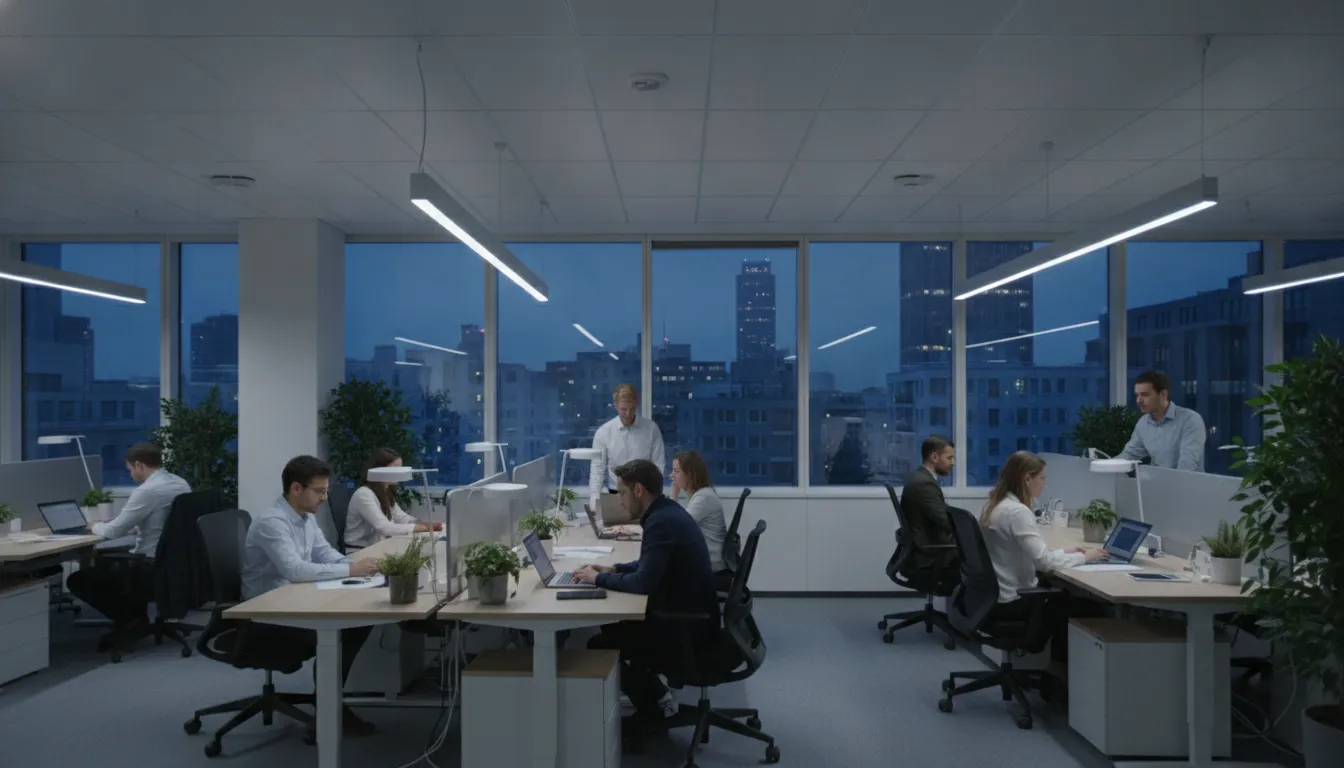
Many offices waste energy through lights that stay on in empty rooms, outdated fixtures, poor controls, or excessive brightness. Energy efficient office lighting addresses these problems with a combination of efficient LEDs, occupancy sensors, daylight controls, scheduling, and thoughtful fixture placement. The goal is not simply to make a space brighter. It is to provide the right amount of comfortable light where and when people need it. A well-planned upgrade can also reduce replacement costs, limit maintenance calls, and support a cleaner, more professional environment. Before choosing new products, learn which features matter and how to evaluate the entire lighting system.
Key Takeaways
- Assess before upgrading: Document fixture types, energy use, operating hours, comfort concerns, control settings, and maintenance needs before selecting new lighting.
- Design lighting around each space: Pair efficient LED fixtures with task lighting, daylight controls, occupancy sensors, dimming, and schedules that support comfort and practical office use.
- Track performance over time: Compare energy costs, maintenance, emissions, and employee feedback after installation, then adjust indoor and exterior lighting settings as needs change.
What Is Energy-Efficient Office Lighting, and Why Does It Matter?
Energy-efficient office lighting provides the brightness employees need while using less electricity and requiring fewer replacements. It can reduce operating expenses, limit waste, and make the workplace more comfortable when the system is designed for each space.
A successful upgrade looks beyond bulbs. It considers fixtures, controls, operating schedules, natural light, maintenance, and the way people use the building. A private office may need focused task lighting, while a hallway needs even coverage and a reception area may benefit from attractive accent lighting. Choosing the right system can also support broader sustainability goals by reducing energy demand and the emissions associated with electricity use.
Measure lumens, watts, efficacy, and operating hours
Lumens measure the amount of light a fixture produces. Watts measure how much electrical power it uses, so wattage does not tell you how bright a fixture will be. Efficacy connects the two by showing how many lumens a fixture produces per watt. A higher-efficacy product provides more light for the electricity it consumes.
Operating hours matter just as much. A fixture used 12 hours a day has a greater effect on energy costs than one used occasionally, even if both use the same wattage. Before replacing fixtures, record the existing bulb type, wattage, lumen output, operating schedule, and control settings. VONN Lighting’s office lighting guide explains how LED efficiency and long service life can affect office lighting decisions.
Link lower energy use to lower costs and emissions
Lighting affects more than the electricity line on a utility bill. Each kilowatt-hour saved can reduce the emissions associated with generating and delivering electricity. This gives businesses a practical way to support sustainability goals through everyday building improvements.
Lower energy use often comes from several changes working together. Efficient LEDs reduce fixture wattage, occupancy sensors turn lights off in empty rooms, and daylight sensors reduce output when windows provide enough illumination. Efficient fixtures may also release less heat into the building, which can reduce the demand on air-conditioning systems. The Sustainable Buildings Initiative explains how energy-efficiency improvements can reduce operating costs and greenhouse gas emissions. Record utility use before and after the project to measure the results.
Compare LED and CFL efficiency, lifespan, heat, durability, and startup
LEDs are often the most practical choice for office upgrades because they use less energy, turn on immediately, and can provide a long service life. They are available in different brightness levels, color temperatures, beam patterns, and fixture styles, making them suitable for workstations, conference rooms, corridors, and commercial exteriors.
CFLs generally use less energy than incandescent bulbs, but they typically have a shorter service life than quality LEDs. Some CFLs take time to reach full brightness, perform poorly in cold conditions, or wear out sooner in spaces where lights switch on and off frequently. LEDs also tend to produce less heat and resist breakage better than fixtures that rely on fragile glass tubes. Flexxica’s office lighting comparison covers differences in energy use, heat, lifespan, and maintenance.
Plan fluorescent and CFL replacements and mercury disposal
Fluorescent tubes and CFLs contain small amounts of mercury, so businesses should not automatically place them in regular trash. Check local disposal requirements and use an approved recycling or hazardous-waste program when required. This is especially important during large office renovations, when dozens or hundreds of lamps may be removed at once.
Create a replacement plan before taking out existing fixtures. Count the lamps, identify their sizes and ballast types, and decide whether the new system will reuse, bypass, or replace the ballast. Poor compatibility can cause flickering, weak performance, safety issues, or early product failure.
Store used lamps in a rigid container that helps prevent breakage, and keep them separate from ordinary waste until collection. If a lamp breaks, follow local cleanup instructions instead of using a regular vacuum. NYSERDA’s lighting guidance provides additional information about efficient lighting options and controls.
Evaluate CRI, flicker, glare, and distribution, not wattage alone
Energy efficiency does not guarantee visual comfort. A fixture can use very little electricity and still create glare, harsh shadows, uneven brightness, or distracting reflections. Color rendering index, or CRI, indicates how naturally a light source shows colors. Higher-CRI lighting can be useful in design studios, retail spaces, reception areas, and offices where employees review color details.
Flicker also deserves attention. Poor-quality LEDs or incompatible dimmers may create rapid fluctuations that cause eye fatigue or discomfort, even when the flicker is difficult to see. Ask manufacturers for flicker information and test products in the actual space before ordering in quantity.
Distribution describes where the light falls. A narrow beam may create bright spots and dark areas, while a well-designed fixture spreads light more evenly across desks and walkways. Diffusers, glare shields, and proper mounting heights can improve the result. Flexxica’s lighting guidance discusses glare, flicker, color quality, and distribution.
Correct common misconceptions about LEDs, controls, and payback
Replacing every bulb with the least expensive LED does not guarantee a successful upgrade. Driver quality, heat management, dimmer compatibility, color consistency, installation, and fixture placement all affect performance. A lighting assessment can identify problems before they lead to flickering, excessive brightness, poor coverage, or frequent replacements.
Smart controls do not have to mean a complicated building automation system. Businesses can use occupancy sensors, daylight dimming, scheduling, wall controls, or mobile applications, depending on the building and the people using it. Controls should be simple enough for employees to understand and include practical manual overrides when needed.
Payback depends on more than the fixture price. Include installation, rebates, electricity savings, maintenance, replacement frequency, and operating hours in the calculation. A higher-priced system may offer better long-term value if it lasts longer and reduces service calls. NYSERDA explains how smart lighting products can use mobile applications, along with other control options for reducing unnecessary lighting use.
Which Energy-Efficient Office Lighting Fits Each Space?
The best office lighting plan is rarely a single fixture repeated throughout the building. A private workstation needs comfortable, focused light, while a hallway needs safe, even illumination. Meeting rooms may require flexible settings for presentations, collaboration, and video calls. Break rooms, reception areas, and customer-facing spaces also benefit from lighting that feels welcoming rather than overly bright or clinical.
Start by reviewing how each space is used, how long the lights operate, and where employees experience glare, shadows, or eye strain. Then compare fixtures based on lumen output, color quality, light distribution, controls, and compatibility with the existing electrical system. Energy efficiency matters, but a low-wattage fixture is not automatically the right choice if it creates dark areas or needs frequent replacement.
LEDs are often the best starting point because they use less electricity than traditional lighting sources and typically last longer. The U.S. Department of Energy’s LED lighting guide explains how properly selected LEDs can reduce energy use and maintenance needs. Your final plan should also account for installation requirements, ceiling height, daylight, emergency lighting, and the visual tasks employees perform in each area.
Choose LED fixtures, retrofit kits, and efficient tubes
LED fixtures work well in offices that need dependable illumination with minimal maintenance. Choose recessed panels, troffers, linear fixtures, or suspended systems based on ceiling height, room layout, and desired light distribution. A wide, even beam may suit an open office, while a more focused fixture could work better above a reception desk or display area.
Retrofit kits can update existing fluorescent fixtures without replacing the entire housing. Before purchasing, check the kit’s wiring requirements, driver type, dimming capabilities, and installation method. LED tubes are another option, but some work with existing ballasts while others require ballast removal and rewiring. Have a qualified professional verify the setup before modifying a commercial electrical system.
Use CFLs and fluorescent replacements when appropriate
CFLs and efficient fluorescent lamps may still make sense when an existing fixture is in good condition and replacement funds are limited. CFL bulbs use about 70% less energy than incandescent bulbs, according to VONN Lighting’s office lighting guide. They can be a practical improvement where incandescent lamps remain in use.
For offices with long operating hours, LEDs are usually the stronger long-term option. They generally offer a longer service life, instant startup, better dimming options, and fewer replacements. Older fluorescent systems may also produce flicker, noise, or uneven color as lamps and ballasts age. If you remove CFLs or fluorescent lamps, follow local recycling and disposal requirements because some contain mercury.
Layer ambient, task, and accent lighting
Layered lighting gives employees more flexibility and prevents one overhead fixture from handling every need. Ambient lighting provides general illumination throughout a room. Task lighting adds focused brightness for reading, writing, designing, or detailed work. Accent lighting highlights architectural features, displays, artwork, or branded areas.
A practical office plan may combine efficient ceiling fixtures, adjustable desk lamps, and wall-washing fixtures in reception or client-facing areas. This approach can also reduce energy use because employees can add focused light where needed instead of increasing brightness across an entire room. If you install dimming, test the lamps, drivers, and switches together to prevent flicker, humming, or uneven performance.
Match fixtures to workstations, meeting rooms, hallways, and shared spaces
Workstations benefit from even overhead lighting with limited glare, supported by adjustable desk lamps for employees who need additional focused light. Position task lights so they do not reflect directly into monitors or shine into nearby coworkers’ eyes. Matte screens, careful fixture placement, and indirect light can improve comfort.
Meeting rooms need flexible lighting for conversation, presentations, note-taking, and video calls. Use dimmable fixtures or separate zones, and avoid placing bright fixtures directly behind participants. Hallways and stairways need consistent visibility rather than intense brightness, so choose fixtures that limit shadows and remain easy to maintain. In kitchens, break rooms, and collaborative areas, under-cabinet lighting can illuminate counters without relying entirely on overhead fixtures.
Use windows, shading, and glare control for daylight harvesting
Natural light can reduce the need for electric lighting, but more windows do not always create a more comfortable workspace. Direct sunlight can produce monitor glare, heat the room, and create sharp contrasts between bright and dim areas. Use blinds, shades, solar screens, or automated window treatments to manage changing daylight.
Arrange desks so employees are not facing a bright window or sitting with one directly behind a monitor. Keep windows clear of tall storage and furniture, and use interior finishes that distribute light without creating reflections. Daylight sensors can dim nearby fixtures when natural light is sufficient. The U.S. Green Building Council’s daylighting resources offer additional guidance on balancing daylight, glare, and occupant comfort. Test the system at different times of day and year before finalizing its settings.
Consider tunable white and circadian lighting carefully
Tunable white systems allow a space to shift between cooler and warmer color temperatures. Cooler light may feel appropriate for focused morning work, while warmer light can create a calmer atmosphere later in the day. These systems may suit offices with varied schedules, wellness programs, or limited access to natural light.
However, tunable lighting is not automatically the right choice for every workplace. Complex systems can cost more, require employee training, and create inconsistent settings when people adjust fixtures without a shared plan. Prioritize comfortable illumination, smooth dimming, and low flicker before adding circadian features. Businesses considering a wellness-focused installation can review guidance from the Lighting Research Center and consult a lighting professional familiar with workplace design.
Pair indoor efficiency with low-profile commercial exterior LEDs
Exterior lighting affects safety, visibility, curb appeal, and the way customers experience a property after dark. Low-profile commercial LEDs can illuminate entrances, walkways, signs, parking areas, and architectural details while keeping the building’s appearance clean and professional.
Use brighter light only where it serves a clear purpose, such as an entrance, loading area, or pedestrian path. Shield fixtures to limit glare and light trespass, and aim them downward when possible. Motion sensors, schedules, and dimming can reduce output during low-traffic hours without leaving important areas unlit.
Businesses that want more than basic security lighting can use programmable systems for seasonal displays, brand colors, and special events. Lit 365 provides professionally installed exterior lighting with low-profile fixtures, customizable colors, and scheduling for commercial properties. Coordinating everyday, security, and seasonal lighting creates a polished appearance instead of a collection of disconnected bright spots.
Verify product quality, certifications, warranties, and compatibility
Before purchasing office lighting, confirm that each product fits the space and the electrical system. Check lumen output, color temperature, color rendering, beam angle, dimming range, operating temperature, and expected lifespan. A fixture designed for a warehouse may not provide the glare control or visual comfort an office requires.
Look for recognized safety certifications and energy labels. ENERGY STAR lighting guidance recommends checking for the ENERGY STAR logo when comparing efficient bulbs and fixtures. Review the manufacturer’s warranty, driver coverage, replacement process, and installation documentation as well.
Compatibility deserves special attention during retrofits. Confirm whether a product works with existing ballasts, dimmers, occupancy sensors, emergency circuits, and building controls. Ask for a sample fixture or test installation before ordering for the entire office. A small pilot can reveal glare, color, shadow, and control problems while changes are still easy to make.
How Can Energy-Efficient Office Lighting Improve Comfort and Productivity?
Energy-efficient office lighting can do more than lower electricity use. A well-designed system makes desks easier to work at, meeting rooms more comfortable, and shared areas safer to use. It can also reduce common sources of visual discomfort, including glare, harsh reflections, uneven brightness, and eyestrain.
The best results come from combining efficient LED fixtures with thoughtful placement and flexible controls. Wattage is only one part of the decision. You also need to consider light distribution, color temperature, color rendering, flicker, dimming capability, and the amount of natural light each area receives.
Start by observing how employees use the space. Note where people experience screen reflections, struggle to read printed materials, or move between noticeably bright and dark areas. Then match the lighting design to the work being performed. A workstation used for detailed tasks may need focused task lighting, while a break room may benefit from softer ambient light.
Lighting quality also affects how a business feels to employees, clients, and visitors. Comfortable illumination can make a reception area more inviting and help conference rooms feel polished without relying on excessive brightness. As research from the American Council for an Energy-Efficient Economy indicates, effective lighting design can reduce complaints related to glare, eyestrain, and other visual discomfort.
Reduce glare, shadows, reflections, and eye strain
Glare may come from exposed bulbs, bright windows, glossy desks, computer screens, or fixtures aimed toward employees’ eyes. It can cause squinting, headaches, and difficulty reading. Reflections on monitors are especially disruptive because employees may constantly adjust their posture or screen angle.
Choose fixtures with diffusers, lenses, or indirect distribution to soften bright points. Position overhead fixtures so they do not reflect directly onto screens, and use shades or blinds to manage strong daylight. Also look for shadows. A desk beneath one overhead fixture may still leave the employee’s hands or work surface too dark.
Walk through the office at different times of day before selecting replacement fixtures. Check desks, conference tables, reception counters, copy areas, and hallways. Small changes to fixture placement, screen position, or window coverings may solve a problem without requiring more light.
Choose comfortable color temperatures for each task and space
Color temperature affects the way a room looks and feels. Warmer light creates a softer appearance, while cooler light tends to look crisper and more energetic. Neither option is ideal for every office. The right choice depends on the task, available daylight, interior finishes, and the mood you want to create.
Neutral white light often works well in general work areas because it supports clear visibility without feeling overly stark. Warmer lighting may suit reception areas, lounges, and break rooms. Meeting rooms can benefit from adjustable settings that provide brighter light for discussion and softer illumination for presentations.
Avoid selecting fixtures based on color temperature alone. Test samples in the actual space because wall colors, flooring, windows, and screens affect how the light appears. Office lighting guidance recommends considering different color temperatures for task, ambient, and shared-area lighting.
Select high-CRI, low-flicker lighting
Color rendering index, or CRI, describes how accurately a light source displays colors. High-CRI lighting can make printed materials, product samples, signage, finishes, and skin tones appear more natural. This is helpful in offices where employees meet with clients, review visual details, or work with branded materials.
Flicker is another important quality factor. Some fixtures fluctuate rapidly because of their driver or power supply. Employees may not consciously notice the change, but flicker can contribute to discomfort for some people, particularly during extended screen use or video recording.
Look for commercial-grade LED fixtures with reliable drivers, clear performance specifications, and relevant certifications. LED systems generally consume less electricity than many traditional light sources, and their longer service life can reduce maintenance needs. LED lighting research explains how efficiency and durability support lower operating costs.
Combine daylight with consistent supplemental lighting
Daylight can make an office feel more open and pleasant, but it changes throughout the day. A workstation that feels bright in the morning may become dim later, while direct sunlight can create reflections on screens. The goal is not to rely on windows alone. Combine natural light with supplemental fixtures that maintain comfortable visibility as outdoor conditions change.
Keep windows clear where possible, and use blinds or shades to soften direct sunlight. Arrange desks so employees are not facing a bright window or sitting with one directly behind a monitor. Daylight sensors can dim nearby fixtures when enough natural light is available, then gradually add light as conditions change.
Daylight may support mood, productivity, sleep patterns, and overall well-being while reducing the need for artificial lighting. Sustainable office lighting guidance recommends using windows, skylights, and glass partitions thoughtfully, with glare control included in the plan.
Add task lighting and practical dimming controls
Uniform overhead lighting does not suit every employee or task. Someone reviewing detailed documents may need more light than a colleague working at a monitor. A presentation may require dimmer ambient lighting, while a shared worktable may need brighter illumination. Task lighting gives employees more control without requiring the entire office to operate at a higher brightness level.
Use adjustable desk lamps, under-cabinet fixtures, or focused lighting in areas where employees complete detailed work. Choose models with diffused light and adjustable intensity so employees can position them without creating glare for nearby coworkers. Task lights also limit unnecessary energy use by placing additional illumination only where it is needed.
Dimming controls are most useful when they are simple and responsive. Employees should be able to make small adjustments without using complicated panels. Keep switches clearly labeled, and provide separate controls for different zones when possible.
Maintain even brightness and proper illumination
Employees often notice uneven lighting before they notice energy savings. Bright fixtures beside dark corners can force the eyes to adjust repeatedly between different brightness levels. Poorly lit walkways, stairwells, copy areas, and storage rooms may also make routine movement less comfortable and create safety concerns.
Aim for consistent illumination within each area while allowing different zones to serve different purposes. Workstations may need more focused light than corridors, lounges, or reception areas. Avoid placing fixtures too far apart, and check whether furniture, partitions, or shelving block light from reaching work surfaces.
A lighting audit can reveal overlit and underlit areas before an upgrade is finalized. Review fixture spacing, mounting height, surface reflectance, desk locations, and screen positions. Because lighting can represent a meaningful share of commercial building electricity use, improving distribution can support comfort while reducing wasted energy.
Gather feedback on focus, fatigue, comfort, and satisfaction
Lighting performance should be assessed by the people who use the space every day. After an upgrade, ask employees whether they experience less eyestrain, fewer screen reflections, and greater comfort during long work periods. Include questions about meeting rooms, shared spaces, break areas, and task lighting, not only individual desks.
Keep the survey short and specific. Ask employees to rate glare, brightness, color quality, headaches, fatigue, and ease of using dimmers or other controls. Invite comments about different times of day because daylight and occupancy patterns can affect the experience. Anonymous responses often produce more candid feedback.
Pair survey results with a walk-through and basic operating data. If employees report dark corners or uncomfortable reflections, check fixture positions and control settings before replacing equipment. A lighting system should be adjusted as office layouts, schedules, and employee needs change.
How Should Businesses Plan an Energy-Efficient Lighting Upgrade?
An energy-efficient lighting upgrade starts with planning, not product selection. Replacing every fixture with an LED may reduce electricity use, but it will not solve glare, uneven brightness, poor controls, or maintenance problems if the system is not designed for the space. A strong plan connects lighting performance with operating costs, employee comfort, safety, and the way each area is used.
Begin with a room-by-room audit, then set clear goals for energy use, comfort, maintenance, and sustainability. From there, confirm electrical compatibility, review code requirements, compare total ownership costs, and create a realistic installation schedule. This process helps businesses avoid choosing fixtures based on wattage or purchase price alone.
The plan should cover the entire property when appropriate. Indoor office lighting may be the priority, but efficient exterior LEDs can improve entrances, walkways, parking areas, signage, and commercial displays. For businesses that want attractive seasonal or everyday exterior lighting without repeated installation work, a professionally installed system from Lit 365 can provide consistent illumination throughout the year.
A successful upgrade also depends on people. Employees need to understand what will change and how to use new controls. Facility teams need clear maintenance instructions, warranty information, and access to professional support. Treat the project as a long-term building improvement rather than a simple fixture replacement.
Audit fixtures, wattage, operating hours, bills, and problem areas
Start with a room-by-room lighting audit. Record each fixture type, lamp or LED wattage, quantity, operating schedule, control method, and approximate age. Note areas where lights stay on when rooms are empty, along with spaces that have burned-out lamps, flicker, dark spots, glare, or excessive heat.
Review utility bills for at least 12 months when possible. Combine fixture wattage with operating hours to estimate lighting energy use, then compare that estimate with broader building consumption. Mark spaces that need different solutions, including private offices, conference rooms, storage areas, hallways, restrooms, and exterior zones.
Ask employees and facility staff where lighting causes problems. Their feedback may reveal reflections on screens, insufficient task lighting, or controls that are difficult to use. The US Department of Energy’s lighting guidance offers helpful background for comparing lighting options and operating habits.
Set energy, cost, comfort, productivity, and sustainability targets
Define what the upgrade should accomplish before requesting proposals. Energy and cost targets might include reducing lighting electricity use by a specific percentage or reaching a set payback period. Comfort targets could address glare, flicker, color quality, and consistent brightness. Sustainability targets might include reducing emissions, replacement waste, or mercury-containing lamps.
Make each target measurable. A business could aim to reduce lighting hours in low-occupancy areas, improve illumination at workstations, or lower annual maintenance calls. Avoid treating productivity as a guaranteed result of new lighting. Instead, track practical indicators such as employee satisfaction, reported eye strain, focus, and workspace complaints.
Include indoor and exterior goals if the project covers the whole property. A business may need comfortable office lighting indoors and reliable illumination around entrances or signage. Clear goals give contractors a useful design brief and make it easier to compare proposals based on performance, not appearance or price alone.
Check wiring, drivers, dimmers, sensors, and control compatibility
Before ordering fixtures, inspect the electrical system that will support them. LED fixtures use drivers, and those drivers must work with the building’s voltage, dimmers, emergency systems, and control platform. Existing wiring may be suitable, but an electrician should confirm its condition and capacity instead of assuming every retrofit is plug-and-play.
Review junction boxes, switches, circuiting, and panels. If the project includes occupancy sensors, daylight controls, or centralized scheduling, confirm that the wiring and communication method support those features. Some systems require specific low-voltage connections, wireless gateways, or compatible drivers.
Dimming deserves special attention. A fixture can be labeled dimmable and still perform poorly with an existing dimmer, causing flicker, buzzing, or a limited dimming range. Product documentation should identify compatible controls and installation requirements. ENERGY STAR’s commercial lighting resources can help teams compare efficient products and control features.
Review lighting levels, codes, accessibility, and emergency requirements
An efficient system still needs to provide enough light for safe, comfortable work. Review recommended illumination levels for workstations, corridors, stairs, restrooms, storage areas, and specialized tasks. The right level depends on the activity, surface finishes, daylight, fixture distribution, and the visual needs of the people using the space.
Check local electrical and building codes before finalizing the design. The project may also need to meet accessibility requirements, emergency lighting rules, exit-sign requirements, and fire safety provisions. Emergency fixtures and battery backups should remain available when normal power fails, even when the main lighting system uses advanced controls.
Look beyond brightness alone. Uniformity, glare, shadows, color rendering, and reflections can affect safety and comfort. A qualified contractor or lighting designer can model the proposed layout and identify dark areas before installation. This step matters particularly when changing fixture locations, lowering light output, or adding automatic dimming.
Compare upfront costs, rebates, financing, and payback
Request detailed proposals that separate fixtures, controls, labor, electrical work, design, commissioning, and disposal. A low equipment price may not represent the lowest project cost if it excludes wiring changes, lifts, ceiling repairs, or after-hours installation. Ask each provider to explain what is included and what could create an additional charge.
Research utility rebates before purchasing equipment. Many programs require preapproval, specific efficiency ratings, or installation by an approved contractor. The ENERGY STAR rebate finder can help identify available opportunities, but confirm requirements with the local utility before work begins.
Compare financing options with a simple payback calculation, which divides project cost by expected annual savings. Payback is useful, but it should not be the only measure. A fixture with a longer payback may offer better light quality, a longer warranty, lower maintenance, or more reliable controls. Ask for conservative savings estimates and clarify whether they include reduced operating hours.
Calculate total ownership costs, maintenance, and replacements
Purchase price is only one part of the financial picture. Estimate energy costs, lamp or fixture replacements, lift rentals, labor, cleaning, control maintenance, disposal, and possible downtime over the expected service life. A durable LED system may cost more initially but require fewer service visits than a system with short-lived lamps or difficult-to-access fixtures.
Ask how the manufacturer defines rated life. LED ratings often describe the time until light output reaches a specified level, not the point at which the fixture stops working. Driver failures, control problems, and environmental conditions can affect actual service life, so review the warranty for both LED components and drivers.
Include cooling impacts when they matter. Traditional lamps can release more heat into conditioned spaces, while efficient lighting may reduce cooling demand during warmer months. Savings vary by building and climate, so treat this as a potential benefit rather than a guarantee. The Department of Energy’s LED lighting information explains efficiency, service life, and operating considerations.
Address installation disruption, employee resistance, and maintenance
Lighting work can interrupt meetings, production, customer service, and normal office routines. Identify areas that require uninterrupted operation and discuss scheduling options with the contractor. Installation may be easier during evenings, weekends, planned closures, or phased moves between floors.
Employee resistance often comes from uncertainty. People may worry that new lighting will feel harsh, make screens harder to see, or remove control over their workspace. Explain what will change, why the business is making the change, and how employees can report problems after installation.
Plan maintenance before work begins. Decide who will manage sensor settings, replace failed components, respond to complaints, and contact the installer for warranty service. Keep an inventory of product models, drivers, controls, and warranty documents. This information helps prevent delays when a fixture or component needs attention.
Phase the work and communicate changes before installation
A phased project reduces disruption and gives the business a chance to test the design. Start with one representative area, such as a conference room, workstation zone, hallway, or exterior entrance. Use that pilot to evaluate brightness, glare, color, controls, installation time, and employee response before expanding the project.
Share a clear schedule with employees, tenants, customers, and building managers. Explain which areas will be closed, when work will occur, whether furniture must move, and how people should report lighting issues. For commercial properties, notify tenants about changes to shared spaces, entrances, parking areas, and exterior lighting.
Use feedback from the pilot to adjust fixture spacing, dimming levels, sensor timeouts, or color temperature. A small correction early in the project is much easier than replacing fixtures across an entire building. Document approved settings so the installation team can apply them consistently in each phase.
Hire professionals for installation, commissioning, and safety checks
A qualified lighting contractor or electrician can identify problems that are easy to miss during product selection. Professional installation helps ensure correct circuiting, secure mounting, proper grounding, emergency operation, and compatibility between fixtures and controls. It also reduces the risk of unsafe wiring or performance problems caused by incorrect installation.
Ask contractors about licensing, commercial experience, insurance, references, product knowledge, and warranty support. If the project includes sensors or a networked control system, confirm that the team can program and commission those components, not simply install them.
Commissioning should include more than turning the lights on. The installer should test dimming, occupancy detection, daylight response, scheduling, manual overrides, emergency operation, and communication between control components. Request written documentation of final settings, test results, product specifications, and maintenance instructions. OSHA’s electrical safety guidance provides useful background on safe electrical work in the workplace.
Train employees to use new controls properly
Even well-designed controls can waste energy or create frustration when people do not understand them. Provide short, practical training for employees, facility managers, reception staff, and anyone responsible for meeting rooms or shared spaces. Explain how to adjust lights, use manual overrides, preserve preferred settings, and report problems.
Show employees what automatic controls are intended to do. An occupancy sensor may turn lights off after a period of inactivity, while a daylight sensor may dim fixtures near windows. Explain how long the response should take and what to do if lights switch off during a task.
Create simple instructions near unfamiliar controls and keep a digital copy for new employees. Facility staff should receive more detailed training on schedules, sensor sensitivity, timeouts, and troubleshooting. Review the settings after the first few weeks, then adjust them based on actual use and feedback instead of leaving the system at its original default configuration.
Use Smart Controls and Maintain Lighting for Ongoing Savings
An energy-efficient lighting system needs more than low-wattage fixtures. Controls determine when lights operate, how brightly they shine, and which areas receive illumination. Maintenance keeps fixtures, sensors, drivers, wiring, and software working as intended. Without regular attention, even an efficient system can waste energy through unnecessary operating hours, poor sensor settings, or declining light output.
Start by considering how people use each space. A private office, conference room, hallway, warehouse entrance, and reception area rarely need the same brightness or schedule. The right control strategy provides comfortable light when employees need it, then reduces output in empty or low-use areas. ENERGY STAR’s smart lighting guidance explains how occupancy sensors, daylight controls, and scheduling can work together.
For commercial properties, the same principle applies outdoors. Exterior lighting may need to support safety, visibility, curb appeal, holiday displays, and special events. Separate zones and programmable scenes make it easier to manage these needs without running every fixture at full brightness all the time.
Divide the office into practical lighting zones
Create lighting zones based on how each area is used, rather than treating the entire office as one space. Workstations, private offices, conference rooms, break rooms, restrooms, storage areas, corridors, and reception spaces may all have different occupancy patterns and lighting needs.
Separate zones let employees control light where it matters without illuminating unused rooms. A conference room can operate independently from nearby workstations, while a storage room can rely on an occupancy sensor instead of staying lit all day. Zoning also makes troubleshooting easier because a problem is limited to one area.
During planning, review furniture placement, windows, work schedules, and task requirements. Avoid creating so many zones that the system becomes confusing. Clearly labeled switches, simple controls, and preset scenes make it easier for employees to use the lighting correctly.
Install occupancy and vacancy sensors
Occupancy sensors turn lights on when they detect movement and turn them off after an area has been empty for a set period. They work well in conference rooms, restrooms, break rooms, private offices, and storage areas where people may forget to switch off the lights. Vacancy sensors require someone to turn the lights on manually, then shut them off automatically when the space is empty.
The right sensor depends on the room. Motion sensors can work well in smaller areas, while larger or visually obstructed spaces may need a different detection method. Placement matters, too. A sensor blocked by shelving or aimed toward a hallway may produce unreliable results.
Set the time delay carefully. If lights turn off while someone is still working, employees may stop trusting the system. If the delay is too long, the office may miss potential savings. Test each area after installation and adjust settings based on actual use.
Add daylight sensors and automatic dimming
Daylight sensors measure available natural light and adjust electric lighting accordingly. In offices near windows or skylights, this can reduce artificial light while maintaining a comfortable level for work. Automatic dimming works best when fixtures are arranged in rows or zones that correspond to their distance from the windows.
Use shades and glare control alongside daylight sensors. Bright sunlight on a monitor can cause discomfort even when the room has plenty of illumination. Window coverings, screen placement, and carefully aimed fixtures help balance daylight without leaving employees in shadow.
Controls should respond gradually rather than changing brightness abruptly. Sudden shifts can distract employees and make the system feel unreliable. A lighting professional can set minimum and maximum output levels, sensor locations, and dimming curves during commissioning. The U.S. Department of Energy’s daylighting guidance offers additional information about using natural light effectively.
Schedule lighting for work hours, weekends, holidays, and low occupancy
Scheduling prevents lights from operating at full output when a building is closed or lightly occupied. Set normal operating hours for each zone, then create separate settings for evenings, weekends, holidays, cleaning shifts, and special events. A facility may need different schedules for the main office, loading area, exterior signage, and security lighting.
Avoid relying on one building-wide schedule when departments have different work patterns. An early-shift team and a weekend team may need light at different times. Use temporary schedules for training sessions, maintenance, or seasonal business hours instead of changing permanent settings.
Review schedules with facility managers and employees at regular intervals. If a team begins working later or a room is used more often, update the control settings. Scheduling software should also account for daylight-saving changes and holiday closures where applicable.
Provide simple manual overrides without sacrificing savings
Automatic controls work best when employees can make reasonable adjustments. A meeting may run late, a cleaning crew may need additional light, or a worker may require more illumination for a detailed task. Provide accessible overrides that let users extend lighting, increase brightness, or turn on a zone temporarily.
Keep these controls simple. A wall switch, clearly marked button, or short extension setting is usually easier to understand than a complicated interface. Set overrides to expire automatically after a defined period, so a temporary change does not leave lights operating throughout the night.
Avoid disabling the entire control system when one area needs a different setting. Instead, give each zone an appropriate level of flexibility. This approach respects employee needs while preserving automatic shutoff, dimming, and scheduling functions. Clear instructions near the controls can also reduce confusion and unnecessary service calls.
Recalibrate controls after layout, schedule, or staffing changes
Lighting controls depend on the physical layout and daily routines of the office. Moving desks, adding partitions, changing room functions, or shifting work hours can affect sensor coverage and lighting performance. A sensor that worked well in an open conference room may not detect movement after new walls or storage cabinets are installed.
Recalibrate controls after renovations, department changes, staffing shifts, and major schedule changes. Check whether sensors still detect movement, daylight zones still match window exposure, and timers reflect actual occupancy. Ask employees whether lights turn off too quickly, fail to respond, or create uncomfortable brightness changes.
Keep a record of control settings and adjustment dates. This gives facility teams a useful reference and makes future troubleshooting faster. For larger offices, schedule a review with the lighting contractor or controls provider as part of the maintenance plan. The Advanced Energy Design Guides can help teams evaluate efficient control strategies during renovations.
Clean fixtures and inspect sensors, drivers, wiring, and controls
Dust and dirt can reduce the amount of light reaching a workspace, especially in warehouses, workshops, kitchens, and areas with airborne particles. Clean fixture lenses and reflectors according to the manufacturer’s instructions. Avoid harsh products that could damage finishes or protective coatings.
During routine inspections, look for flickering, dark spots, delayed startup, loose connections, exposed wiring, damaged lenses, and unusual heat. Check sensors for obstructions and confirm that controls respond correctly. Drivers, dimmers, and control modules can affect performance even when the LED fixture itself appears intact.
Use a maintenance checklist for each zone and record issues as they occur. Prompt repairs can prevent a small control problem from becoming a comfort, safety, or energy concern. Electrical work should be completed by qualified professionals, especially when an inspection involves wiring, panels, or hardwired control equipment.
Maintain warranties and schedule timely repairs
Keep invoices, product specifications, installation records, warranty terms, and commissioning notes in one accessible location. These documents help facility teams identify covered repairs and confirm which replacement parts are compatible with the original system.
Do not wait for a complete failure before addressing warning signs. Flickering, inconsistent dimming, buzzing, repeated sensor errors, or discolored components may indicate a developing issue. A timely repair can limit disruption and keep one failing component from affecting an entire lighting zone.
Ask installers about recommended inspection intervals, replacement procedures, and service response times. If the lighting system includes software or networked controls, confirm how updates and technical support are handled. Proper service protects expected performance and helps preserve applicable warranty coverage.
For exterior systems, professional installation and scheduled service are especially useful. Low-profile LED fixtures, wiring connections, timers, and mounting hardware must withstand weather while maintaining a clean appearance. A documented maintenance plan makes it easier to address issues before an important holiday display or business event.
Coordinate everyday, holiday, and event lighting for commercial exteriors
Commercial exterior lighting can serve several purposes: guiding visitors, improving visibility, highlighting architectural features, and supporting seasonal promotions. Use separate control zones for entrances, walkways, parking areas, signage, building accents, and decorative displays. This lets the property maintain practical illumination without running every fixture at full output.
Astronomical timers, photocells, and scheduled dimming can coordinate exterior lighting with sunset, sunrise, business hours, and special events. For holiday displays, use temporary scenes or presets instead of changing the everyday program. A customizable LED system can shift from subtle accent lighting to seasonal colors and patterns without requiring a new installation each time.
Inspect exterior fixtures for water intrusion, damaged wiring, loose connections, and blocked sensors. Make sure decorative lighting does not create glare for drivers, pedestrians, or neighboring properties. Guidance from the Department of Energy’s Integrated Lighting Campaign can help businesses consider efficiency across indoor and outdoor lighting.
A professionally installed system can also simplify seasonal changes. With clean wiring, reliable controls, and clearly labeled presets, a property team can manage everyday, holiday, and event lighting without repeated installations or unnecessary maintenance.
How Can Businesses Measure Energy-Efficient Lighting Results?
Measuring energy-efficient lighting requires more than checking whether replacement fixtures use fewer watts. A complete review should connect electricity use with operating costs, maintenance, employee comfort, and environmental performance. Start by documenting existing conditions, then compare the same measurements after installation. This creates a clearer picture of what changed and which improvements produced the results.
Keep the process practical and consistent. Use utility bills, fixture schedules, control settings, maintenance records, occupancy information, and employee feedback together. The U.S. Department of Energy’s building energy audit resources can help businesses organize the assessment.
For commercial properties with exterior lighting, include parking areas, walkways, signs, entrances, and architectural features in the review. A low-profile LED system with scheduling and separate lighting zones can reduce unnecessary operating hours while keeping the property visible, attractive, and welcoming. Review performance at regular intervals so the lighting system continues to support the building’s changing needs.
Establish a baseline from utility bills and lighting hours
Before replacing fixtures, collect at least 12 months of utility bills when possible. Record total electricity use, peak demand charges, seasonal changes, and the portion of the building associated with lighting. If lighting is not separately metered, estimate its use by listing every fixture, its wattage, quantity, and average operating hours.
Create a fixture inventory for offices, conference rooms, restrooms, storage areas, parking lots, signs, and exterior building lighting. Note whether each area uses switches, timers, occupancy sensors, or an automation system. Record existing concerns, including glare, flicker, dark areas, frequent failures, and maintenance complaints.
The baseline should reflect normal operations rather than an unusually quiet period. Include overtime, cleaning schedules, holidays, seasonal displays, and special events so the post-upgrade comparison remains accurate.
Compare post-upgrade electricity use, demand, and lighting costs
After installation, compare electricity use over a similar period with comparable occupancy and operating hours. Monthly data can show broad trends, while interval data from a smart meter or building management system can reveal when lighting demand is highest. Review total kilowatt-hours and peak demand because utility providers may charge separately for each.
Track lighting costs separately when possible. Estimate expected use by multiplying fixture wattage by operating hours, then compare the estimate with measured results. If the figures differ, investigate control settings, newly occupied spaces, seasonal schedules, or equipment that remains on unnecessarily.
Businesses can use ENERGY STAR Portfolio Manager to benchmark whole-building energy performance. Keep in mind that changes in heating, cooling, equipment, or occupancy can affect the utility bill. Avoid assigning every change to the lighting upgrade without reviewing those other factors.
Separate savings from lower wattage, dimming, and shorter operating hours
An efficient lighting project can reduce energy use in several ways. Lower-wattage fixtures consume less electricity while operating. Dimming reduces output when full brightness is unnecessary. Occupancy sensors, timers, and schedules reduce the number of hours fixtures remain on.
Document each measure before and after installation. Record fixture wattage, programmed light levels, sensor activity, and scheduled operating hours. This helps managers see whether savings came from the LED equipment, the control system, or a change in building use.
Separating these factors also makes troubleshooting easier. If energy use rises, the business can determine whether occupancy increased, controls were overridden, or fixtures are operating at a higher light level than intended. It also prevents unrealistic savings claims based only on a change in fixture wattage.
Include LED lifespan, replacement costs, maintenance, cooling, and downtime
Energy costs represent only one part of lighting ownership. Include the expected service life of fixtures, replacement lamps or drivers, lift rentals, technician time, disposal fees, and the cost of taking areas out of service for repairs. LEDs often require fewer replacements than older fluorescent systems, but drivers, wiring, connections, and controls still need inspection.
Lighting also produces heat. Lower heat output may reduce the workload on air-conditioning equipment, particularly in offices that operate for long hours. Estimate this benefit carefully because it depends on the climate, HVAC efficiency, building design, and fixture location.
Compare maintenance records from before and after the project. Track service calls, failed lamps, dark fixtures, control problems, and disruptions to employees or customers. The U.S. Department of Energy explains LED service life and efficiency, which can help businesses create realistic ownership estimates.
Calculate ownership costs, payback, and return on investment
A useful financial review includes equipment, design work, installation, controls, wiring changes, permits, disposal, maintenance, and expected energy savings. Subtract available rebates and incentives from the initial cost, then compare the remaining investment with estimated annual savings.
Simple payback divides the net project cost by yearly savings. Businesses should also calculate return on investment over a defined period, such as five or 10 years. Include maintenance savings, reduced replacement purchases, potential cooling savings, and financing charges. Use conservative assumptions rather than relying on the most favorable estimate.
Payback should not be the only consideration. Better visibility, fewer interruptions, improved safety, and easier control may justify a project even when energy savings take longer to recover. ENERGY STAR commercial lighting guidance can help businesses compare equipment and project factors.
Track emissions reductions, mercury avoidance, rebates, and waste
Energy-efficient lighting can support environmental reporting, but businesses need a consistent method for calculating results. Record the reduction in electricity use, then apply the appropriate regional emissions factor. The EPA’s greenhouse gas equivalencies calculator can translate electricity savings into an understandable emissions estimate.
Track materials removed from service as well. Fluorescent lamps and some older lighting products contain mercury, so they may require special handling instead of disposal with ordinary waste. Keep records of lamp recycling, fixture recycling, hazardous waste transport, and replacement packaging.
Include rebate applications, approval dates, qualifying products, and payment amounts in the project file. For exterior lighting, document changes to schedules and light levels. This creates useful information for sustainability reports, property managers, and clients who value responsible building operations.
Combine employee surveys with productivity and health indicators
Lighting affects how employees experience a workplace, so energy data should be paired with feedback. Before the upgrade, ask about glare, shadows, flicker, eye discomfort, headaches, concentration, and overall satisfaction. Repeat the same questions after employees have used the new lighting for several weeks.
Keep surveys brief and anonymous. Ask respondents to identify their work area and the tasks they perform because a setting that suits a private office may not work well in a conference room or production area. Compare results by location rather than treating the entire building as one environment.
Productivity and health indicators require careful interpretation. Absenteeism, reported discomfort, task completion, and retention can be affected by many factors unrelated to lighting. Treat these metrics as supporting evidence, not proof of a direct cause. The WELL Building Standard lighting concepts offer a useful framework for reviewing visual comfort and occupant well-being.
Observe behavior, engagement, and workspace use
Direct observation can reveal issues that utility data and surveys miss. Watch whether employees turn lights off, override sensors, close blinds, move away from glare, or avoid particular workstations. Note whether meeting rooms, break areas, hallways, and shared spaces remain lit while unoccupied.
Occupancy patterns can show whether controls match actual use. A sensor may turn lights off too quickly in a conference room, or it may fail to detect someone working quietly at a desk. A scheduled system may also leave an entire floor illuminated after the last employee leaves.
Use observations alongside occupancy data rather than relying on either source alone. Review findings with facilities staff and employees who use each area. Adjustments such as changing sensor timeouts, redirecting fixtures, adding task lights, or correcting exterior schedules can improve comfort without increasing unnecessary operating hours.
Review performance regularly and adjust the system as needed
Set review points for the first month, the first quarter, and then at least once or twice a year. Check utility use, demand, controls, maintenance records, light levels, employee feedback, and areas with repeated complaints. Review the system again after renovations, staffing changes, new operating hours, or major changes to exterior displays.
Controls often need fine-tuning after installation. Recalibrate occupancy sensors, daylight settings, dimming levels, timers, and holiday schedules as the building changes. Keep a record of every adjustment so the facilities team understands what changed and why.
For commercial properties, coordinate everyday accent lighting, seasonal displays, security lighting, and signage within one schedule. A professionally installed permanent LED system can simplify this process by combining zones, colors, patterns, and operating times in one control plan. Regular reviews help the system remain efficient while preserving the clean, inviting appearance the property needs.
Frequently Asked Questions
What is the most energy-efficient type of office lighting?\ LED lighting is usually the best choice for offices because it uses less electricity, lasts longer, turns on immediately, and comes in many fixture styles. Choose based on lumen output, glare control, color quality, dimming performance, and compatibility with the existing electrical system, not wattage alone.
How can businesses reduce lighting energy use without making the office too dim?\ Use a combination of efficient fixtures, occupancy sensors, daylight dimming, scheduling, and task lighting. Zoning the office allows each area to receive the right amount of light, while adjustable desk lamps can provide focused illumination without increasing brightness throughout the room.
What should businesses check before replacing fluorescent fixtures with LEDs?\ Confirm the fixture size, ballast type, wiring requirements, dimmer compatibility, emergency circuits, and control system. Some LED tubes work with existing ballasts, while others require ballast removal and rewiring. A qualified electrician should inspect the system before installation. Fluorescent lamps also require proper recycling because they may contain mercury.
How does office lighting affect employee comfort and productivity?\ Lighting can influence glare, screen reflections, eye strain, shadows, color accuracy, and general comfort. High-quality, low-flicker fixtures with suitable color temperature and even distribution can make work areas easier to use. Employee surveys and walk-throughs can help identify problems that utility data will not show.
How can a business measure whether a lighting upgrade worked?\ Create a baseline using utility bills, fixture wattage, operating hours, maintenance records, and employee feedback. After installation, compare electricity use, peak demand, service calls, control settings, and comfort ratings during similar operating periods. Include rebates, maintenance savings, cooling impacts, and disposal costs when calculating payback and long-term value.