
2026-09-17
Ecommerce Website 101: How Online Stores Work
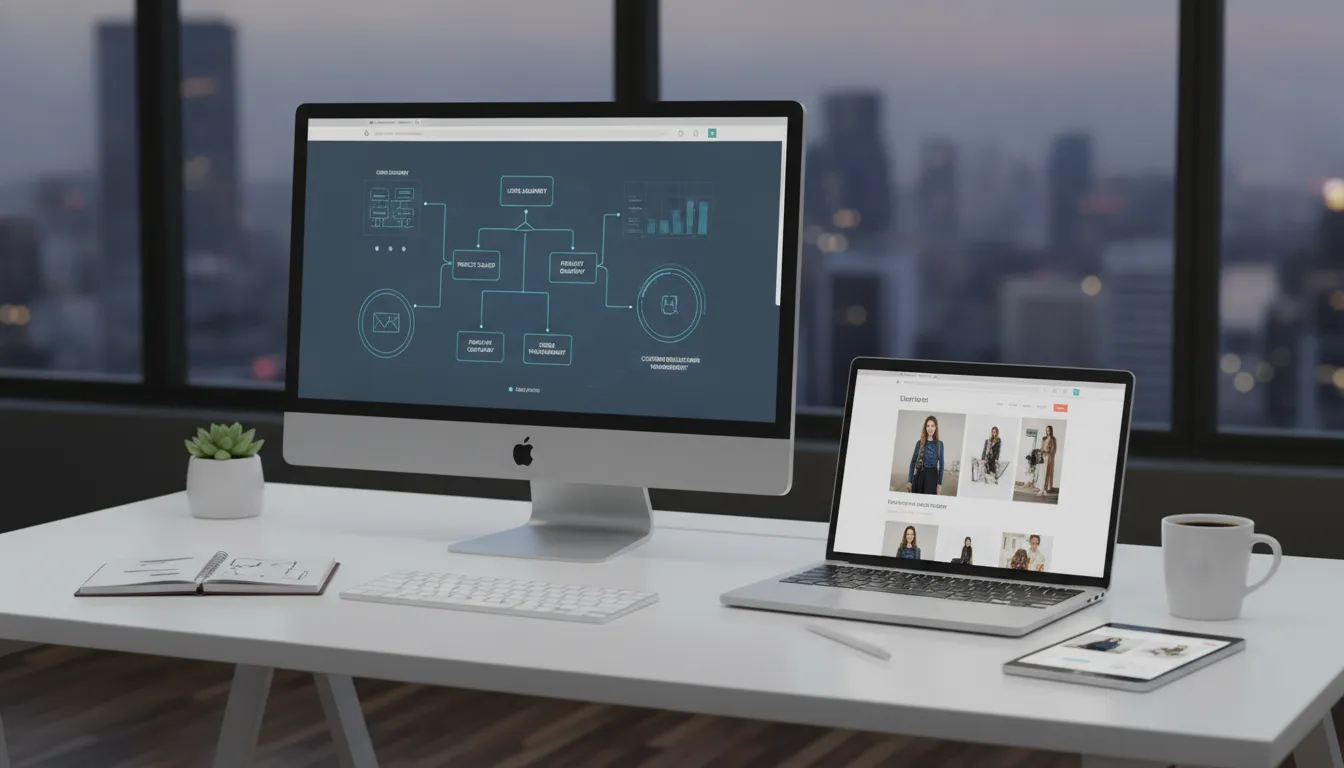
Permanent outdoor lighting is a considered purchase. Customers often have questions about installation, appearance, controls, color options, scheduling, maintenance, and long-term value before they contact a company. An ecommerce website gives them a convenient place to find answers at their own pace. It can feature project galleries, service pages, FAQs, product details, customer reviews, quote forms, and consultation calendars. For Lit 365, this online hub can serve homeowners who want to stop installing temporary holiday lights and businesses that want their properties to stand out. The right website does not replace personal service. It makes that service easier to discover, understand, and schedule.
Key Takeaways
- Match the platform to your business model: Choose tools that support product sales, custom quotes, consultation scheduling, secure payments, service areas, and professional installation.
- Make every customer step clear: Use mobile-friendly pages, strong project photos, straightforward pricing guidance, detailed FAQs, and simple calls to action that help visitors choose confidently.
- Maintain the website as your business grows: Review performance, update products and promotions, test forms and payments, protect customer information, and use customer feedback to improve the buying experience.
What Is an Ecommerce Website and How Does It Work?
An ecommerce website is an online platform where businesses and customers buy and sell products or services. It works as a digital storefront, product catalog, payment system, order center, and customer service hub. For a company like Lit 365, an ecommerce website can do more than sell lighting products. It can help homeowners explore permanent outdoor lighting, compare options, request an estimate, and schedule an installation consultation.
The customer journey usually follows a clear path: a visitor discovers the website, browses products or services, reviews important details, chooses available options, and completes a purchase or submits a request. Behind the scenes, the website connects payments, inventory, notifications, fulfillment, scheduling, and customer support. A well-built site makes each step easy to understand, whether someone wants replacement lighting components or a complete system for a home or business.
Define an Ecommerce Website
An ecommerce website supports commercial transactions online. Customers may purchase physical products, book services, request a quote, or submit information for a customized project. The site takes on many roles traditionally handled by a physical storefront, including product displays, sales assistance, checkout, and order follow-up.
A typical ecommerce website includes a homepage, category pages, product or service pages, a shopping cart, and checkout. It may also include customer accounts, reviews, FAQs, contact forms, and appointment scheduling. Elementor’s overview of ecommerce websites explains how these sites bring catalogs, transactions, inventory, and customer communication together.
For Lit 365, the website could introduce permanent outdoor lighting systems, show installation examples, explain available colors and patterns, and guide visitors toward a quote request. That combination makes the site useful for both direct sales and higher-consideration services.
Compare Ecommerce Websites and Online Marketplaces
An ecommerce website belongs to one business, giving that company control over its branding, customer experience, products, and communications. An online marketplace, such as Amazon or Etsy, hosts products from many sellers. Customers can compare vendors and purchase from different businesses through the same platform.
Marketplaces can provide access to a large audience, but they also place products beside competing listings. Businesses may have less control over presentation, customer data, fees, and the buying experience. An owned website gives a company more room to explain its value, answer questions, and build trust.
For a permanent lighting company, that difference matters. Lit 365 can use its website to show professional installation photos, describe low-profile LED systems, explain the installation process, and highlight local service areas. Customers can learn why a permanent system differs from temporary holiday lights instead of comparing products based only on price. Causal Funnel’s ecommerce guide also explains the distinction between business-owned stores and online marketplaces.
Explore Stores, Catalogs, Carts, and Checkouts
An ecommerce website usually organizes products and services into categories that help customers find what they need. A lighting business might separate permanent lighting systems, accessories, replacement components, and commercial solutions. Clear categories reduce confusion, especially when visitors are unfamiliar with technical terms.
Product and service pages provide the information needed to make a decision. These pages may include photos, videos, dimensions, color choices, installation details, service areas, pricing, and answers to common questions. If an item can be purchased directly, the customer adds it to a cart and enters shipping and billing information during checkout.
A service with custom pricing may use a different path. Instead of adding an installation to a cart, the visitor might select a consultation, complete a project form, or request a quote. Both experiences belong on an ecommerce website. The important goal is to provide a clear next step, whether that means adding a product to a shopping cart or sharing project details with the business.
Manage Payments, Fulfillment, Notifications, and Support
After a customer places an order, several systems work together. A payment gateway authorizes the transaction, the ecommerce platform records the order, and inventory tools update product availability. Fulfillment may involve shipping an item, preparing materials for installation, or assigning the request to a sales or service team.
Automatic notifications keep customers informed. They may receive an order confirmation, shipping update, appointment reminder, or message confirming that a quote request was received. These updates reduce uncertainty and give the business fewer manual tasks to manage. Ecommerce platforms commonly connect payment processing, fulfillment, notifications, and support tools, as described in Trendtrack’s ecommerce guide.
Customer support remains important after checkout. A helpful website should make it easy to ask questions, check order details, change an appointment, or request assistance. For Lit 365, support could include information about installation timelines, lighting patterns, seasonal programming, warranties, and service coverage.
Compare B2C, B2B, and Hybrid Models
B2C, or business-to-consumer ecommerce, sells directly to individual customers. A homeowner could use a B2C website to purchase lighting accessories, request a residential estimate, or schedule a consultation. The content typically focuses on convenience, appearance, pricing, and how the service fits into everyday life.
B2B, or business-to-business ecommerce, serves commercial customers such as property managers, retail stores, offices, restaurants, and contractors. These buyers may need multiple installations, project pricing, invoices, service agreements, or approval from several decision-makers. Their buying process often takes longer and requires more detailed information.
A hybrid ecommerce model supports both groups. A lighting company can use one website to showcase residential and commercial solutions while providing different forms, service details, and calls to action for each audience. AmareSol’s explanation of B2C and B2B audiences offers additional context on serving different customer groups through tailored online experiences.
Sell Products, Request Quotes, and Schedule Installations
Ecommerce websites are not limited to products with fixed prices. They can support services, custom projects, quote requests, and appointments. This flexibility makes them a strong fit for businesses that sell a combination of physical products and professional work.
For example, a customer might buy replacement lighting components online, then request a quote for a full-property installation. A quote form could ask about the property type, approximate roofline, preferred lighting locations, and desired colors or patterns. The business can review those details before recommending a solution.
Scheduling can also happen online. After reviewing an estimate, a customer may choose an available consultation time or installation appointment. Gary Nealon’s discussion of ecommerce functions explains how ecommerce websites can support direct sales, quote requests, and appointment scheduling based on the business model. For Lit 365, combining these tools creates a smoother path from inspiration to professionally installed outdoor lighting.
How Do Ecommerce Websites Benefit Businesses and Customers?
An ecommerce website does more than display products online. It gives customers a convenient place to learn, compare options, ask questions, and take the next step. For businesses, it creates a central hub for sales, inquiries, marketing, customer support, and service information.
For a company like Lit 365, that next step may look different for each visitor. One homeowner may want to review permanent outdoor lighting packages. Another may request a quote after browsing project photos. A commercial property owner may need to discuss a larger installation, while a busy family may simply want to schedule a consultation without making a phone call.
A strong ecommerce website supports all of these customer journeys. It combines self-service information with personal assistance, so visitors can find answers at their own pace and contact the business when they are ready. It also helps the company organize inquiries, understand customer interests, and follow up with useful information.
Unlike a physical showroom with fixed hours, an ecommerce website remains available whenever customers are ready to browse. It can introduce homeowners to low-profile LED lighting, explain professional installation, showcase color patterns, and answer common questions before a conversation with the team.
For businesses, the benefits go beyond convenience. A website can attract local search traffic, promote seasonal services, collect quote requests, and connect with tools that manage customer communication. Elementor describes ecommerce websites as digital storefronts that help brands connect with customers 24 hours a day, seven days a week.
Give Homeowners and Businesses 24/7 Access
An ecommerce website acts as a digital storefront that remains open beyond regular business hours. Homeowners can browse lighting options after work, compare packages on the weekend, or submit an installation request when it suits their schedule. Businesses can review commercial lighting services without waiting for an office to open.
This access matters for customers who are still researching. Permanent outdoor lighting is a considered purchase, so visitors may want to review installation methods, warranty details, service areas, controls, and design options before they contact a company. A website can provide those answers through product pages, FAQs, project galleries, videos, and quote forms.
The website can also serve customers in different stages of the buying process. A first-time visitor may need a simple explanation of permanent lighting, while a returning visitor may be ready to choose a consultation time. Giving both customers a clear next step creates a more helpful experience and keeps the business available when interest is highest.
Support Convenient Shopping on Every Device
Customers may discover a lighting company through a phone search, view project photos on a tablet, and complete a quote form from a desktop computer. The website should support each of those moments without forcing visitors to pinch, zoom, or repeat information.
A mobile-friendly design keeps menus easy to use, images clear, and buttons large enough to tap. It also makes important details easy to find, including service areas, contact information, package options, pricing guidance, and scheduling instructions. Responsive ecommerce design helps create a consistent experience across phones, tablets, and computers.
Mobile design matters particularly for local service businesses. A homeowner might search for outdoor lighting while standing outside the property, then submit photos or request a consultation from the same device. If the form loads slowly or the contact button is difficult to find, that potential customer may leave before reaching out.
For Lit 365, a mobile-ready website can make it easier for visitors to browse lighting patterns, view completed installations, learn about professional service, and start a project from wherever they happen to be.
Educate Customers About Higher-Value Purchases
Permanent outdoor lighting is more involved than buying a seasonal strand of lights. Customers may want to understand the difference between temporary decorations and a professionally installed LED system. They may also have questions about daytime appearance, energy use, durability, controls, maintenance, and long-term value.
An ecommerce website can answer those questions before a sales conversation. Service pages might explain the installation process, while project galleries show how low-profile fixtures look on different home styles. Videos can demonstrate color changes, scheduling features, and holiday scenes. FAQs can address common concerns about weather, repairs, and warranty coverage.
Clear education helps customers make informed decisions without overwhelming them. A page can start with a simple overview, then provide more detail for visitors who want to compare options. This structure respects different research styles and gives customers confidence in the company’s expertise.
The information should reflect the needs of each audience. Homeowners may care most about convenience, curb appeal, and year-round use. Commercial property owners may focus on visibility, consistency, safety, and installation timelines. Defining an ecommerce target audience helps businesses tailor their messaging to those concerns.
Drive Seasonal Promotions and Year-Round Sales
An ecommerce website gives businesses a central place to promote seasonal services without rebuilding their entire marketing process. Lit 365 can feature Christmas lighting packages during the holiday planning season, Halloween color patterns in October, and everyday accent lighting throughout the year.
Seasonal landing pages can explain available designs, installation timelines, booking deadlines, and limited-time offers. Email campaigns, social media posts, local search listings, and paid ads can direct visitors to those pages. Once there, customers can review the details and choose whether to request a quote, schedule a consultation, or contact the team.
A website can also promote lighting for birthdays, school events, sports celebrations, weddings, and other special occasions. These pages give customers ideas while showing that a permanent system can adapt to more than one holiday.
Year-round messaging helps customers see permanent lighting as a practical exterior upgrade, not only a Christmas decoration. Businesses can highlight subtle evening accents, scheduled lighting scenes, and custom colors alongside seasonal displays. Understanding an audience’s needs and purchasing priorities helps companies create more relevant promotions, as AmareSol Global explains.
Combine Ecommerce With Business Services
Not every ecommerce website needs to sell a standard product with a fixed price and one-click checkout. Service businesses can combine online shopping features with consultations, quote requests, scheduling, installation, and ongoing support.
For example, a lighting website might let customers review system options, select a preferred color approach, upload photos of their property, and request an estimate. The team can then assess the project, confirm installation requirements, and recommend a package. This approach gives customers useful guidance instead of asking them to purchase a complex installation without understanding what they need.
A hybrid website can also support different customer types. Homeowners might request a residential consultation, while property managers submit details for several buildings. Businesses may need information about installation windows, commercial packages, or lighting plans for a specific event.
This model connects online research with real-world service. Wix’s ecommerce overview explains that ecommerce platforms can support physical products, digital products, subscriptions, and other selling models. For Lit 365, ecommerce features can support product education while the professional team handles recommendations and installation.
Help Small Businesses Sell Online
A small business does not need a large retail operation to benefit from ecommerce. A focused website can put its services in front of local customers, explain what makes the company different, and collect inquiries without requiring a large sales team.
For Lit 365, the website can showcase completed projects, explain the installation process, describe service areas, and make it easy to request a consultation. Clear content helps potential customers understand the value of permanent lighting before they speak with an installer. It also gives the business a consistent destination for referrals, local search traffic, social media campaigns, and email marketing.
A professional website can make a small team appear organized and dependable. Customers can find answers, review examples of the work, and understand what happens after they submit a form. That clarity can make the initial conversation more productive for both the customer and the business.
Audience research helps small businesses use their time and marketing resources carefully. Trendtrack explains that identifying a specific audience allows companies to tailor their messaging and focus on people most likely to need their products or services.
Build Direct Customer Relationships and First-Party Data
An ecommerce website gives a business a direct relationship with customers instead of requiring it to rely entirely on a marketplace or social media platform. With permission, a company can collect useful first-party information, such as email addresses, service interests, quote requests, past purchases, and preferred communication channels.
This information can support more relevant communication. A homeowner who requested Christmas lighting may appreciate installation reminders, design ideas, or information about seasonal booking. A commercial customer may need details about property-wide lighting packages, maintenance, or event scheduling.
Direct customer relationships also make follow-up easier. The team can keep project details in one place, respond to previous questions, and recognize returning customers. Customers receive more relevant messages instead of generic promotions that do not match their needs.
Businesses should collect only the information they need, explain how it will be used, and protect it with appropriate security practices. A target audience is a group likely to be interested in a company’s products or services, and Gary Nealon explains how defining that audience can shape digital marketing and customer communication.
Scale Sales and Streamline Operations
Ecommerce tools can help a business serve more customers without adding the same amount of manual work. Automated order confirmations, appointment reminders, quote notifications, and follow-up emails keep customers informed while reducing repetitive tasks for the team.
A connected website can send information to payment systems, customer relationship management tools, scheduling software, analytics platforms, and email marketing services. This reduces duplicate data entry and gives the business a clearer view of each customer’s progress, from first visit to completed installation.
These systems can also improve internal coordination. A sales team can review new quote requests, an installer can access project details, and a business owner can track which services generate the most interest. Clear workflows help prevent missed inquiries and make it easier to provide consistent support.
The right platform should be easy to use, flexible enough for the business model, and capable of connecting with essential tools. Zapier’s ecommerce platform guide highlights ease of use, flexibility, features, integrations, and value as important comparison criteria. For a growing lighting company, those capabilities can support more projects, better follow-up, and smoother coordination between sales and installation teams.
Which Ecommerce Website Features Matter Most?
The best ecommerce website is not the one with the longest feature list. It is the one that helps visitors find useful information, make confident decisions, and take the next step without unnecessary friction. For a lighting company such as Lit 365, that next step might be purchasing a lighting system, requesting a quote, booking a consultation, or confirming that professional installation is available in a customer’s area.
A strong website should support both quick decisions and considered purchases. One homeowner may already know they want permanent outdoor lighting and need a direct path to scheduling. Another may want to compare colors, understand the installation process, review project photos, and learn about pricing before contacting the business.
Prioritize features that serve both types of visitors. Clear navigation, fast mobile performance, detailed product and service pages, secure checkout, flexible forms, and responsive support all contribute to a better experience. Google’s ecommerce guidance also recommends making products easy for search engines and shoppers to discover.
The right features can reduce manual work behind the scenes, too. Connected inventory, order management, scheduling, analytics, and customer relationship tools help a growing business keep information organized. Use the sections below to decide which features your ecommerce website needs now and which ones can be added as your sales process develops.
Simplify Navigation, Search, and Product Filters
Visitors should understand what your business offers within a few seconds. Use a simple navigation menu with categories that match the way customers think about your products and services. For Lit 365, useful categories might include permanent outdoor lighting, residential lighting, commercial lighting, installation, and seasonal displays.
Search is helpful when a website includes several products, packages, or service options. Make the search bar easy to find and configure it to recognize everyday terms, product names, and common questions. Filters can help shoppers narrow results by property type, lighting style, color options, package size, or service area.
Keep labels specific and consistent. “Outdoor lighting” is clearer than a clever but vague category name. Add breadcrumbs so visitors can return to a broader category without starting over. If a search produces no results, suggest related products or invite the visitor to contact your team. This ecommerce website overview also identifies clear navigation and readable layouts as essential website elements.
Prioritize Mobile Design, Accessibility, and Speed
Many customers will discover your business on a smartphone, often after seeing a social post or searching for local services. Your website should make it easy to view images, read product details, complete forms, and call the business from a smaller screen. Use large tap targets, short sections, responsive layouts, and buttons that remain easy to find.
Accessibility matters just as much. Add descriptive alternative text to images, use sufficient color contrast, label form fields clearly, and make sure visitors can move through the site with a keyboard. Do not rely on color alone to communicate an option or status.
Page speed affects usability and sales. Compress large images, limit unnecessary scripts, choose reliable hosting, and test pages on mobile connections. Slow websites can hurt user experience, search visibility, and conversions, as Elementor explains in its ecommerce guide. Review performance regularly instead of waiting for customers to report a problem.
Answer Buying Questions on Product Pages
A product page should help customers decide without requiring them to contact your team for basic information. Explain what the product or service does, who it is for, what is included, and what happens after purchase. For permanent outdoor lighting, shoppers may want to know how the system is installed, where the lights are placed, how the controls work, and whether the system supports both holiday displays and everyday accent lighting.
Address practical concerns in plain language. Include installation timelines, warranty details, maintenance expectations, service areas, and property requirements. If exact pricing depends on the size or design of a home or business, explain that clearly and direct visitors to a quote form.
Add frequently asked questions below the main description. Cover topics such as color changes, scheduling, weather resistance, app controls, and installation. Detailed explanations, strong visuals, and interactive elements can make product pages more useful, especially for higher-value purchases.
Show Quality Photos, Videos, Prices, and Specifications
Lighting is a visual purchase, so high-quality photography should play a central role on the website. Show systems installed on different property styles, during daylight, after dark, and in several seasonal settings. Include close-up images that show the low-profile design, along with wider images that demonstrate the overall effect.
Short videos can show color changes, patterns, scheduling features, and the difference between everyday lighting and a holiday display. Add captions or written descriptions so the information remains useful to visitors who cannot watch with sound.
List important specifications in a scannable format. Depending on the offering, these may include light type, available colors, control options, installation details, warranty coverage, package contents, and service limitations. Show product variations such as size, color, or material when applicable, as recommended in this ecommerce feature guide. Display pricing when possible, or explain why a custom quote is required.
Offer Custom Options, Colors, Patterns, and Packages
Customization is one of the strongest reasons to purchase a permanent lighting system. Let customers see what they can create instead of describing every option in a long paragraph. Organize choices into clear groups such as light color, pattern, brightness, scheduling, holiday themes, and installation areas.
Packages can make the decision easier for customers who do not want to design a system from scratch. You might offer options for front elevations, full-home coverage, commercial properties, or seasonal display setups. Explain what each package includes and identify which features can be customized.
If a configuration changes the price, show the impact before the customer submits an order or quote request. Use previews, image swatches, or examples when possible. The options should reflect your customers’ needs, since audience research can inform product, pricing, and branding decisions. Keep the interface simple so personalization feels helpful rather than overwhelming.
Secure Payments and Guest Checkout
A secure, straightforward checkout protects revenue and gives customers confidence. Use a trusted payment processor, display accepted payment methods, and make the total cost visible before the customer submits payment. If taxes, delivery, installation, or service fees apply, explain them early rather than introducing surprises at the final step.
Guest checkout is useful for customers who want to complete a one-time purchase without creating an account. You can offer account creation after checkout, when the customer has already completed the main task. Keep forms short and request only the information needed for payment, delivery, installation, or follow-up.
Offer familiar payment options, including major cards and digital wallets where appropriate. For larger purchases, consider whether financing or installment payments fit your business model. Shopify’s checkout documentation explains checkout settings, customer information, and payment configuration for stores using its platform.
Add Quote Forms, Consultations, and Scheduling
Not every ecommerce transaction has a fixed price. A lighting installation may depend on property size, roofline, access, wiring, selected features, and service area. In these cases, the website should make requesting a quote feel as easy as buying a standard product.
Ask for the information your team actually needs, such as the visitor’s name, contact details, property address, project type, preferred timing, and lighting goals. Add an image upload field if property photos would help your team prepare an estimate. Avoid asking for extensive details before explaining why they matter.
Offer consultation scheduling when a conversation is part of the buying process. Connect the form to a calendar that shows real availability and sends automatic confirmations. Explain what happens next, including whether the consultation is virtual, on-site, or by phone. A clear process can turn interest into a qualified opportunity without requiring several rounds of email.
Manage Inventory, Orders, Shipping, Returns, and Service Areas
Behind every customer-facing page, your website needs reliable operational controls. Track products, equipment, accessories, and package components so customers cannot purchase items that are unavailable. If lighting systems are configured for installation rather than shipped as standard products, distinguish between product inventory and installation capacity.
Order management should show payment status, customer details, selected options, delivery information, and installation progress in one place. Send notifications when an order is received, a consultation is confirmed, materials are ready, or an installation date changes.
Write clear policies for shipping, returns, cancellations, warranties, and installation revisions. A service business should also display its coverage area before a customer submits a request. Location pages can explain where Lit 365 operates and whether nearby areas require a custom review. Accurate operational information reduces confusion for customers and unnecessary follow-up for staff.
Offer Reviews, Customer Accounts, and Support
Reviews give prospective customers insight into workmanship, communication, reliability, and the finished result. Request feedback after an installation or completed purchase, then display reviews near relevant services and packages. Customer photos are especially useful for lighting because they show how a system looks on real properties.
Accounts can help repeat customers review orders, update contact information, save preferences, or schedule future service. They should remain optional when an account is not necessary. Keep the benefits clear, and make sign-in and password recovery simple.
Support should be easy to find on every important page. Include a phone number, contact form, service hours, and answers to common questions. On social channels, respond to questions with useful information instead of sending every visitor to a generic page. Direct interaction can help businesses build stronger customer relationships, as described in this guide to identifying and engaging ecommerce audiences.
Connect SEO, Analytics, CRM, and Marketing Tools
Your ecommerce website should connect with the tools your team uses to attract visitors and manage leads. Search engine optimization features help you edit page titles, descriptions, headings, URLs, image text, and structured data. Create dedicated pages for important services and local areas so searchers can find relevant information.
Analytics can show which pages attract visitors, which products receive attention, where forms are abandoned, and which campaigns lead to consultations or purchases. Track meaningful actions such as quote submissions, calls, scheduled appointments, and completed checkouts, not traffic alone.
A CRM can organize leads, customer conversations, installation details, and follow-up tasks. Email and SMS tools can support appointment reminders, seasonal promotions, and service updates when customers have provided the required consent. Integrations with advertising platforms can help you reach people who have viewed products or interacted with your website, while keeping campaign measurement connected to actual business results.
Protect Payments, Privacy, and Customer Data
Security should be part of the website plan from the beginning. Use HTTPS, secure hosting, updated software, strong administrator passwords, and multi-factor authentication where available. Limit access according to each employee’s responsibilities, and remove access promptly when someone leaves the business.
Protect payment information by using a reputable payment provider rather than storing sensitive card details yourself. Make privacy practices easy to understand. Your privacy policy should explain what information you collect, why you collect it, how long you retain it, and which service providers may process it.
Keep forms focused on necessary information, especially when collecting property addresses, phone numbers, or project photos. Back up website data and establish a process for software updates, security reviews, and suspected incidents. PCI Security Standards Council guidance offers useful information for merchants handling payment card data. A secure website protects customers and helps preserve the trust that high-value purchases require.
How Do Ecommerce Website Platforms Compare?
The best ecommerce platform depends on what you sell, how customers make decisions, and how much control your team needs. A business selling thousands of standard products may need a different system than a lighting company that combines product information, consultations, property assessments, and professional installation.
Lit 365 would benefit from a hybrid ecommerce website. Customers could browse permanent outdoor lighting systems, compare packages, explore color and pattern options, request an estimate, and schedule a consultation. Some visitors may be ready to purchase accessories online, while others may need a personalized quote before moving forward.
When comparing platforms, look beyond templates and monthly prices. Review each option’s product customization, quote forms, scheduling tools, payment processing, service-area settings, customer data, marketing integrations, and reporting features. Understanding your target audience helps you focus your messaging and spend your marketing budget effectively, according to this guide to identifying an ecommerce target audience.
The right platform should also fit your internal resources. A hosted system may be easier for a small team to manage, while a self-hosted or custom solution may offer greater control. Compare the total cost, maintenance requirements, scalability, and ability to move your data before making a decision.
Set Hybrid Ecommerce Priorities for Lit 365
Lit 365 serves homeowners, busy families, new property owners, HOAs, and commercial businesses. Each audience may arrive with a different goal. One visitor may want to see finished Christmas lighting projects, while another may need a quote for a large commercial property.
Start by listing the actions your website should support:
- Browse lighting systems, packages, and accessories
- View installation photos and completed projects
- Request a property assessment or estimate
- Schedule a consultation
- Ask about colors, patterns, and lighting schedules
- Contact the team about HOA or commercial projects
A hybrid website can combine product-style pages with service pages, quote forms, and scheduling tools. Before choosing a platform, map the customer journey from the first visit to the completed installation. This process helps you identify essential features instead of paying for tools that do not support the way Lit 365 sells.
Use Shopify for a Managed Storefront
Shopify is a practical choice for businesses that want to launch quickly without managing servers, software updates, or complex hosting settings. Zapier describes Shopify as a strong all-around option for many small businesses that want to get started quickly in its guide to ecommerce website platforms.
Its hosted setup includes tools for product listings, payments, orders, customer accounts, analytics, and marketing integrations. Lit 365 could use Shopify to display lighting packages, sell accessories, collect customer information, and connect quote or scheduling tools through its app marketplace.
Shopify themes can also support a polished visual identity. Project photography, clear calls to action, and detailed service pages can help customers understand the difference between permanent lighting and temporary holiday lights.
The main tradeoff is that advanced features may require paid apps. Quote calculators, appointment schedulers, product customizers, and CRM connections can add recurring expenses.
Use WooCommerce for WordPress Flexibility
WooCommerce is a WordPress plugin that adds shopping cart and ecommerce features to an existing WordPress website. It may suit Lit 365 if the company wants educational content, local SEO, service pages, and ecommerce within one flexible system.
With WooCommerce, the business can publish detailed resources about permanent outdoor lighting, installation, maintenance, energy use, design ideas, and seasonal applications. WordPress also supports plugins for quote forms, bookings, payment methods, reviews, analytics, and customer relationship management.
This flexibility comes with additional responsibility. Lit 365 or its web partner would need to manage hosting, updates, backups, security, plugin compatibility, and site performance. Poorly maintained plugins can create errors or slow the website.
WooCommerce may be a good fit for a team that already uses WordPress or has dependable technical support. It provides greater control over the website structure, but it generally requires more hands-on maintenance than a managed platform.
Choose BigCommerce for Larger Catalogs
BigCommerce is aimed at established businesses that already sell significant product volumes. It may offer more functionality than Lit 365 needs at first, but it could become useful as the company expands its catalog and customer base.
A larger catalog might include lighting systems, extension components, mounting options, replacement parts, accessories, installation packages, and seasonal products. BigCommerce includes tools for product organization, customer groups, pricing rules, promotions, and integrations.
The platform may also support more complex selling arrangements, such as different pricing for commercial customers, contractors, or trade partners. That makes it worth considering if Lit 365 plans to serve multiple business segments.
However, BigCommerce may involve more setup and expense than a simpler storefront. A service-led lighting company with a focused product range should compare its expected catalog size and order volume with the platform’s costs. It is most likely to make sense when product complexity and sales volume justify the additional infrastructure.
Choose Wix for Smaller Catalogs and Service Businesses
Wix can work well for a local lighting company that needs an online store alongside service pages, project galleries, and a straightforward inquiry process. It is often recommended for businesses that want an online store as part of a broader business website.
Lit 365 could use Wix to present lighting systems, explain the installation process, show residential and commercial projects, and collect quote requests. Its visual editor may also suit a team that wants to update pages and promotions without relying on a developer.
Wix is especially useful when lead generation matters more than high-volume online transactions. A homeowner may not purchase a complete lighting system through a standard cart. They may first submit an address, upload property photos, or schedule a consultation.
Before choosing Wix, confirm that it supports the required payment, scheduling, CRM, and form integrations. It may suit a polished service website with a limited catalog, while businesses with complex product rules may need a more specialized option.
Build Custom Workflows With Custom Development
Custom development gives Lit 365 greater control over how products, services, estimates, and installations work together. A custom website could let customers enter property details, select lighting preferences, upload photos, view recommended packages, and request an estimate through one guided process.
It could also connect the website with a CRM, scheduling system, inventory platform, accounting software, and installation workflow. These connections may reduce manual data entry and create a smoother handoff from a new lead to a completed project.
The tradeoff is time, cost, and ongoing maintenance. A custom system requires experienced developers to plan the architecture, protect customer data, test integrations, and resolve issues as the business changes. Even small adjustments may require technical assistance.
Custom development is usually best when existing platforms cannot support an important workflow. Start with a clear list of customer needs and business rules. Build only what solves a specific problem, rather than creating custom features without a clear purpose.
Compare Hosted and Self-Hosted Platforms
Hosted platforms, including Shopify, BigCommerce, and Wix, manage the technical infrastructure for you. Hosting, security maintenance, platform updates, and many core ecommerce functions are included in the service. This makes them easier to launch and maintain for a small team.
Self-hosted options, such as WooCommerce, give you more control. You choose the hosting provider, manage the WordPress environment, and decide which plugins and integrations to use. That flexibility can support deeper customization, but it also creates responsibility for updates, backups, performance, and security.
The difference affects day-to-day operations. Consider how quickly Lit 365 needs to publish a service page, fix a quote form, add a scheduling tool, or update a seasonal promotion. Hosted platforms may limit some customizations, while self-hosted systems may require more technical support.
Choose a hosted platform when simplicity and dependable management are priorities. Consider self-hosting when content flexibility, ownership, and custom functionality are worth the additional maintenance.
Review Subscriptions, Transaction Fees, Apps, and Hosting
Platform pricing rarely ends with the advertised monthly subscription. Most ecommerce systems involve a platform fee, payment processing charges, and possible transaction fees. Zapier’s ecommerce cost breakdown recommends reviewing these expenses together.
Create a realistic estimate that includes:
- Monthly or annual platform fees
- Payment gateway and card processing charges
- Transaction fees
- Premium themes and design work
- Apps or plugins for quotes, scheduling, and CRM
- Hosting and domain registration
- Security, backups, and maintenance
- Developer or agency support
- Email, analytics, and marketing tools
A low monthly price may become less attractive after adding essential features. For Lit 365, quote forms, appointment scheduling, product options, review tools, and lead management may matter more than a basic shopping cart.
Calculate costs using expected orders and leads, not just the first month. Review contract terms, app cancellation policies, payment requirements, and price changes before committing to a platform.
Compare Support, Scalability, Data Ownership, and Portability
A platform should support the business after launch, not only during setup. Review customer service, documentation, developer resources, and troubleshooting options. When an appointment form stops working or a payment fails during a seasonal promotion, timely assistance matters.
Scalability matters, too. Lit 365 may begin with residential lighting packages and later add commercial services, HOA programs, maintenance plans, accessories, or contractor partnerships. Choose a platform that can support new offerings without requiring a complete rebuild.
Pay close attention to data ownership. The business should be able to access customer contacts, order records, quote requests, sales reports, and website content. Clear reports make customer and sales data easier to understand, which is an important consideration when comparing platforms.
Finally, check portability. Find out whether you can export products, customers, orders, content, and reports if you change platforms later. A system with reliable data exports and standard integrations gives Lit 365 more flexibility as its services and sales process grow.
How Do You Choose the Right Ecommerce Website Platform?
The right ecommerce platform should support the way your business sells, not force your business into a fixed process. A store that sells ready-to-ship products has different needs from a company that provides consultations, custom packages, and professional installation. For Lit 365, the ideal platform should make permanent outdoor lighting easy to understand, request, purchase, schedule, and manage.
Start by mapping your sales process before comparing platform names. List the actions you want customers to take, from browsing lighting ideas to requesting a quote or booking an installation consultation. Then evaluate each platform against those requirements.
The strongest option will balance customer convenience, design flexibility, staff efficiency, security, and long-term costs. It should also make everyday updates manageable for your team, whether you are adding a new lighting package, changing service areas, or preparing a seasonal promotion.
Define Products, Services, Customers, and Sales Goals
Write down everything you plan to sell or promote online. This may include permanent lighting systems, installation packages, accessories, consultations, maintenance services, and service deposits. Then identify who each offer is for, such as homeowners, builders, HOAs, property managers, and commercial businesses.
Your sales goals will shape the platform decision. If customers can purchase standard lighting packages online, you will need product pages, secure checkout, and order management. If most projects require a property assessment and custom quote, lead forms and scheduling may matter more than a traditional shopping cart.
Create a basic customer profile for each audience. Consider location, property type, budget, buying concerns, and how much guidance customers need before making a decision. Research on identifying an ecommerce target audience can help you organize these details and connect them to your website goals.
Choose a Store, Quote-Led Site, or Hybrid Model
A traditional online store works well when customers can select a product, view a clear price, and complete checkout without assistance. This model may suit lighting accessories, service deposits, or standardized packages with defined installation areas.
A quote-led website is more appropriate when pricing depends on roofline length, property layout, installation height, electrical access, or local service availability. Instead of presenting an inaccurate price, the site can collect project details, property photos, and preferred service dates before a consultation.
Many lighting companies will benefit from a hybrid model. Sell simple products or deposits directly, while directing larger residential and commercial projects to a quote form or consultation calendar. Customers get a convenient starting point, and your team receives the information needed to prepare an accurate proposal. Understanding why target audience research matters can help you create the right path for each customer group.
Match the Platform to Your Technical Resources
Consider who will build, update, and maintain the website after launch. A hosted platform can reduce technical upkeep, making it practical for a small team that wants to focus on lighting projects and customer service. These systems commonly include hosting, security features, updates, and visual editing tools.
A self-hosted platform may offer more control, but it also creates more responsibility for updates, backups, plugins, performance, and security. That flexibility can be useful if you have an experienced developer or agency available to manage the site.
Be realistic about your available time and skills. If no one can troubleshoot a broken form or update software, a technically flexible platform may create unnecessary work. Review your team’s capabilities, budget, and schedule alongside the buyer persona process before making a decision.
Plan Custom Products, Packages, and Installation Services
Permanent lighting often requires more than a product name and a price. Customers may need to choose lighting colors, patterns, zones, controls, installation areas, and service packages. Before selecting a platform, list the options customers should see and the information your team needs to prepare an accurate proposal.
You might offer a basic roofline package, a full-property package, and a commercial package. Optional upgrades could include smart controls, extra lighting zones, or expanded installation areas. If every project is different, use the website to collect measurements, photos, property addresses, preferred installation dates, and design ideas.
Make sure the platform can handle add-ons, product variants, deposits, and custom pricing without confusing customers. If it cannot support these details on its own, check for dependable apps or integrations. Clear packages help customers compare choices while giving your team useful project information.
Check Payments, Scheduling, CRM, Inventory, and Analytics
Create a list of the systems your website must connect with. At a minimum, review payment processing, contact management, appointment scheduling, email marketing, analytics, and customer support. Information should pass between these tools without requiring your team to enter the same details repeatedly.
For Lit 365, a quote request might create a CRM contact, send an immediate confirmation email, notify the sales team, and offer consultation times. Once the customer approves a project, the system may need to record a deposit, installation details, and follow-up reminders.
Review inventory features if you sell physical lighting components. Ask whether the platform tracks stock levels, product variations, low-inventory alerts, and items reserved for upcoming installations. Reliable ecommerce analytics can also show which pages generate inquiries and which campaigns lead to completed projects.
Calculate Total Ownership Costs
The monthly subscription is only one part of a platform’s cost. Add payment processing, transaction fees, premium themes, apps, hosting, domain registration, development, maintenance, support, and staff time. A low-cost plan can become expensive when essential features require several paid add-ons.
Estimate expenses for the first year and for future growth. Include setup work, design, photography, copywriting, integrations, and professional assistance. For a service business, consider the cost of missed leads if forms fail, appointment requests disappear, or customers cannot complete payments.
Separate required expenses from optional upgrades. A secure payment system, reliable quote form, and analytics setup may be essential, while advanced personalization tools can wait. A complete estimate gives you a practical basis for comparing platforms and supports better ecommerce business decisions.
Review Security, Support, Scalability, and Data Access
Security should be part of the platform decision from the beginning. Review how the provider handles payment security, software updates, backups, account permissions, and customer information. You should also understand what happens if an integration fails or your account experiences a technical issue.
Support matters just as much. Check available hours, contact methods, response times, documentation, and whether assistance is included in your plan. Clear help resources can save your team time when a form, payment connection, or scheduling workflow needs attention.
Think about future growth, too. The platform should support more service areas, staff accounts, leads, products, and marketing activity without requiring a complete rebuild. Confirm how you can export customer, order, and product data. Reliable access to your business information makes it easier to change tools later.
Compare Platforms With a Practical Scorecard
A scorecard can turn a vague platform search into a useful comparison. List the features that matter most, then rate each platform from one to five. Use categories such as ease of use, product management, quote forms, scheduling, design control, integrations, mobile performance, security, support, reporting, and total cost.
Give more weight to requirements that directly affect sales or service delivery. For Lit 365, quote collection and consultation scheduling may matter more than advanced inventory tools if most projects are customized. A platform with fewer features may still be the stronger choice if it handles your core workflow simply and reliably.
Include a notes column for limitations, extra costs, and workarounds. Ask a team member to complete the scorecard independently, then compare your results. This can reveal overlooked priorities, including the customer’s budget, property type, shopping habits, and need for personal guidance. Research on defining audience demographics offers useful prompts for this review.
Test Mobile Navigation, Forms, and Checkout
Do not choose a platform based only on a desktop demonstration. Many homeowners will first visit your website on a phone while searching for lighting ideas or local installation services. Test the menu, service pages, image galleries, quote forms, appointment calendar, and checkout on several screen sizes.
Ask people unfamiliar with your business to complete common tasks. Can they find information about permanent outdoor lighting? Do they understand the next step? Can they submit a property address and upload photos without frustration? If the process feels unclear, simplify the page or form before launch.
Test every automated response, too. Confirm that customers receive form confirmations, payment receipts, appointment reminders, and follow-up messages. Check that your team receives complete lead information and can identify the source of each inquiry. Direct audience engagement and customer feedback can reveal problems that a technical review may miss.
How Do You Build an Ecommerce Website?
Building an ecommerce website involves more than uploading products to a template. For a company like Lit 365, the site must explain a premium lighting system, showcase finished installations, collect project details, and help customers schedule professional service. This makes a hybrid website the best fit, combining ecommerce features with quote requests, consultations, and local installation workflows.
Start by identifying what customers need before they buy or contact your team. Homeowners may want to compare lighting options, view nighttime photos, understand installation requirements, and estimate project costs. Businesses and HOAs may need a consultation before choosing a system. Your website should guide each visitor toward a clear next step, such as viewing a product, requesting a quote, or scheduling a conversation.
A strong build process also connects design with daily operations. The website should look polished, load quickly, work well on mobile devices, and send leads to the tools your team uses. These steps can help you create an ecommerce website that supports both product sales and professional services.
Choose a Domain, Platform, Hosting, and Visual Identity
Choose a short, memorable domain that is easy to spell and connected to your brand or service area. Use a managed ecommerce platform or reliable hosting that provides performance, security, backups, and room for growth. Shopify is a managed option, while WordPress with WooCommerce gives businesses more control over their website setup and extensions.
Your visual identity should reflect the quality of your lighting systems. Use consistent colors, typography, photography, buttons, and layouts throughout the site. Lit 365 may benefit from a clean, premium style that shows how discreetly the lights fit along a roofline while still supporting colorful holiday displays. Keep the design attractive, but make actions such as “Request a Quote” and “Schedule a Consultation” easy to find.
Plan Categories, Navigation, and Customer Journeys
Organize the website around the questions customers ask. Useful categories may include permanent outdoor lighting, residential lighting, commercial lighting, holiday displays, installation, and service areas. If you offer multiple packages or lighting options, add filters and comparison sections to make browsing easier.
Plan a separate path for each audience. A homeowner may move from a project gallery to a product page and then submit a quote form. A business owner may review commercial applications before scheduling a consultation. Use descriptive menu labels, readable page titles, visible calls to action, and a mobile-friendly layout. The Web Content Accessibility Guidelines can help you create a website that works for more visitors, including people who use keyboards, screen readers, or other assistive technology.
Create Clear Product and Service Pages
Each product or service page should explain what the customer receives, who it is for, and what happens next. Include a direct description of the lighting system, installation details, common applications, available features, and a clear call to action. Explain whether pricing is fixed, estimated, or determined after an on-site assessment.
Create separate pages for services that involve different buying decisions. Residential permanent lighting, commercial installations, and seasonal lighting consultations may appeal to different customers. Answer common questions about installation time, maintenance, controls, warranties, service areas, and scheduling. Strong pages reduce uncertainty and help visitors decide whether to request a quote or contact your team.
Add Professional Photos, Prices, and Specifications
Professional photography matters because customers need to see the finished lighting effect before they commit. Use daytime and nighttime images, along with close-ups that show the low-profile design and installation quality. Include examples of everyday accent lighting, Christmas displays, Halloween colors, sports themes, and other seasonal patterns.
Add specific information instead of relying on broad claims. Explain available colors, control options, scheduling features, installation coverage, and warranty terms. If prices vary according to roofline length, property size, or installation requirements, state that clearly. You can show starting prices or sample packages while directing customers to a quote form for an accurate project estimate.
Configure Options, Colors, Patterns, and Bundles
Permanent lighting gives customers more choices than a standard product variant. Help visitors understand the available options, including light colors, brightness, patterns, timing, and holiday themes. Use simple labels and visual examples so customers can imagine how each selection may look on their property.
Packages can make the decision easier for different types of buyers. A basic package might cover everyday accent lighting, while a premium package could include expanded roofline coverage, advanced controls, and additional installation services. Keep the choices manageable. If customers cannot select a final configuration online, use the product page to collect their preferences before a team member prepares a personalized quote.
Set Up Payments, Taxes, Shipping, Returns, and Notifications
If customers can purchase products or deposits online, connect a trusted payment processor such as Stripe or PayPal. Make checkout clear about taxes, service areas, deposits, installation charges, and additional fees. The PCI Security Standards Council provides payment security guidance for businesses that accept card payments.
A lighting company may use different fulfillment processes for shipped products and local installations. Define each workflow separately so customers understand what happens after payment. Set up automated email or text notifications for quote requests, appointment confirmations, payment receipts, installation reminders, and follow-up messages. Clear communication keeps customers informed and reduces repetitive manual updates for your team.
Add Quote Forms, Consultations, and Installation Workflows
A quote form should collect enough information to begin a useful conversation without creating unnecessary work for the customer. Ask for a name, contact information, property type, location, preferred timeline, and project goals. You can also ask whether the customer wants everyday lighting, holiday displays, commercial visibility, or a combination of uses.
Give customers the option to upload property photos or share a link to a business location. For more complex projects, connect the form to a consultation calendar so qualified leads can choose an available time. Send every submission to a central system with clear status steps, such as new lead, consultation booked, quote sent, approved, and installation scheduled.
Connect SEO, Analytics, CRM, Email, and Marketing Tools
Connect the website to tools that show how visitors find and use it. Google Analytics can help you measure traffic sources, page views, form submissions, and other important actions. Google Search Console can help you review search visibility and identify technical issues affecting your pages.
A CRM can organize leads from quote forms, phone calls, and consultations. Email marketing software can send helpful follow-ups, seasonal reminders, and service updates to customers who have given permission to receive them. You may also connect advertising platforms, call tracking, review tools, and scheduling software. Keep the setup focused. Each integration should save time, improve communication, or provide information your team can use.
Test Accessibility, Speed, Security, and Checkout
Test the website on desktop, tablet, and mobile devices before launch. Check menus, image galleries, forms, buttons, quote requests, appointment scheduling, payment steps, and confirmation emails. Make sure text is readable, buttons are easy to tap, and required form fields are clearly identified.
Run key pages through Google PageSpeed Insights to review loading performance. Compress large images without making them blurry, remove unnecessary scripts, and make sure videos do not delay important content. Review color contrast, keyboard navigation, image descriptions, and form labels. Finally, confirm SSL protection, user permissions, software updates, backups, and privacy settings before customers submit personal or payment information.
Launch With Customer Support and Performance Tracking
Before launch, ask several people to complete common tasks without assistance. Have one person request a quote, another schedule a consultation, and another review a product page on a phone. Their questions can reveal unclear wording, missing details, or confusing steps that your team may not notice.
Make support easy to find by adding a phone number, email address, service area, business hours, and frequently asked questions. After launch, monitor quote submissions, consultation bookings, product views, checkout activity, and abandoned forms. Review which pages attract attention and which actions produce qualified leads. Use these findings to improve product details, refine calls to action, update seasonal content, and make the customer experience easier to use.
How Do You Market an Ecommerce Website?
Marketing an ecommerce website starts with matching the right offer to the right customer. For Lit 365, that could mean reaching a homeowner searching for permanent Christmas lights, a busy family looking for year-round outdoor lighting, or a business owner who wants a more polished storefront. Each audience has different priorities, so your marketing should address specific questions instead of presenting every service in the same way.
Begin by identifying your most valuable customer groups, service areas, budgets, and buying concerns. A detailed buyer persona can help you create more relevant pages, offers, and campaigns. Then connect your website to several channels, including search engines, social media, email, paid advertising, partnerships, and referrals.
Your website should serve as the central destination for every campaign. Social posts can lead to project galleries, search ads can direct visitors to service pages, and email campaigns can encourage customers to request a quote. Track what happens after each click, including calls, form submissions, consultations, and purchases. A campaign is successful when it attracts qualified customers and contributes to profitable sales.
Target Product, Service, and Local Searches With SEO
Search engine optimization helps potential customers find your business when they are actively researching products or services. Create dedicated pages for permanent outdoor lighting, Christmas lighting, landscape accent lighting, commercial lighting, and professional installation. If you serve specific cities, counties, or neighborhoods, mention those areas naturally in your content and service information.
Build pages around phrases customers may search, such as “permanent Christmas lights,” “outdoor lighting installation,” and “year-round house lights.” The Google SEO Starter Guide explains how to make website content easier for search engines to understand. Include project photos, service details, frequently asked questions, and a clear call to action on each page.
Local SEO also matters for installation businesses. Keep your business name, phone number, service area, and hours accurate across your website and business listings. Ask satisfied customers for honest reviews, and add location-specific project examples when possible. These details help shoppers decide whether your company can serve their property.
Answer Pre-Purchase Questions With Content
Higher-value purchases usually require research before a customer is ready to request a quote. Homeowners may want to know how permanent lighting works, whether fixtures are noticeable during the day, how installation affects the roofline, and what maintenance involves. Helpful content answers these questions early and gives shoppers more confidence.
Create blog posts, videos, buying guides, and FAQ pages around real customer concerns. A comparison of permanent and temporary holiday lights could link to your installation page. A guide to color patterns could help customers choose between everyday lighting, Christmas displays, and special-event settings. Keep explanations practical and avoid making every article sound like a sales pitch.
Content should always lead naturally to a useful next step. Add links to relevant services, project galleries, consultation forms, or quote requests. Review questions from phone calls, sales conversations, and customer support messages regularly. They can provide a steady source of topics that help future customers make informed decisions.
Promote Seasonal Visuals on Social Media
Outdoor lighting is highly visual, making social media a useful channel for showing the difference professional installation can make. Share before-and-after photos, nighttime videos, installation clips, close-ups of low-profile fixtures, and examples of color changes. Feature Christmas displays, Halloween themes, birthday colors, sports colors, and subtle everyday lighting throughout the year.
Give each post a clear purpose. A short video might demonstrate how customers change colors from an app, while a carousel could show several lighting patterns on the same home. Use captions to explain the project, location, installation process, or customer goal. Always include a relevant link, such as a service page, project gallery, or consultation form.
Social media should also support conversation. Answer questions about installation, scheduling, controls, and maintenance. Ask followers which pattern they prefer or what occasion they would design lighting for. Focus on the platforms your local customers use most, and track which content produces profile visits, website clicks, inquiries, and booked consultations.
Capture Emails and Recover Abandoned Carts
Email gives you a direct way to stay connected with people who are interested but not ready to buy. Offer a useful reason to subscribe, such as a seasonal lighting guide, design ideas, maintenance advice, or early access to installation availability. Keep the signup form short, and tell subscribers what types of messages they can expect.
Create automated follow-ups for common customer actions. Someone who downloads a guide might receive related project examples and an invitation to schedule a consultation. Someone who begins a purchase but leaves may need a reminder about the selected package. For a service business, incomplete quote forms and consultation requests matter as much as abandoned carts.
Personalize messages based on the customer’s location, service interest, and buying stage. A homeowner researching Christmas lighting should not receive the same email as a commercial property owner. Send useful information first, then make the next action easy. Include a clear button for requesting a quote, calling the business, or booking an appointment.
Run Paid Search, Shopping Ads, and Retargeting
Paid advertising can put your business in front of people who are already searching for lighting products or installation services. Use search ads for specific, high-intent terms such as “permanent outdoor lighting near me” or “Christmas light installation.” Send each ad to a focused landing page that matches the wording and offer in the ad.
Shopping ads can suit products with clear prices and specifications. Search ads and local service campaigns may work better for custom installations, where customers need a consultation before receiving a final price. Include strong project photos, service areas, testimonials, and a simple inquiry form on landing pages.
Retargeting can remind previous visitors about your business after they leave your website. Show helpful content, such as project inspiration, installation information, or consultation availability, rather than repeating the same sales message. Advertising platforms offer audience targeting tools, but define your ideal customer and service area before spending heavily. Review cost per inquiry and lead quality, not just clicks.
Build Partnerships, Creator, and Referral Campaigns
Partnerships can introduce your lighting business to people who already trust another local company. Consider working with landscapers, roofers, home builders, interior designers, real estate agents, event planners, and neighborhood organizations. A partner might recommend your installation service, include your work in a project guide, or collaborate on a seasonal display.
Local creators can make the installation process feel more familiar. Invite a home design creator or community personality to document an installation, explain the lighting controls, or show the finished display after dark. Choose people whose audience lives in your service area and has a realistic interest in home improvement or entertaining.
A referral program can reward existing customers while bringing in new inquiries. Offer a clear benefit, such as a service credit, gift card, or referral payment, and explain eligibility in writing. Use dedicated links or codes to track results. Review each partner’s audience, reputation, and customer fit before starting a campaign.
Offer Discounts, Bundles, Loyalty Rewards, and Promotions
Promotions work best when they make a buying decision easier. Instead of discounting every service, create packages that help customers compare options. A package could combine permanent lighting installation with a preferred color setup, programming assistance, or an additional lighting zone.
Seasonal promotions can create urgency around holiday installation schedules, but discounts should not be your only selling point. Customers may also value priority scheduling, a design consultation, extended service coverage, or a referral credit. These benefits can protect your pricing while giving shoppers a clear reason to act.
Match each offer to a specific audience and moment. A new homeowner may appreciate an installation package, while a returning customer may prefer an upgrade or additional zone. You can also create commercial packages for storefronts, offices, and community properties. Make the terms, availability, expiration date, and service limitations easy to find before customers commit.
Measure Conversions Instead of Traffic Alone
Website traffic shows how many people arrived, but it does not show whether your marketing generated business. Track meaningful actions such as quote requests, phone calls, consultation bookings, purchases, email signups, and completed scheduling forms. Connect each action to its source so you can compare organic search, social media, email, paid advertising, and referrals.
Set up Google Analytics conversions for important website actions. Review results by campaign, location, device, service, and landing page. A page with fewer visitors may produce more qualified leads than a popular blog post, so do not judge performance by traffic alone.
Pay attention to cost per lead, lead quality, consultation rates, close rates, and revenue. Ask your sales or installation team which sources produce customers who are ready to move forward. If a campaign generates many form submissions but few suitable projects, refine the targeting or messaging. Marketing reports should help you decide where to spend your time and budget next.
Improve Results With Conversion Testing
Conversion testing helps you learn which page elements make it easier for visitors to take action. Test one meaningful change at a time, such as a stronger headline, a shorter form, a different call-to-action button, more project photos, or a clearer explanation of the installation process. Keeping the audience and page consistent makes results easier to compare.
Start with pages that already receive visits, including your homepage, service pages, and quote page. You could compare “Request a Free Estimate” with “Schedule a Consultation,” or test whether a project gallery encourages more inquiries. Review Google’s conversion optimization guidance when planning your measurement approach.
Let each test collect enough data before making a decision. Record the original version, the change, the dates, and the result. Apply successful improvements carefully, then test another focused change. Also review phone calls and sales feedback, since a form conversion does not always indicate a qualified customer. Testing should improve both the number and quality of inquiries.
How Do You Find Ecommerce Website Deals, Promotions, and Reviews?
Finding a worthwhile ecommerce deal takes more than choosing the biggest discount. A lower advertised price may come with shipping fees, service charges, limited return rights, installation costs, or product restrictions. Reviews also deserve careful attention, especially when you are buying a higher-value product or a service that affects your home.
Start with the company’s official website, email list, and verified social media accounts. Then compare the complete offer, including products, installation, delivery, taxes, warranties, customization, and cancellation terms. For permanent outdoor lighting, this means looking beyond fixture prices. System quality, professional workmanship, color options, controls, and ongoing support can have just as much impact on the final value.
Reviews can help you understand how a company performs before, during, and after a purchase. Look for feedback from customers with needs similar to yours, such as homeowners who wanted year-round lighting, families replacing temporary holiday lights, or businesses preparing for seasonal displays. Useful reviews often mention communication, workmanship, product performance, scheduling, and how the company handled questions or concerns.
Use the steps below to compare ecommerce offers and customer feedback with more confidence.
Find Offers Through Official Stores, Email, and Social Media
Begin with the company’s official website. It is usually the most reliable place to find current pricing, service areas, available products, seasonal promotions, and contact information. For an outdoor lighting company, check whether a promotion applies to the lighting system, professional installation, design consultation, or a specific package.
Email newsletters and verified social media profiles may feature subscriber-only discounts, seasonal announcements, project examples, or limited appointment availability. Follow the company’s official accounts instead of relying on an unfamiliar deal page that may show outdated information.
Consider who the offer is designed for. Homeowners, commercial property owners, and new construction customers may have different budgets and priorities. This audience research guide explains how businesses identify customer needs, a process that can also help shoppers decide whether a promotion fits their project.
Before using an unfamiliar offer, check the web address and confirm that it leads to the company’s official domain. If a promotion asks for unusual payment methods or sensitive information, contact the business directly.
Compare Coupons, Seasonal Sales, Bundles, and Loyalty Offers
Compare the complete value of each promotion rather than focusing only on the percentage off. A coupon may reduce the equipment price but exclude installation, customization, service calls, or certain property types. A seasonal sale may have a short booking window, while a bundle could include useful additions such as extra lighting zones, upgraded controls, or installation support.
For permanent outdoor lighting, check what each package includes. Compare lighting coverage, control features, color options, installation labor, warranty protection, and future service. Two offers can look similar online but deliver very different results once the project is complete.
Loyalty offers may include referral credits, priority scheduling, maintenance savings, or discounts on additional areas of your property. Read the eligibility rules before assuming a reward applies to your order. Some promotions require a code, minimum purchase, consultation, or specific installation date.
The right offer should also match your intended use. This ecommerce audience research resource explains why businesses create different promotions for different customer groups, including homeowners and commercial customers.
Check Shipping Fees, Taxes, Terms, and Final Prices
The advertised price is only one part of the total cost. Before placing an order or booking an installation, review shipping charges, sales tax, service fees, permit costs, disposal charges, and required accessories. If the company provides a quote, ask whether it includes labor, programming, cleanup, and post-installation support.
For products shipped to your home, confirm the expected delivery date and whether the package requires a signature. For lighting projects, ask how the company handles difficult rooflines, extra footage, electrical access, and changes requested after the initial estimate.
Read the terms for returns, cancellations, exchanges, warranties, and refunds. Custom products and professional installations may have different policies from standard merchandise. Check whether a deposit is refundable and when the remaining balance is due.
The lowest price is not always the best value. Consider what you receive for the cost, including product quality, workmanship, support, and warranty coverage. This ecommerce audience guide discusses purchasing power and customer expectations, two factors that can help you set a realistic project budget.
Verify Purchases and Reviewer Details
A review carries more weight when you can confirm that it comes from a real customer. Look for labels such as “verified purchase,” project photos, order details, or information about when the product was bought. On service websites, check whether the reviewer describes an actual consultation, installation, repair, or completed project.
Be cautious when every review uses vague language such as “great company” or “amazing product” without explaining what happened. Specific details are more useful. A homeowner might mention how neatly the lights were installed, how the controls worked, or how the team handled a scheduling change.
When available, review the author’s profile. A history of useful reviews across different businesses may provide more context than a newly created account with one unusually enthusiastic comment. Missing profile information does not automatically make a review false, so treat it as one factor among several.
Prioritize reviews from customers with goals similar to yours. This customer profile framework explains how businesses identify relevant audiences, and it can help shoppers separate useful experiences from feedback that does not apply to their purchase.
Prioritize Recent, Specific, and Detailed Feedback
Recent reviews usually provide the clearest picture of a company’s current products, staff, policies, and service process. An older review may describe a different product model, website, warranty, or installation team. Sort reviews by date when possible, then compare older and newer feedback for changes in quality or service.
Specific reviews are more useful than short ratings. Look for comments about product quality, communication, delivery, installation, setup, durability, and support after purchase. For permanent lighting, helpful details may include how the system looks during the day, whether the lights stay secure, how easy the controls are to use, and how quickly the company answers questions.
A detailed four-star review can teach you more than a one-line five-star rating because it may explain both the strengths and limitations. Look for practical information rather than praise alone.
Compare reviews across multiple platforms as well. A company website may feature selected testimonials, while independent review profiles can show a wider range of customer experiences. One older negative comment should not decide your purchase by itself. Look for consistent patterns over time.
Compare Patterns in Positive and Negative Reviews
Read positive and negative reviews together. Positive feedback can show what a company does well, such as clean workmanship, friendly communication, reliable products, or flexible scheduling. Negative feedback may reveal recurring concerns, including delays, unclear estimates, difficult returns, or inconsistent follow-up.
One complaint is not necessarily a warning sign. Businesses can experience unusual weather, supplier delays, address errors, or other problems that do not reflect the typical customer experience. What matters is whether the same issue appears repeatedly and how the company responds.
Look for details in each business response. A useful response acknowledges the concern, explains the next step, and invites the customer to continue the conversation privately when appropriate. A defensive response, personal attack, or refusal to address a straightforward question deserves closer attention.
Review patterns can help you ask better questions before purchasing. If a company receives strong comments about installation quality but mixed feedback about scheduling, ask about appointment windows and project timelines. If another company offers fast communication but limited customization, confirm whether it can create the look you want.
Assess Customer Photos and Business Responses
Customer photos can show details that polished marketing images do not. Look at how the product appears on different home styles, rooflines, landscaping, and exterior materials. For permanent lighting, photos may help you evaluate daytime visibility, color consistency, spacing, brightness, and how discreetly the system is installed.
Treat customer photos as helpful evidence, not a guarantee. Camera settings, weather, time of day, and editing can change how lighting appears. Ask whether the company can provide examples from properties similar to yours or explain how the system looks when the lights are turned off.
Business responses also provide clues about customer care. Check whether the company responds consistently, answers questions clearly, and offers practical solutions. A thoughtful response to criticism can demonstrate accountability, while generic replies on every review may provide little useful information.
You can also review installation examples, project details, and customer stories on the company’s website and social channels. Customer research can help businesses understand the needs, preferences, and circumstances of the people they serve.
Identify Incentivized, Extreme, and Suspicious Reviews
Some review platforms allow customers to receive a discount, free product, contest entry, or another benefit for leaving feedback. Incentivized reviews are not automatically dishonest, but the incentive should be disclosed. Give more weight to reviews that describe the experience clearly instead of repeating promotional language.
Be cautious with extreme reviews in either direction. A glowing review that makes broad claims without details may be less useful than a measured review that explains the product and service. A harsh review may also leave out important context, especially when it focuses on one unusual incident.
Possible warning signs include many reviews posted within a short period, repeated phrases, identical sentence structures, accounts with no other activity, and claims that do not match the product or service. A sudden flood of vague reviews deserves additional checking.
The Federal Trade Commission’s guidance on consumer reviews explains that businesses should not create, buy, or manipulate fake reviews and should disclose material connections. When comparing an ecommerce business, use several sources, read the details, and contact the company with specific questions before making a significant purchase.
What Ecommerce Website Challenges Should You Avoid?
An ecommerce website should help customers understand your offer, choose the right option, and take the next step with confidence. For a permanent outdoor lighting company, that process may involve more than adding a product to a cart. A homeowner might compare lighting packages, request an installation estimate, check service availability, and schedule a consultation. A business owner may need a custom proposal for a larger property.
Challenges often appear when a website treats every customer and purchase the same. Confusing options, slow pages, unclear pricing, limited payment choices, or missing service details can create hesitation. Problems behind the scenes can also lead to incorrect inventory, missed inquiries, and installation delays.
Prevent these issues by planning the customer experience before choosing platforms, apps, and integrations. Define who the website serves, what customers need to know, and which actions the site should support. Research on identifying an ecommerce target audience can help you align your messaging, offers, and buying process with customer needs.
Solve Technical Complexity and Integration Gaps
An ecommerce website may connect your product catalog, payment provider, scheduling tool, customer relationship management system, email platform, analytics, and inventory software. Each connection should support a clear business process. If systems do not share information correctly, you could receive an order without the right customer details, miss a consultation request, or send an outdated confirmation.
Start by listing the tools your business already uses and the information each one needs. For Lit 365, this may include customer addresses, property details, selected lighting packages, preferred colors, installation notes, and appointment times. Then confirm whether your platform offers reliable integrations or requires custom development.
Avoid adding an app simply because it offers an attractive feature. A smaller set of dependable tools is often easier to maintain than several overlapping systems. Test every connection with real scenarios, including a product purchase, quote request, schedule change, cancellation, and customer follow-up.
Improve Mobile Design, Accessibility, and Page Speed
Many customers will first view your website on a phone, especially after seeing a lighting display on social media or searching for installation services locally. Mobile visitors should be able to read product details, view project photos, complete a form, and call your team without pinching, zooming, or searching through cluttered menus.
Use readable text, clear contrast, descriptive buttons, and form fields that work well with touchscreens. Add alternative text to meaningful images so visitors using screen readers can understand what each photo shows. Make sure videos do not play unexpectedly, and avoid relying on color alone to explain lighting options or package differences.
Page speed also affects whether customers stay long enough to learn about your services. Large property photos and decorative effects can slow a site, so compress images and remove features that do not help customers make decisions. Ecommerce page speed guidance explains how slow websites can affect user experience, search rankings, and sales.
Prevent Payment Failures and Checkout Abandonment
A customer can be ready to purchase, then leave because checkout feels difficult or a preferred payment method is missing. Keep the process focused by limiting unnecessary fields, explaining each step, and displaying the order summary clearly before payment. Guest checkout can reduce friction for first-time customers who do not want to create an account.
Offer practical payment choices, such as credit cards, debit cards, digital wallets, and financing options when appropriate. For installation services or larger lighting packages, explain whether customers pay a deposit, the full amount, or a balance after installation. Make those terms visible before the customer submits a form or places an order.
Test checkout on different devices and with several payment methods. Check what happens when a card is declined, a customer enters an invalid address, or a payment session expires. Recommendations for reducing checkout friction include guest checkout and multiple payment methods, both of which make purchasing more convenient.
Manage Inventory, Fulfillment, Returns, and Installation Delays
Your website should reflect what your business can actually provide. If a lighting package, controller, or installation appointment appears available when it is not, customers may face delays and your team may need to resolve avoidable complaints. Connect inventory records where possible, and review stock levels regularly when automatic updates are unavailable.
Installation services need a different fulfillment process than standard product shipping. Collect the property address, preferred timing, access details, and information that could affect the job. Build time into the schedule for weather, material shortages, permitting, or an installation that takes longer than expected. Send customers updates when an appointment is confirmed, changed, or completed.
Your returns policy should distinguish between unopened products, customized items, installed systems, and service deposits. Explain what happens if a component arrives damaged or a customer needs technical assistance. Clear processes help customers understand what to expect and give your team a consistent way to respond.
Clarify Pricing, Policies, and Total Costs
Unclear pricing is one of the quickest ways to create doubt. Customers should understand whether a displayed price covers the lighting system, installation, controls, accessories, taxes, delivery, or a consultation. If pricing depends on roofline length, property size, design choices, or electrical requirements, explain that directly.
For quote-based projects, describe what customers receive after submitting a request. You might include a property assessment, design recommendations, product selection, estimated timeline, and proposal review. Let visitors know whether the consultation is free and when they can expect a response.
Place shipping, installation, cancellation, warranty, payment, and service-area policies where customers can find them before submitting an order or request. Pricing should also match your audience’s expectations and purchasing power. Audience research often considers location, income, purchasing habits, and willingness to buy, as explained in this overview of target audience data for ecommerce.
Write Accurate Product Descriptions and Use Honest Images
Lighting is highly visual, but photos can create unrealistic expectations if they are edited too heavily or shown in conditions that do not represent normal use. Use clear images of completed installations during the day and at night. Include close-ups that show the profile of the fixtures, the quality of the light, and how neatly the system is installed.
Descriptions should explain practical details, not just use broad phrases such as “premium” or “beautiful.” Include lighting colors, control options, scheduling capabilities, installation requirements, warranty information, compatibility, and intended use. If a product works best on a particular roofline or requires access to a power source, mention it.
Show examples of everyday accent lighting as well as holiday displays. Customers should see how the same system can support Christmas, Halloween, birthdays, sports events, or subtle year-round illumination. Creating detailed buyer personas can help you choose examples and language that reflect real customer questions.
Secure Checkout, Privacy, and Customer Data
Customers share valuable information with an ecommerce website, including names, addresses, phone numbers, payment details, and property information. Protect that data with secure hosting, strong passwords, limited staff access, regular software updates, and dependable backups. Use an SSL certificate so information moving between the customer’s browser and your website is encrypted.
Only collect information you genuinely need. A quote request may require an address and contact details, but it may not require every piece of personal information a checkout system can capture. Explain how you use submitted information, especially when customers join an email or text marketing list.
Review your payment provider’s security practices, and avoid storing card details on your own website unless you have the systems and expertise to do so safely. Keep administrative accounts separate, enable multifactor authentication, and remove access when an employee or contractor no longer needs it. SSL certificate guidance explains why encryption matters when customers submit information online.
Provide Clear Support and Contact Information
Even a well-designed website cannot answer every question. Customers may want to know whether Lit 365 serves their neighborhood, how installation works on a specific roofline, or which lighting package suits their property. Make it easy to contact a real person through phone, email, a form, or text messaging.
Display contact information in the header or footer, not only on a hidden contact page. Add business hours, expected response times, service areas, and the best contact method for urgent installation questions. A quote form should confirm that the request was received and explain when someone will follow up.
Use frequently asked questions to address concerns about installation, maintenance, scheduling, colors, controls, warranties, and seasonal use. Keep the answers specific and easy to scan. Social media can also support customer service when your team responds consistently to comments and questions instead of leaving customers waiting for a reply.
Control App Costs and Maintenance Demands
Apps can add useful functions, but each one may increase monthly costs, page load time, security exposure, and maintenance work. Before installing a tool, define the problem it solves and decide how you will measure its value. A scheduling app that reduces missed appointments may be worthwhile, while a decorative feature that customers rarely use may not be.
Review subscriptions regularly. Look for duplicate functions, unused tools, outdated integrations, and price increases. Check whether removing an app will leave code or tracking scripts behind, and test the website after every change. Keep a record of logins, renewal dates, data permissions, and the staff member responsible for each service.
Choose tools that work with your core platform and have clear support documentation. Detailed customer profiles can help you understand which features matter to different audiences, while buyer persona research can help you choose tools that support real customer needs instead of adding unnecessary complexity.
Choose a Platform That Supports Future Growth
The right platform should support where your business is going, not only what you sell today. A small catalog of lighting packages may eventually expand to include accessories, maintenance plans, commercial services, financing, installation scheduling, and custom proposals. Confirm that the platform can handle these additions without forcing you to rebuild the website.
Review product options, customer accounts, quote forms, service areas, payment methods, analytics, integrations, and data exports before committing. Ask how the platform handles larger traffic volumes, multiple staff members, permission settings, backups, and customer support. Also check whether you can move your product, customer, and order data if your needs change.
A platform should make routine work manageable for your team. If every price update or appointment change requires technical help, operating costs can grow quickly. Compare the platform’s total cost, including subscriptions, apps, hosting, transaction fees, development, and maintenance. Focusing technology and marketing efforts around clearly defined customers can help you use resources efficiently, as this guidance on target audience strategy explains.
How Do You Maintain and Grow an Ecommerce Website?
Launching an ecommerce website is only the beginning. Your store needs regular attention to remain accurate, secure, useful, and easy to use. This matters for a business like Lit 365, where customers may browse lighting options, request an installation quote, and schedule a service before they are ready to place an order.
A reliable maintenance routine includes analytics reviews, content updates, security checks, customer feedback, and seasonal planning. Review performance consistently instead of waiting for a technical issue or outdated page to affect sales. Fixing a confusing form, replacing an old project photo, or clarifying an installation timeline can make the buying process much easier.
Growth also depends on understanding what customers need at each stage. A homeowner researching permanent outdoor lighting may want to see color options, installation details, and examples of finished projects. A business owner may need information about commercial installation, service areas, project timelines, and ongoing support. Keep updating your website as your products, services, and customer questions change.
Set a recurring schedule for these tasks. Review key metrics monthly, test important functions quarterly, and complete a more detailed content and platform review before major seasonal campaigns. This steady approach helps your website support sales, quote requests, and long-term customer relationships.
Monitor Traffic, Searches, Conversions, and Abandoned Carts
Website traffic tells you how many people visit, but it does not explain whether they find what they need. Track product views, internal searches, quote requests, phone calls, completed purchases, and installation bookings. Google Analytics can help you measure important actions, while Google Search Console shows the searches that bring people to your pages.
Pay attention to where customers leave. A high number of abandoned carts may point to unexpected fees, limited payment options, or a confusing checkout. If many visitors view a lighting package but do not request a quote, the page may need clearer pricing guidance, stronger calls to action, or better installation information. Review these patterns regularly and make one focused improvement at a time.
Update Inventory, Prices, Reviews, and Promotions
Outdated information can quickly damage trust. Review product availability, package pricing, installation fees, service areas, lead times, and warranty details on a regular schedule. If a lighting option is no longer available, remove it or label it clearly. Make sure variations, including colors, patterns, lengths, and control options, match what customers can actually order.
Fresh reviews and customer photos can help shoppers feel confident about a higher-value purchase. Ask satisfied customers for feedback after installation, then feature specific comments about workmanship, communication, appearance, and ease of use. Update seasonal promotions before they begin, and remove expired discounts promptly. Accurate details make it easier for customers to choose the right lighting solution.
Improve Mobile Usability, Accessibility, and Page Speed
Many customers first visit your website on a phone while researching ideas or comparing local providers. Test your site on different screen sizes to confirm that menus, buttons, quote forms, product galleries, and checkout fields work properly. Text should remain easy to read, and visitors should not need to pinch and zoom to understand an offer.
Accessibility supports a better experience for everyone. Add descriptive alternative text to images, use clear heading structures, maintain strong color contrast, and make forms usable with a keyboard. Review the Web Content Accessibility Guidelines when planning improvements. You can also use Google PageSpeed Insights to identify slow images, scripts, and other issues that may cause visitors to leave.
Protect Customer Data With Updates, Backups, and Access Controls
An ecommerce website may handle names, phone numbers, addresses, payment details, quote requests, and scheduling information. Protect that data by keeping your platform, theme, plugins, apps, and integrations updated. Security updates often address known weaknesses, so delaying them can leave your site exposed.
Create regular backups and confirm that you can restore them if something goes wrong. Limit account access to people who need it, use strong passwords, and turn on multi-factor authentication wherever available. Handle payment information through a trusted provider rather than storing it unnecessarily on your website. Review your privacy policy and data practices as your forms and marketing tools change.
Test Payments, Forms, Scheduling, and Integrations
A small technical issue can prevent a customer from buying or requesting an installation. Test your checkout, payment methods, coupon codes, quote forms, contact forms, calendar tools, email notifications, and CRM connections regularly. Complete a test order from both a phone and a desktop computer so you can experience the process as a customer would.
Check that each submission reaches the right person and includes the necessary details. An installation request may need the property address, preferred timing, project type, and contact information. Confirm that automated messages use the correct company details and explain the next steps. The PCI Security Standards Council merchant guidance can also help clarify responsibilities related to card payments.
Use Customer Feedback to Improve Product Pages
Customer questions often reveal what a product page is missing. Keep a record of questions asked during calls, consultations, chats, and installation visits. If several homeowners ask whether lights can be used year-round, add that answer to the relevant page. If customers want to know how a system looks during the day, include daytime photos alongside nighttime images.
Use feedback to improve product descriptions, installation information, package comparisons, frequently asked questions, and calls to action. Add customer photos when you have permission, and explain what happens after someone requests a quote. Clear content helps customers make informed decisions and can reduce repetitive support requests. Review pages after each busy season, when your team has useful insight into common concerns.
Plan Seasonal Lighting Campaigns and Year-Round Offers
Permanent outdoor lighting gives you more opportunities than a single holiday campaign. Plan content and promotions around Christmas, Halloween, birthdays, sporting events, graduations, and other celebrations. Create landing pages that show how customers can use customizable colors, patterns, and schedules for each occasion.
Seasonal campaigns should also support year-round demand. Promote everyday accent lighting, curb appeal, entertaining, and commercial property displays. Prepare photos, email content, social posts, and local advertising before customers begin searching. Segment campaigns by audience when possible, such as homeowners, businesses, new residents, or customers interested in professional installation. Include clear calls to action, such as requesting a quote or booking a consultation.
Review Platform Performance and Operating Costs
Your ecommerce platform should support the way your business sells. Review page load times, checkout reliability, quote form performance, mobile usability, and integration health. A platform that works well for a small catalog may become harder to manage as you add lighting packages, service areas, scheduling tools, and customer communication workflows.
Review operating costs several times each year. Include platform subscriptions, payment processing, hosting, apps, email tools, scheduling software, maintenance, and development support. Remove tools that no longer serve a clear purpose, but keep essential security, backups, analytics, and customer service features. Compare these costs with business results, including completed orders, qualified leads, installation bookings, and support time.
Keep Improving After Launch
Treat your website as an active part of the business, not a finished project. Set a recurring review schedule for analytics, content, security, forms, product pages, and customer feedback. Assign responsibility for each task so important updates do not depend on someone remembering to make them.
Use a simple improvement cycle: identify a problem, make one change, measure the result, and keep what works. You might revise a quote form, add a project gallery, simplify package choices, or clarify installation timelines. Record each change and compare results over time. This keeps improvements practical and connected to customer needs, while helping your website support immediate sales, qualified leads, and long-term service growth.
Frequently Asked Questions
What is an ecommerce website?\ An ecommerce website is an online platform that helps a business sell products, promote services, accept payments, collect quote requests, and manage customer communication. For a lighting company, it can showcase permanent outdoor lighting, sell accessories, schedule consultations, and support professional installation.
Can a service business use an ecommerce website without selling fixed-price products?\ Yes. A service business can use quote forms, appointment scheduling, deposits, consultations, and custom package requests instead of relying only on a traditional shopping cart. This model works well for lighting installations because project pricing may depend on the property, coverage area, design choices, and installation requirements.
Which ecommerce platform is best for a permanent outdoor lighting company?\ The right platform depends on the company’s catalog, technical resources, budget, and sales process. Shopify or Wix may suit a business that wants simple management, while WooCommerce may offer more content and customization control. A custom solution may be appropriate when the business needs specialized property assessments, pricing tools, or complex integrations.
What features should a lighting ecommerce website include?\ Important features include mobile-friendly design, project galleries, detailed service pages, color and pattern examples, quote forms, scheduling tools, secure payments, customer reviews, service-area information, analytics, and CRM connections. The website should make it easy to request a quote or consultation, even when customers are not ready to purchase immediately.
How can an ecommerce website attract more lighting customers?\ Use local SEO, helpful buying guides, social media visuals, email follow-ups, paid search campaigns, customer referrals, and seasonal landing pages. Track meaningful actions such as quote requests, calls, consultations, and completed purchases to understand which marketing efforts generate qualified customers.