2026-10-07
AI vs Traditional Website Builders: Which Fits You?
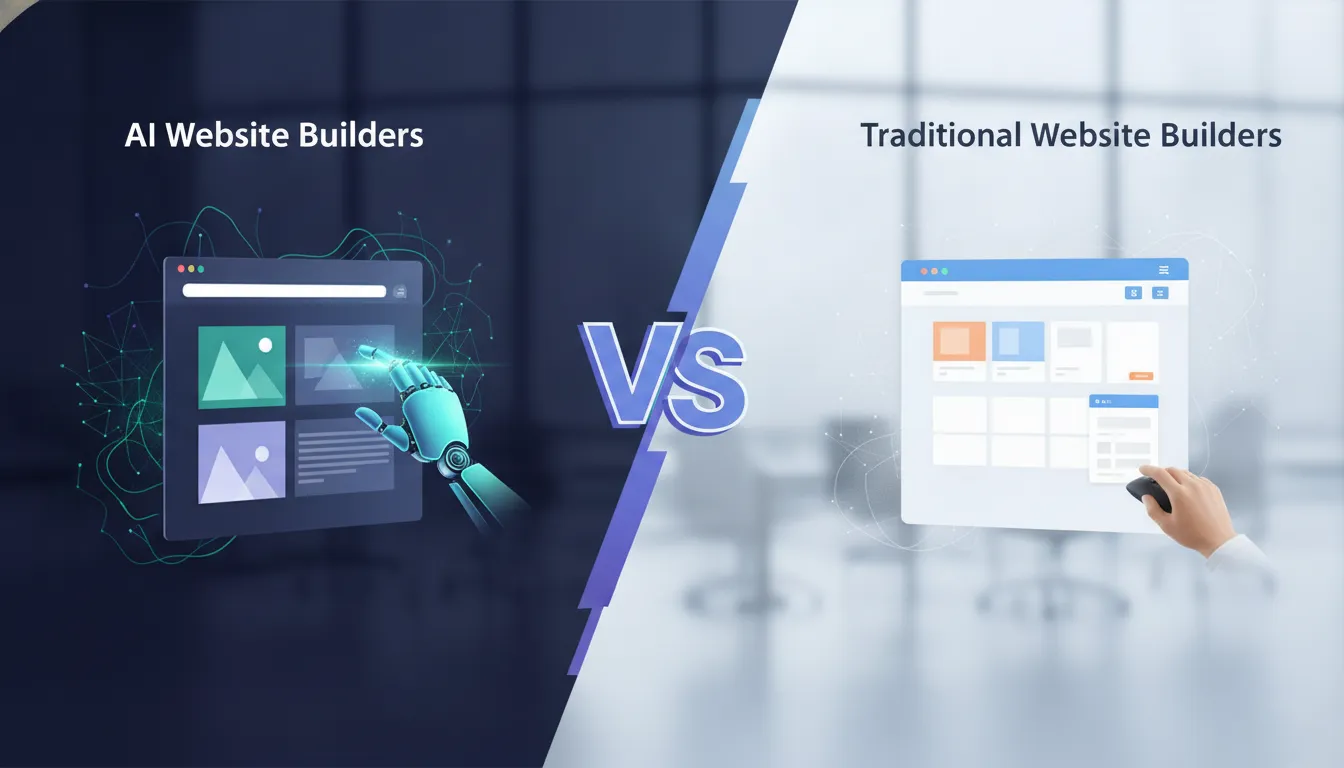
A website can help a potential customer decide whether your business feels trustworthy before they ever call. But building one can seem like a project of its own, especially when you’re already managing a busy schedule. AI tools promise a faster start by turning a description of your business into a first draft. Traditional website builders give you more hands-on control over pages, content, and design. So, which approach makes sense for a service business like Lit 365? This guide compares ai vs traditional website builders, including their strengths, limits, costs, and learning curves. You’ll also learn how a hybrid approach can pair AI’s speed with the human review needed to create a polished, useful site.
Key Takeaways
- Use AI to get started faster: Let it draft pages and copy, then add accurate service details and photos of your actual work.
- Choose a builder that fits your plans: Compare design control, quote forms, mobile tools, support, costs, and content export options.
- Review before and after launch: Test pages and forms, check accessibility and mobile usability, then use customer feedback and analytics to guide updates.
How Do AI and Traditional Website Builders Work?
AI and traditional website builders both help you create and publish a website, but they differ in how they get you started. An AI builder uses your description of the business, audience, and preferred style to generate a first draft. A traditional builder usually starts with a template or blank page, then lets you choose the layout, add content, and adjust the design yourself. Many platforms now combine both methods, so you can use AI for a starting point and still make the key decisions.
For a service business such as Lit 365, the website needs to do more than look attractive. It should explain permanent outdoor lighting options, show real installation photos, answer questions about the process, and make it easy to request a quote. AI can help draft pages and organize information, while hands-on editing helps make sure the final site reflects the quality of the service and gives visitors clear next steps. The best workflow depends on how much you want the tool to do and how much control you need.
How prompts compare with hands-on design
An AI builder typically starts with a prompt. You describe your business, the customers you serve, the services you offer, and the style you want. The tool uses that information to create an initial site, which may include page layouts, sample copy, and images. You then review the results and adjust anything that feels off.
With a traditional builder, you make more choices yourself from the beginning. You might select a template, add pages, choose colors and fonts, and arrange sections in a visual editor. That takes more direct input, but it can help you shape the site around specific needs. A permanent lighting company, for instance, may want separate pages for holiday displays, everyday accent lighting, and commercial projects. This comparison of AI and traditional workflows describes AI as creating the initial picture, with the user refining the result.
How each builds layouts, copy, and images
AI tools can turn a short business description into suggested pages, headlines, section layouts, and body copy. Some can also generate images or recommend visuals. This can help you quickly picture how the site might look, but generated designs may rely on familiar layouts, and the writing may miss details that set your business apart. Arctic Leaf’s analysis notes that AI-generated sites can share similar structures, which may make it harder for a brand to feel distinctive.
Traditional builders rely more on templates, content blocks, and editing tools. You choose the layout and provide the copy and images, although some platforms offer AI features to help with those tasks. For a premium outdoor lighting business, authentic project photos and accurate service descriptions can make a stronger impression than generic imagery or broad claims. Whichever route you choose, review the site as a potential customer would: does it show the work clearly and explain what to do next?
How traditional platforms use AI
A traditional website builder can still include AI features. Established platforms may offer tools to draft text, generate images, adjust page sections, or suggest design variations within an editor you already know. This lets you speed up repetitive tasks while keeping control over the site’s structure and final appearance.
That combination can work well when you want help getting started but need the details to stay accurate. For example, AI might draft an introduction to a permanent lighting service page. You can then revise it to explain installation, color options, scheduling, and how to request an estimate. Many site owners value traditional builders for their familiar editing tools and predictable templates, while using AI for first drafts or routine updates. Repaint’s guide explains why reliability and a polished editing experience remain important considerations.
What AI generates—and where people add judgment
AI can create a useful first draft, but it does not know your business as well as you do. It may suggest a page structure, write introductory copy, or create a visual concept. It cannot confirm that every service detail is current or that the images accurately represent your work. Before publishing, check claims, service descriptions, contact details, and calls to action. Replace generic visuals with real project photos wherever possible.
People also bring judgment to brand voice and customer needs. A homeowner considering permanent lighting may want to know how the system looks on a home, what installation involves, and how to get a quote. A commercial customer may be looking for examples of business projects and details about scheduling. AI can help organize this information, but you should decide what matters most to your customers and ensure the finished site answers their questions. As Arctic Leaf’s review points out, human expertise remains valuable when a site needs to meet specific business goals.
How Do Speed and Ease of Use Compare?
Time to build, edit, and launch
AI website builders can produce a first draft quickly. Describe your business, answer a few questions, and the tool may create a homepage, service pages, and starter copy in a few hours. That can help a lighting company get a basic site online to showcase projects and collect quote requests. Still, a draft needs review before it’s ready for customers. You’ll need to confirm the information, add real photos, and make sure visitors can easily find your services and contact details.
Traditional builders often take longer at the start because you make more choices about page structure, design, and content. That time can be worthwhile when your site needs a distinctive look or specific features. One comparison of AI and traditional website builders estimates one to two hours for an AI-generated site that’s “good enough,” compared with two to three days for a more tailored result. Your timeline will depend on how much content and customization you need.
Learning curves for beginners and experienced users
AI builders can make the first steps easier for beginners. Instead of starting with a blank page, you answer prompts, review the suggested site, and make changes in an editor. The tool handles some early layout and writing decisions, but you’ll still need to learn how to update pages and check that the site accurately describes your business.
Traditional builders may ask you to make more design choices upfront, which can take time if you’re new to website creation. In exchange, they often give experienced users more control over the site’s structure and presentation. That flexibility matters when you need custom pages, carefully planned customer journeys, or specific design details. Arctic Leaf’s review of AI website builders notes that expert designers and developers remain valuable for high-performance business websites. Choose a tool based on how much control you want and how comfortable you are making those decisions.
How AI handles prompts, revisions, and business details
AI builders use your prompts to shape a site, so you can request changes in plain language. For example, you might ask for a page about year-round outdoor lighting, a warmer tone, or a form for consultation requests. The builder can make a new draft quickly, but it may not understand which details set your business apart. Vague instructions can lead to generic text or features that don’t fit your services.
Give the tool specific, accurate information, then check each revision. Confirm your service area, installation process, available lighting options, and contact details before publishing. Also, use the platform’s built-in editor when possible. Arctic Leaf’s analysis warns that manual edits to generated code can interfere with future platform updates. If you need a change the editor can’t handle, check the builder’s support resources before editing code yourself.
Why generated copy and visuals need review
AI-generated copy can give you a starting point, but it may sound generic or leave out details customers need. A draft might mention outdoor lighting without explaining that your system is professionally installed, offers customizable colors and schedules, and works for everyday accents as well as holidays. Add those specifics in your own words so visitors can understand what you offer and whether it suits their property.
Review images with the same care. Use photos that reflect your actual work and the types of properties you serve, and confirm you have permission to publish them. AI-generated sites can also rely on similar layouts and visual choices, making it harder for a business to feel distinctive. Take time to check the full experience on desktop and mobile. A thoughtful human review helps the site reflect your brand, present reliable information, and make it clear how a potential customer can request a quote.
How to switch builders or move an existing site
Moving to a new builder involves more than transferring text and photos. Make an inventory of your pages, forms, images, domain settings, analytics, and any tools connected to your current site. Then check whether the new platform supports the features you rely on, such as project galleries or quote request forms. Save copies of important content before you begin, and ask the new provider how to export your data if you leave later.
Plan for page addresses, too. If URLs change, set up redirects so visitors and search engines can reach the right pages. Confirm who controls your domain and whether you can move it if you switch platforms again. Think about how you’ll manage routine edits after launch. A traditional content management system may be a better fit for frequent updates, while a hybrid workflow can use AI for drafts and human input for design and review. Arctic Leaf’s guidance on builder tradeoffs can help you weigh flexibility and ongoing maintenance before making a move.
What Are the Pros and Cons of AI Website Builders?
AI website builders can turn a description of your business into a draft with suggested layouts, copy, and images. That can make starting a site feel more manageable, especially when your needs are straightforward. But a draft is only a starting point. Consider how much time you’ll save, how much control you’ll have, and what you may need to refine before publishing.
Benefits: faster drafts and simpler setup
The main advantage of an AI website builder is speed. Describe your business, audience, and goals, and the tool can generate a starting layout and copy. Instead of facing a blank page, you have a draft to review and shape. One guide to AI website builders reports that some users can go from idea to draft in hours rather than days. Your results will depend on the tool and the complexity of your site.
For a simple service-business website, AI might help organize a homepage, service descriptions, a project gallery, and a contact form. You can then add accurate details and photos of your own work. AI can also suggest ways to explain your services if you know what you offer but aren’t sure how to structure the copy. Treat it as a drafting assistant: it can help with the first pass, while you decide what the site needs to say and show.
Tradeoffs: uneven results and less control
An AI-generated site may look polished but still feel generic or miss what sets your business apart. The tool relies on your instructions and its available design options, so a vague prompt can produce familiar layouts and broad, impersonal copy. You may need to revise the wording, page structure, and images to make the result feel like your brand. A comparison of AI website builders notes that these platforms tend to favor speed over detailed customization.
You may also run into limits when you want a specific page layout, booking process, or custom feature. Some platforms restrict access to the underlying code, which can make advanced changes or a future move more difficult. Before choosing a builder, check what you can edit, which integrations it supports, and whether you can export your content. Those details matter if you expect your website to grow or need features that go beyond a basic template.
Myths about quality, conversions, and savings
AI-built websites aren’t automatically poor quality, and traditional websites aren’t automatically better. AI can produce a useful, attractive site, but the outcome depends on the builder, your instructions, and the review you put in. Claims that AI guarantees higher conversions or major savings should be treated as claims, not promises. A collection of AI website case studies highlights strong outcomes, but results from individual projects can’t predict what your business will achieve.
A low monthly fee also doesn’t necessarily mean a low total cost. You may pay for apps, added features, professional copy, or help resolving technical issues. And a website builder alone can’t ensure more inquiries or sales. Visitors still need clear information, a useful offer, a smooth mobile experience, and an obvious next step. After launch, track the actions that matter to your business, such as estimate requests or bookings, and use what you learn to improve the site.
Where human expertise still helps
A person can catch details an AI tool may miss: inaccurate service descriptions, unclear pricing information, or copy that doesn’t speak to your ideal customer. For a permanent lighting business, visitors may want to see completed projects, understand installation options, and know how to request an estimate. AI can help draft those pages, but someone who knows the business should check that every detail is correct and reflects the company’s standards.
Expert help becomes more valuable when your site needs a distinctive look, custom features, or accessibility improvements. Arctic Leaf’s analysis of AI website builders notes that complex interactions and custom development can still call for professional expertise. You may not need a designer or developer for every update. A focused review, though, can help you catch problems and turn a quick draft into a website that works well for your customers.
How Do Customization, Performance, and Conversions Compare?
An AI website builder can turn a short description into a first draft, while a traditional builder usually gives you more hands-on control over the design. But a quick launch doesn’t guarantee a site that feels distinctive, works smoothly, or brings in inquiries. The right choice depends on what your business needs the site to do and how much time you can spend refining it.
Start with the visitor’s experience. Can someone understand your services, view examples of your work, and contact you without confusion? For a permanent outdoor lighting company, that might mean a gallery of completed installations, clear service details, and a simple quote request form. Also check how a builder handles mobile layouts, accessibility, search tools, and analytics. These features affect how people use your site and how you can improve it over time.
Design flexibility, brand consistency, and unique needs
AI builders can create a usable starting design from a prompt, but the draft may not capture what sets your business apart. You may need to revise its colors, layout, images, and copy to reflect your brand and appeal to your customers. Arctic Leaf notes that AI-generated sites can follow similar structural patterns, which may make businesses look alike.
Traditional builders often give you more direct control over page layouts and design details. That can be useful if you have specific brand guidelines or want a distinctive look across every page. Before choosing, try changing key elements and see whether the platform makes it easy to get the result you want. Arctic Leaf’s review of AI website builders explains some of the tradeoffs.
Custom pages, forms, galleries, scheduling, and integrations
Write down the features your site needs before picking a builder. A lighting contractor might want a gallery of finished projects, service-area pages, and a form for quote requests. Other businesses may need appointment scheduling, online payments, or connections to email and customer-management tools.
AI can suggest page layouts and draft basic copy, but complex forms or interactive features may require extra setup. Check whether the builder includes the tools you need or supports integrations with other services. If a free trial is available, use it to make a sample page and test a form. Arctic Leaf warns that complex interactions and multi-step forms can be difficult for some AI builders to handle, so test essential features before committing.
Code access, portability, and platform limits
Think about what you might need as your website grows. You may want to add custom functionality, hire a developer, or move to another platform. Some builders keep hosting and much of the site’s underlying code within their own systems. This can simplify setup, but it may limit customization or make moving your site more involved.
Before signing up, check whether you can export your pages, images, and other content in a usable format. Find out if you can add custom code and whether platform updates could affect your changes. Traditional builders also vary in how much control they offer. Repaint’s guide to AI website builders outlines why some businesses prefer established platforms for their reliability and predictable tools.
Mobile usability, accessibility, and page speed
Your site should be easy to use on a phone, accessible to people with different needs, and quick to load. AI builders may create layouts that adapt to different screen sizes, but review the results yourself. Watch for text that is too small, buttons that are hard to tap, poorly cropped images, and forms that are awkward to complete on mobile.
Check accessibility basics, including color contrast, heading order, keyboard navigation, image descriptions, and clear form labels. Large images can slow pages down, so compress them when needed. Then ask someone who hasn’t seen the site before to try a key task on their phone, such as requesting a quote. A builder can provide useful tools, but a real review helps catch problems an automated layout may miss.
SEO, analytics, and testing tools
AI can help draft page titles, descriptions, and website copy, but review every suggestion for accuracy and usefulness. Check business names, service areas, and claims, and make sure each page answers a question your prospective customers may have. Clear, relevant information gives visitors a better reason to stay and take the next step.
Look for tools that let you edit page titles and URLs, add image descriptions, connect analytics, and set up redirects. Analytics can show how visitors find your site and which pages they leave, while testing different headlines or forms can help you identify improvements. Repaint highlights AI’s role in content creation and optimization, but your strategy still matters. Its website-builder guide can help you compare platforms, then confirm that your preferred option supports the tools you need.
Why builders alone can’t guarantee traffic or conversions
A website builder provides a way to create and publish pages, but it can’t guarantee that people will find your site or contact you. Traffic depends on factors such as your audience, search visibility, content, referrals, and marketing. Conversions also depend on whether your services are clear, your information feels credible, and visitors can take the next step easily.
Make it simple for visitors to understand what you offer, where you work, and how to reach you. Then track actions that matter to your business, such as quote requests, calls, or bookings. Use what you learn to improve your pages and forms. Arctic Leaf notes that expert design and development can still play an important role in building high-performing business websites. Whether you choose an AI or traditional builder, careful planning and regular refinement shape the experience.
How Reliable Are These Builders, and What Support Do They Offer?
A website builder’s reliability depends on more than whether it uses AI. The platform behind the editor matters: how it hosts your site, protects your information, manages updates, and responds when a problem comes up. AI can help create a site quickly, but it can’t guarantee that the finished website will stay secure, load consistently, or meet your business needs over time.
Before choosing a builder, look beyond the demo. Check whether hosting is included, how backups work, what security controls are available, and how you can get help. If you already have a website, find out whether you can export your pages, images, and other content. Moving platforms can take time, especially if the builder uses a closed system or relies on features that aren’t available elsewhere.
Also consider who will maintain the site after launch. A simple brochure site may need only occasional content updates, while a site with bookings, customer forms, or frequent promotions may need more regular checks. Research on AI website builder trade-offs notes that platform lock-in and limitations with complex features can affect a site’s long-term usefulness. Use the points below to assess the level of reliability and support you can expect.
Hosting, uptime, backups, and platform stability
Many builders include hosting, so you don’t need to choose and manage a separate web server. That convenience also means your site depends on the provider’s infrastructure and policies. Check whether the company publishes uptime information, how often it backs up sites, and how you can restore an earlier version if an update or edit causes a problem.
Ask what happens if the platform experiences an outage or changes a feature you rely on. Review storage and traffic limits, too, especially if you expect your site to grow. If you might switch providers later, find out which content you can export and what would need to be rebuilt. Understanding these details upfront can help you avoid surprises and choose a platform that fits your plans.
Security, data protection, and user access
Look for practical security features such as SSL certificates, two-factor authentication, and individual user accounts with different permission levels. These controls can help protect your site and make it easier to remove access when an employee or contractor leaves. If your website collects inquiry, booking, or customer information, read the provider’s privacy and data-handling policies before you publish a form.
Consider how your team will make changes, too. AI-generated code or custom edits may be harder to maintain than content managed through the builder’s standard tools. Research on AI builder limitations notes that manual edits to generated code can complicate future updates. Keep a copy of important business content, use separate logins for team members, and check that your plan supports the access controls you need.
Maintenance, accessibility checks, and updates
A hosted builder may take care of core platform maintenance, but you still need to review the website itself. Check that pages display properly on phones, links and forms work, and business details stay accurate. As you add content, use clear headings, add descriptive text for meaningful images, and make sure text is easy to read against its background.
AI can provide a useful starting point, but review generated copy, layouts, and images before publishing. Automated tools may miss details about your business or produce pages that feel inconsistent. Accessibility and performance checks can also reveal issues that need hands-on fixes. A hybrid website-building workflow combines AI’s speed with human review, which can be especially helpful for sites with custom features or specific brand requirements.
Support channels, response times, and expert help
Website builder support may include help articles, automated chat, live chat, email, or phone assistance. Compare the channels and hours available, and look for clear information about response times. If your site handles bookings, sales, or customer inquiries, consider how quickly you could get help if a key feature stopped working.
Test the support experience before committing if possible. Ask a specific question about backups, integrations, or exporting content, then see whether the answer is clear and useful. Keep in mind that customer support may help with platform issues, while custom design, advanced integrations, or complex interactions may require a web professional. Choose a builder with support that matches the kind of site you plan to run and the amount of technical help you’re comfortable providing yourself.
How Much Do AI and Traditional Website Builders Cost?
A website’s total cost goes beyond its monthly plan. Compare the features included, the time you’ll spend preparing and maintaining the site, and the expense of adding tools or moving to another platform later.
Subscriptions, add-ons, and transaction fees
AI website builders may include their generation tools in a monthly or annual subscription. A free plan can help you test a platform, but publishing with a custom domain or removing the builder’s branding may require a paid plan. Traditional builders also charge subscription fees, and optional themes, apps, plugins, hosting, or commerce features can add to the bill.
If you’re comparing a builder with hiring a developer, check that the estimates cover similar work. One cost comparison from NxCode estimates AI-built sites at $0 to $500 and traditional development at $15,000 to $50,000 or more. Actual costs vary with the site’s scope, design, and features. For an online store, include payment processing and transaction fees in your calculations.
Time, expertise, and maintenance costs
AI can create an initial site draft quickly, reducing the time needed to get started. You’ll still need to check the design, correct business information, refine the copy, and test every form and link. If the draft needs extensive revisions, the initial time savings may be smaller than expected.
Traditional builders can take longer to learn and set up, especially if you’re working with a developer. But they may offer practical tools for making routine updates. Arctic Leaf’s analysis notes that traditional content management systems can be better suited to daily edits. Whichever option you choose, account for ongoing work such as updating software, checking backups, and fixing technical issues.
Costs as your website grows
A basic plan may cover what you need now, but new business goals can bring new costs. You might add more pages, appointment booking, payment options, a larger product catalog, or connections to marketing and customer management tools. These features may require a higher-tier plan, paid apps, or help from a specialist.
Before choosing a builder, list the features you expect to need over the next few years. AI tools can help you draft and test ideas, but a specific design or workflow may call for more customization. Umapathy Sekar’s guide identifies customization as a key factor to consider when choosing an AI builder. Compare the price of expanding each platform, rather than choosing based only on the cost of launching a simple site.
Ownership, portability, and switching costs
Check what you can take with you if you leave a platform. Can you export your text, images, products, and customer data? Will your domain settings, design, or code work with another provider? If the answer is no, moving may require rebuilding pages or finding replacements for tools that don’t transfer.
Consider how easily you can create a distinctive look, too. Arctic Leaf’s review notes that AI-generated sites can share similar structural patterns. That doesn’t mean every AI-built site will look alike, but it’s worth checking how much control you have over layouts and branding. Read the platform’s export options and terms before committing, especially if your website will be central to your business.
Which Website Builder Fits Your Needs?
The right website builder depends on what you need your site to do, how much control you want, and how much time you can put into creating and maintaining it. A straightforward site with a homepage, service descriptions, photos, and a contact form may be manageable with an AI builder. A business with custom forms, several service pages, or specific design requirements may benefit from a traditional builder or a hybrid approach.
For a permanent outdoor lighting company like Lit 365, a website should help visitors understand the service and picture what it could look like on their property. Strong project photos, clear explanations, service-area details, and a simple way to request a quote can all help turn interest into an inquiry. Before choosing a platform, list the pages and features your business needs, then compare builders against that list.
Also consider what happens after launch. You may need to update seasonal photos, add new services, or adjust business details over time. Choose a platform that makes routine changes practical, fits your budget, and gives you access to the support you need.
Choose AI for a fast start and a simple site
An AI website builder can create a first draft from a description of your business. It may suggest page layouts, write starter copy, and help select visuals, giving you something to edit instead of starting with a blank page. This can be useful when you need a basic site and have limited experience with web design. One AI website builder guide describes how AI can shorten the time it takes to create an initial website, although the actual time depends on the tool and the amount of editing required.
AI may work well for a simple site with service details, contact information, and a small photo gallery. Review every page before publishing. Replace generic language with accurate details about your services, location, installation process, and brand.
Choose traditional tools for control and tailored features
Traditional website builders give you direct control over page layouts, design choices, and many site features. This can be helpful when your website needs a particular look or a clear path for different types of customers. A lighting business, for example, might create separate pages for permanent roofline lighting, holiday displays, and commercial projects, each with relevant photos and a tailored quote form.
Many traditional platforms offer templates and visual editors that let you make changes yourself. You can choose a design, add your content, and adjust the details without relying on AI to interpret each request. Repaint’s comparison notes that traditional builders can offer a reliable, predictable editing experience. They may require more setup at the start, but that extra hands-on control can be valuable when your brand or features have specific requirements.
Match your platform to your skills, budget, and goals
Begin by listing what you want your website to accomplish. Will it mainly explain your services and collect quote requests, or do you also need appointment booking, payments, or customer accounts? Consider how comfortable you are editing pages, too. Guided setup may help beginners, while users with design or development experience may prefer more control.
Look beyond the monthly subscription when comparing costs. Include paid templates, apps, hosting, and any professional help you may need. Consider the time required to review AI-generated content and keep the site updated. AI and traditional tools aren’t necessarily an either-or choice: you might use AI for a first draft and a person for important refinements. Arctic Leaf’s analysis recommends evaluating tools against your specific needs. Let your skills, budget, and plans for the business guide your decision.
Assess service-business needs, such as galleries and quote forms
A service-business website should make it easy for visitors to understand the work and get in touch. Check whether a builder supports project galleries, service-area information, FAQs, and quote request forms. For a permanent outdoor lighting company, photos of completed installations can show how different lighting styles look on real homes and businesses. Clear descriptions can also explain the installation process and what customers can expect.
Test each form before committing to a platform. Make sure it collects useful information, such as a customer’s location, project type, or preferred timeline, without asking for more than you need. If you require a multi-step form or a custom customer journey, check that the builder can handle it. Arctic Leaf’s overview of AI builder limitations notes that complex forms and interactions may require more than a standard AI-generated setup.
Compare customization, integrations, reliability, and support
Compare how easily each platform lets you update pages, add services, and connect the tools your business already uses. You may want integrations for email marketing, analytics, scheduling, or customer management. If you expect your site to grow, check whether the builder can support new pages and features without requiring a full rebuild.
Review the practical details, too. Find out what hosting, backups, security features, and accessibility tools are included. Check the available support channels and whether you can reach a person when you need help. It’s also worth asking how you can export your content and customer data if you decide to switch platforms later. AI can help produce a first draft, but the finished site still needs to work for your business. NxCode’s case-study overview underscores the importance of matching tools to business needs when assessing results.
When Does a Human-Guided Hybrid Workflow Make Sense?
A human-guided workflow makes sense when you want AI to handle the first pass but need a person to make sure the finished site is right for your business. AI can quickly suggest a page structure, draft basic copy, or create a rough design. A person can then shape those materials around your goals, your customers, and the details that set your business apart. This approach can save time without asking you to accept every generated choice as final.
It can be especially useful for service businesses, where a website needs to build trust and make it easy to get in touch. A permanent outdoor lighting company, for example, might use AI to outline a service page, then have someone verify the installation information, choose photos of real projects, and make the estimate request clear. AI website builders can help with rapid prototyping, but their drafts may not follow specific brand guidelines, as Arctic Leaf explains.
Use AI for prototypes, first drafts, and routine tasks
AI can help you get past the blank page. Share what your business does, who you serve, and what you want visitors to do, then use the generated layout as a prototype. For a lighting company, that first draft might include a homepage, service pages, a project gallery, and a quote request form. AI can also suggest routine copy, such as answers to common questions or brief service descriptions.
Treat the result as a starting point. Check whether the pages are in a useful order, the key information is easy to find, and each call to action makes sense. If the builder’s draft feels generic, use it to clarify what you want before revising the design and language. AI can speed up early planning, while human review helps make the website feel distinct and relevant.
Have a person refine strategy, design, and brand voice
A strong website needs to do more than look polished. It should explain why a customer might choose your business, answer their questions, and give them a clear next step. A person can review the page structure, make design choices that fit your audience, and adjust the copy so it sounds like your brand.
For a premium outdoor lighting company, that could mean replacing broad claims with clear information about professional installation, customizable colors, and year-round use. It may also mean selecting project photos that show the quality of the finished work. These details help visitors understand what to expect. When a site has specific brand or business requirements, experienced designers and developers can help align its strategy and design with those needs.
Check business details, copy, and visuals before publishing
Before your site goes live, verify the information customers may use to make a decision. Check your service area, contact details, business hours, pricing language, warranties, and any claims about products or installation. Test every form to confirm submissions reach the right person, and click through the site to catch broken links. Make sure photos accurately represent your work and that you have permission to use them.
Then read the copy closely. Revise phrases that sound vague, repetitive, or unlike your business, and make sure the wording does not promise more than you can deliver. If your builder offers AI-powered edits, use its recommended tools and save a backup before making major changes. A careful review helps customers find accurate information and gives you a chance to correct small errors before they affect inquiries.
Use analytics and visitor feedback to improve the site
A website can keep improving after launch. Analytics can show which pages visitors view, how they arrive, and whether they complete actions such as submitting a quote request. Ask customers and staff what information they looked for or found confusing, too. The numbers can point to a problem, while people can often explain what caused it.
Make one clear change at a time, then see how visitors respond. You might move a contact button, clarify a service description, or add answers to questions customers ask often. AI can help you brainstorm updates, but use your own audience data to decide what to change. AI website case studies report a range of results, but performance depends on the site, its audience, and how success is measured. Treat claims as examples, not a guarantee.
Test accessibility, mobile usability, and conversion paths
Check every important page on a phone before publishing. Make sure the text is easy to read, buttons are comfortable to tap, images display properly, and forms are straightforward to complete. Follow the path a customer would take, from a service page to a quote request. If an important button is difficult to find or the form asks for unnecessary details, revise it.
Review accessibility as well. Use descriptive headings, add meaningful alternative text to images, check color contrast, and test whether visitors can use the site with a keyboard. Automated tools can identify some issues, but they may miss problems that become clear during hands-on testing. Ask someone who has not worked on the site to try common tasks. Their experience can reveal confusing steps that you might overlook.
Frequently Asked Questions
Can an AI website builder create a complete business website?\ It can generate a useful first draft, including page layouts and sample copy. Before publishing, review the details, add real photos, test forms, and make sure the site clearly explains your services and how customers can contact you.
Is an AI website builder the right choice for a service business?\ It may suit a business that needs a straightforward site with service information, photos, and a contact form. If you need custom features, specific page layouts, or more control over your brand, compare traditional builders or combine AI tools with hands-on editing.
What should a permanent outdoor lighting website include?\ Show completed projects, explain your lighting options and installation process, identify the areas you serve, and make it easy to request an estimate. Separate pages for residential, commercial, holiday, or everyday lighting can help visitors find information relevant to them.
How can I check whether a website builder fits my needs?\ Make a list of the pages and features you need, then test them in a trial if one is available. Check mobile layouts, quote forms, photo galleries, integrations, support, and whether you can export your content if you switch platforms.
Does using an AI website builder cost less than hiring a professional?\ It can cost less to create a basic site, but the full expense depends on subscriptions, add-ons, your time, and any professional help you need. Compare the cost of building, maintaining, and expanding the site, not just the starting price.